Best AI Tools for Freelancers in 2026: 10 Tools for Smarter Workflows
- by Muhammad Raza
- 0 Comments
- 18 minutes read
- 87 Views
The best AI tools for freelancers can help reduce the time spent on research, writing, client communication, organization, and repetitive work.
A freelance designer still has to answer emails. A writer has to research topics and manage deadlines. A developer may spend hours understanding client requirements before writing code. Consultants prepare proposals, summarize meetings, create presentations, follow up with leads, and handle administrative work.
This is where AI can be genuinely useful.
The best AI tools for freelancers are not simply applications that generate paragraphs or images on command. Used properly, they can become part of a working system for research, writing, design, organization, communication, automation, and repetitive administrative tasks.
The important phrase is used properly.
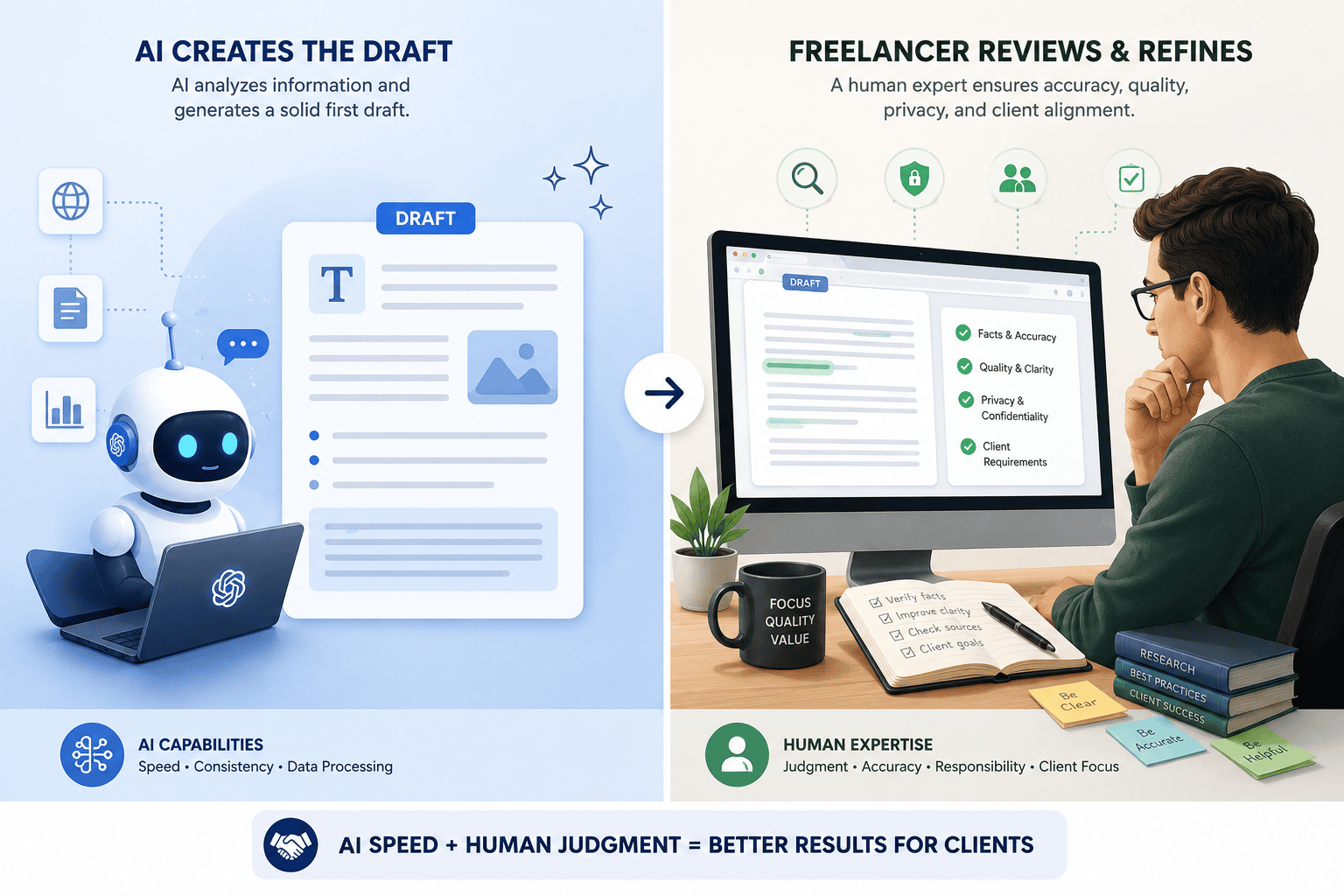
AI does not remove the need for professional judgment. Sending unverified AI-generated work to a paying client can introduce factual errors, generic writing, incorrect assumptions, confidentiality problems, or simply mediocre work. The better approach is to use AI to accelerate parts of your workflow while keeping a human responsible for the final result.
This guide looks at 10 types of AI tools and platforms worth considering in 2026, including ChatGPT, Claude, Gemini, Canva, Notion AI, and Zapier. More importantly, it explains where each fits into a real freelance workflow and where human review still matters. If you want to turn these tools into repeatable processes, see our guide to AI automation workflows for small businesses.
Why AI Tools Matter for Freelancers in 2026
For a large company, repetitive work can be distributed among departments. A freelancer often does everything alone.
Consider what happens around a typical project.
Before winning the job, you might research the prospect, read a brief, prepare questions, estimate the work, and draft a proposal. Once hired, you have to organize files, communicate with the client, perform the actual work, document revisions, and keep track of deadlines. After delivery, there may be follow-up emails, invoices, testimonials, portfolio updates, and future outreach.
Not all of those activities generate billable value.
AI is most valuable when it reduces the time spent moving between those supporting tasks.
AI can shorten the path from information to action
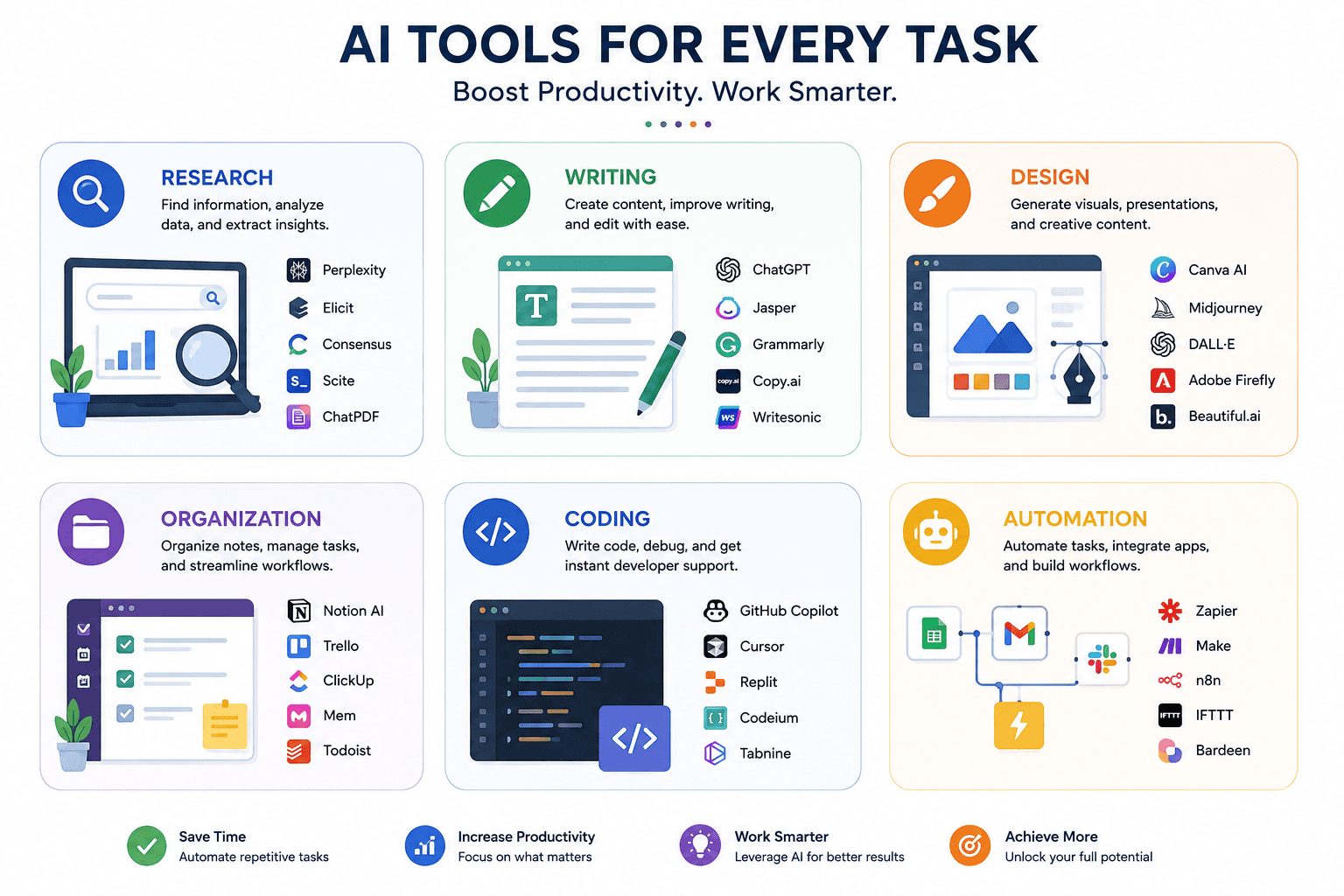
Modern AI assistants can do much more than complete sentences. Depending on the product and plan, they can search current information, analyze uploaded documents, synthesize multiple sources, work with connected applications, generate visuals, organize knowledge, or participate in automated workflows.
For example, ChatGPT’s Deep Research is designed for multi-step research and can work with the public web, uploaded files, selected websites, and enabled connected applications. It produces structured reports with citations that users can inspect.
Google’s Gemini Deep Research similarly supports in-depth research and can use Google Search by default while allowing users to add sources such as uploaded files and, when connected, Google services.
Those capabilities can be valuable to a freelancer researching a new industry, preparing for a client meeting, comparing competing products, or trying to understand a long technical document.
AI can reduce repetitive administrative work
The second opportunity is automation.
A freelancer might repeatedly:
- Categorize leads
- Summarize enquiry forms
- Create project tasks
- Draft acknowledgement emails
- Organize meeting notes
- Transform notes into action items
- Prepare weekly status updates
- Move information between applications
Doing each task manually may take only a few minutes. Repeating it dozens of times every month creates significant overhead.
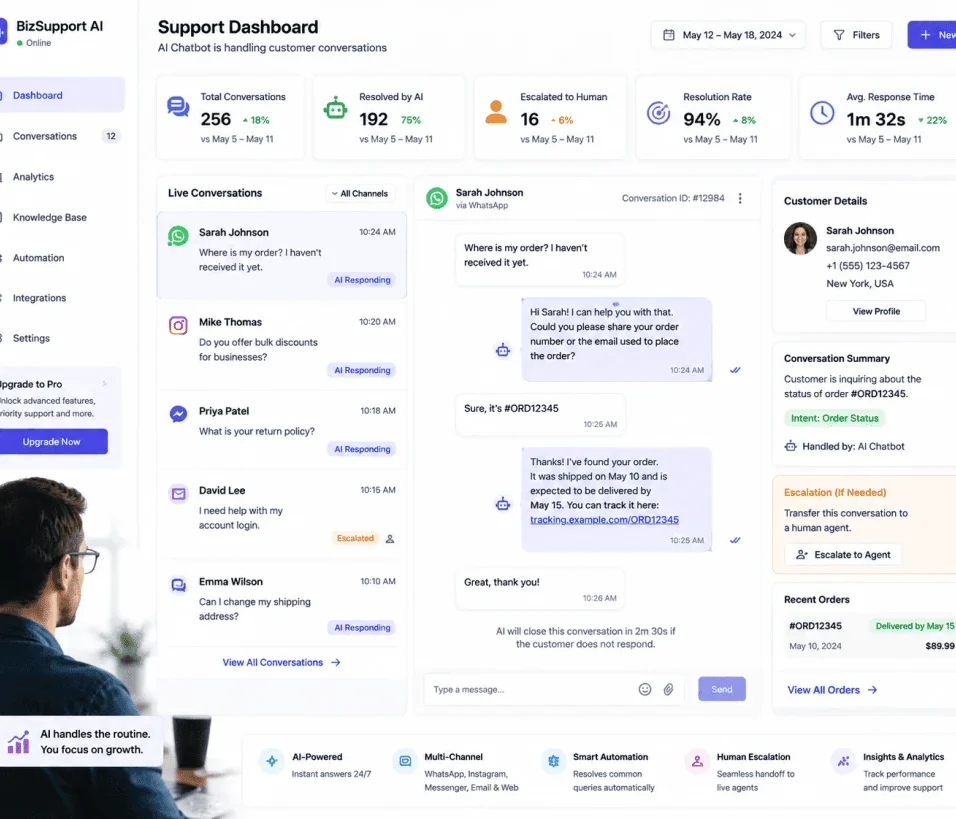
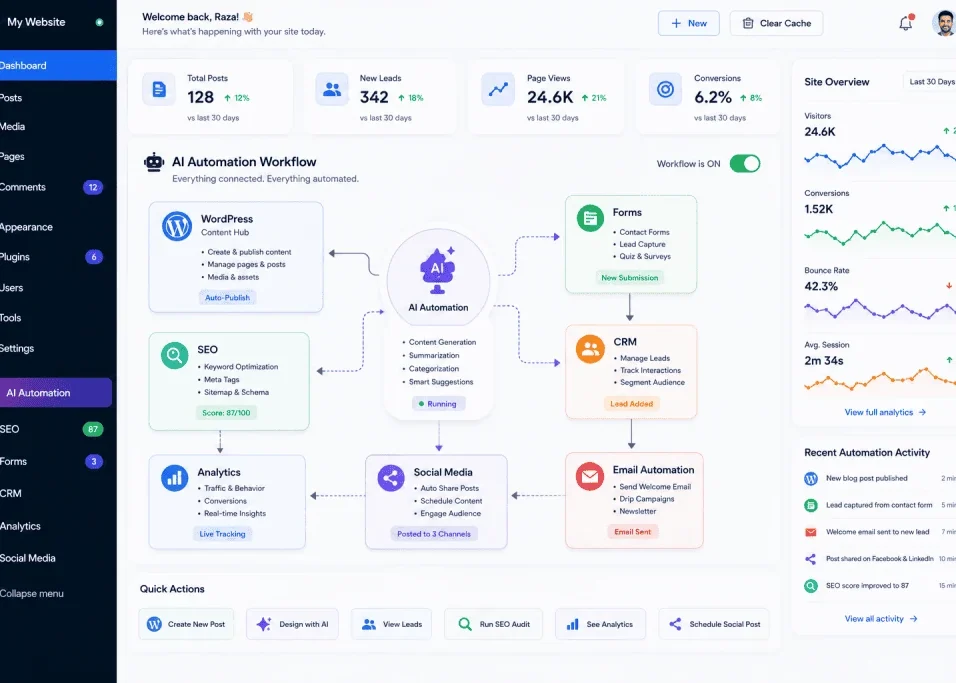
AI workflow automation can place language models inside repeatable processes rather than requiring a freelancer to manually open an AI chatbot and enter the same prompt each time.
The objective is not “use AI everywhere.” It is to identify low-value repetition and decide whether software can safely handle part of it.
Quick Comparison: Best AI Tools for Freelancers
| Tool | Best suited to | Useful freelance tasks |
|---|---|---|
| ChatGPT | General-purpose AI work | Research, ideation, analysis, drafting, files |
| Claude | Long-form and professional knowledge work | Documents, analysis, writing, coding |
| Gemini | Research and Google-centric workflows | Research, synthesis, Google ecosystem work |
| Canva AI | Visual content | Social graphics, presentations, client visuals |
| Notion AI | Workspace knowledge and organization | Notes, databases, research, project information |
| Zapier | Workflow automation | Connecting apps and automating repetitive processes |
| Grammarly | Writing assistance | Editing, clarity, tone and proofreading |
| Perplexity | Source-oriented research | Discovery and initial research |
| GitHub Copilot | Software development | Coding assistance and developer workflows |
| NotebookLM | Source-based knowledge work | Studying client documents and source collections |
There is no single winner for every freelancer. A designer, developer, marketer, virtual assistant, consultant, and copywriter have different bottlenecks.
1. ChatGPT — Best General-Purpose AI Assistant for Freelancers
For freelancers who want one AI platform capable of handling many different kinds of work, ChatGPT is a logical place to start.
Its usefulness goes beyond generating text. Current capabilities include conversational assistance, file analysis, web search, image-related tasks, and research tools. Deep Research is particularly relevant when a freelancer needs to investigate a complex question across multiple sources and receive a structured, cited report.
For freelance work, that creates several practical possibilities.
A marketer could research an unfamiliar client industry before a discovery call. A copywriter could upload a brief and ask for the requirements to be organized into a checklist. A consultant could analyze documents and identify recurring themes. A developer could use it to explain unfamiliar code or reason through implementation options.
ChatGPT can also help create first drafts of routine material such as:
- Project discovery questions
- Proposal structures
- Client email drafts
- Content outlines
- Meeting agendas
- Research plans
- Social content variations
- Project documentation
The strongest workflow is usually input → AI assistance → professional review, rather than prompt → copy → send.
Where ChatGPT is most useful
Use it when a task requires reasoning across several types of information or when you do not want separate applications for every small AI task.
Research is one particularly useful example. OpenAI describes Search as appropriate for faster current information, while Deep Research is intended for more complex questions requiring deeper analysis and synthesis.
That distinction matters. A freelancer checking one current fact probably does not need a lengthy research process. Someone preparing a competitor report for a client might.
What to watch out for
AI output should not automatically be treated as fact.
Check citations, calculations, names, claims, quotations, technical instructions, and anything that could affect a client’s business. Do not upload confidential client information unless doing so is consistent with your agreement, the client’s requirements, and the relevant product’s privacy/data controls.
2. Claude — Strong for Documents, Writing and Professional Work
Claude, developed by Anthropic, is another major general-purpose AI assistant.
It is particularly relevant to freelancers who spend much of their working day handling text, documents, code, research material, or complex instructions.
That could include writers, strategists, researchers, developers, consultants, analysts, and project managers.
Anthropic has continued developing Claude around professional work and agentic tasks. The practical question for a freelancer, however, is simpler: Does it improve the quality or speed of the work I repeatedly perform?
Useful applications include:
- Reviewing long briefs
- Extracting requirements
- Comparing documents
- Reorganizing rough notes
- Improving draft structure
- Brainstorming alternative approaches
- Explaining technical material
- Assisting with code
- Producing structured summaries
For writers, Claude can be useful during planning and revision. Instead of asking it to “write an article,” provide your research, audience, objective, constraints, and existing draft, then use it as an editorial partner.
That approach preserves more of your professional judgment and voice.
For developers, Claude’s coding capabilities can assist with understanding codebases, troubleshooting, planning implementations, and other programming tasks. Generated code still needs testing and security review.
3. Google Gemini — Excellent for Research-Oriented Work
Gemini becomes especially interesting for freelancers who already work heavily with Google’s ecosystem.
One of its most useful capabilities for research-intensive freelancers is Deep Research.
Google’s current documentation states that Gemini Deep Research can conduct in-depth research using Google Search by default. Users can also choose or add sources such as files, and supported Google Workspace connections can provide access to sources such as Gmail or Drive.
That can make it useful when information is spread across several places.
Imagine that you are preparing a strategy document for a client. You may have a PDF brief, existing documents, background research, and current information from the web. A research-oriented AI workflow can help organize that material before you begin the higher-value work of deciding what it means.
Good Gemini use cases for freelancers
Gemini can help with:
- Market research
- Topic research
- Competitor discovery
- Document analysis
- Research planning
- Information synthesis
- Brainstorming
- Working with supported Google services
The ability to produce a report does not eliminate verification. Research reports should be treated as a starting point for professional analysis, especially when recommendations will influence a client’s money, strategy, health, legal position, or reputation.
Google Gemini official website
4. Canva AI — Best for Fast Visual Content
Not every freelancer is a professional designer, but almost every freelancer eventually needs visual material.
You may need a proposal cover, presentation, social media graphic, portfolio asset, diagram, simple advertisement, thumbnail, or branded client document.
Canva has progressively integrated generative AI and automation into its design platform. Its Magic Studio introduced AI-assisted features across writing and visual creation, while Canva’s newer AI developments have expanded conversational creation, editing, coding, data-related workflows, and other creative capabilities.
For freelancers, the advantage is not simply “AI makes images.”
The larger benefit is that writing, layout, templates, brand assets, graphics, presentations, and AI-assisted creation can exist within the same creative environment.
Practical freelance uses
A social media manager could create variations of campaign graphics.
A consultant could transform research into a client presentation.
A virtual assistant could prepare branded documents.
A freelance marketer could adapt one campaign concept into several visual formats.
A web designer could create quick visual concepts during the planning stage.
AI-generated design should still be reviewed carefully. Check typography, visual hierarchy, brand consistency, factual text embedded in graphics, accessibility, licensing considerations, and whether the result actually looks professional.
5. Notion AI — Best for Combining AI With Project Knowledge
Freelancers often accumulate information everywhere: email, notes apps, browser bookmarks, documents, spreadsheets, messaging tools, and task managers.
That fragmentation becomes expensive when you repeatedly search for information you already have.
Notion AI takes a different approach because AI features live inside the workspace where projects, notes, databases, and documentation can already be stored.
Notion’s current documentation describes capabilities including Notion Agent, Research Mode, AI Meeting Notes, writing assistance, database work, and searching workspace information and supported connected applications.
For a freelancer managing several clients, that can be useful.
You could maintain a workspace for each client containing:
- Project requirements
- Meeting notes
- Brand guidelines
- Deadlines
- Deliverables
- Research
- Content calendars
- Revision records
- Standard operating procedures
AI then has a structured working context rather than receiving a completely new prompt every time.
A particularly useful workflow
After a client meeting, organize the notes in the client’s workspace. AI can help summarize the discussion and identify possible action items. You then review those actions before updating the project plan.
The human review is important. A missed deadline or incorrectly interpreted client request cannot be excused by saying the AI misunderstood the meeting.
Notion also states that its Agent operates according to workspace permissions, which is an important consideration when organizing shared information.
6. Zapier — Best for Automating Repetitive Freelance Workflows
Generative AI becomes more powerful when it stops being an isolated browser tab.
Zapier is designed around connecting applications and automating workflows, and AI can be incorporated into those processes.
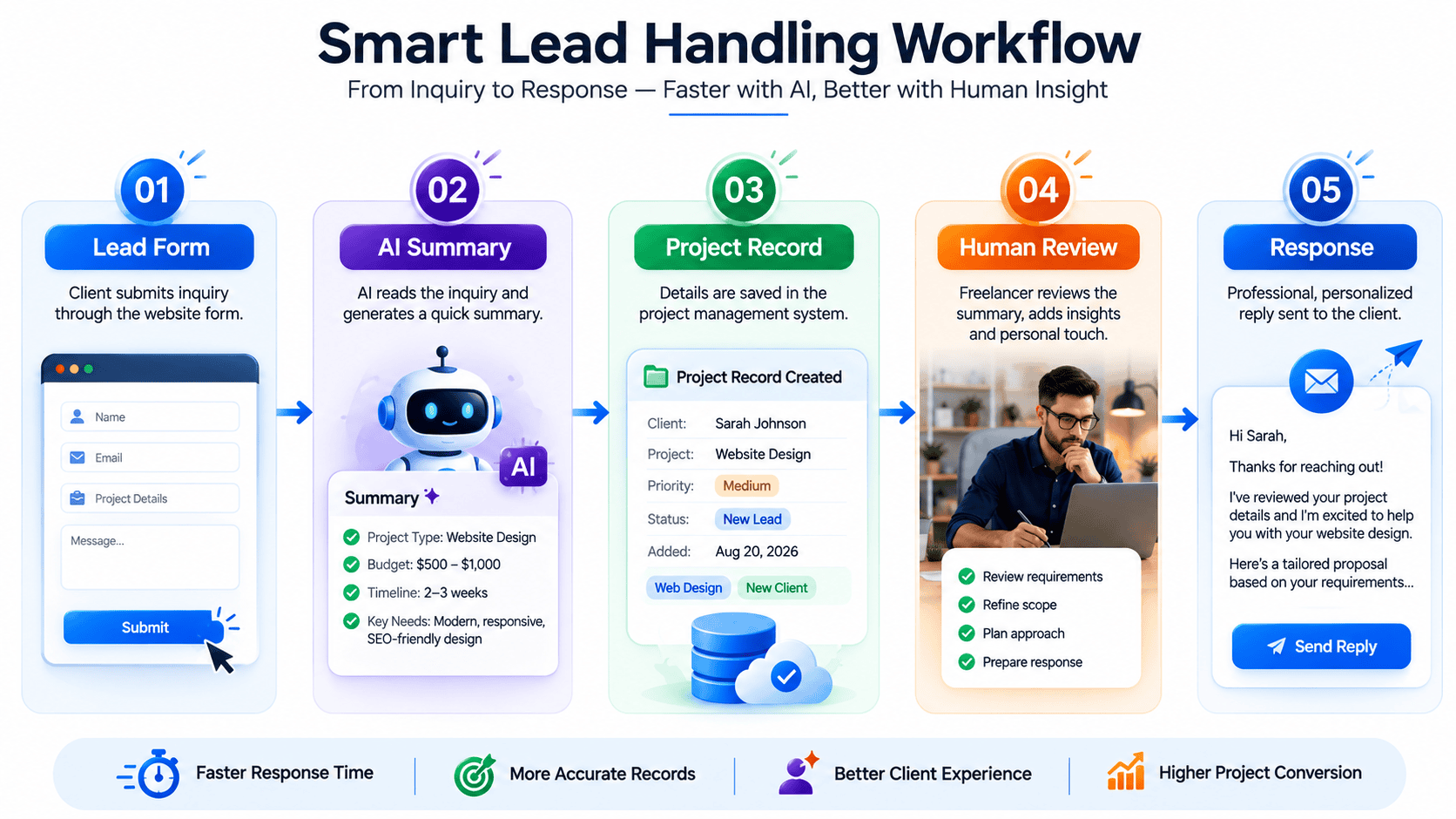
Consider a freelancer receiving leads through an online form.
Without automation:
- Open the form submission.
- Read the enquiry.
- Decide what type of project it is.
- Copy the information into a project or CRM system.
- Draft a response.
- Create a follow-up reminder.
A carefully designed automated workflow could handle portions of that sequence, leaving the freelancer to review the lead and make the important decisions.
Other possibilities include:
- Summarizing form responses
- Categorizing enquiries
- Creating tasks from approved inputs
- Routing information
- Preparing email drafts
- Updating project records
- Generating internal summaries
Automation should be introduced cautiously. Start with low-risk internal processes before allowing an AI-driven workflow to communicate with clients or modify important records without approval.
The more consequential the action, the more valuable a human checkpoint becomes.
7. Grammarly — Useful for Editing Client Communication
Freelancers are constantly judged by communication.
A strong portfolio can get undermined by a confusing proposal, careless email, or poorly edited report.
Grammarly is useful when the main problem is not generating an entire piece of content but improving written communication.
That makes it relevant for:
- Client emails
- Proposals
- Reports
- Website copy
- Project updates
- Professional profiles
- Documentation
The distinction matters because not every task requires a full AI chatbot.
If you have already written an email and simply need help spotting awkward language or improving clarity, an editing-focused tool may create a more efficient workflow.
Still, tone suggestions are suggestions. Freelancers should preserve their own professional voice and make sure edits do not change the intended meaning.
8. Perplexity — Useful for Research and Source Discovery
Research often begins before deep analysis.
You may simply need to understand an unfamiliar topic, locate sources, discover terminology, or identify questions worth investigating.
Perplexity is designed around AI-assisted search and research, making it useful during the discovery stage.
For freelancers, that could mean researching:
- A client’s industry
- Competitors
- Market terminology
- Content topics
- Technical questions
- Current developments
- Potential sources
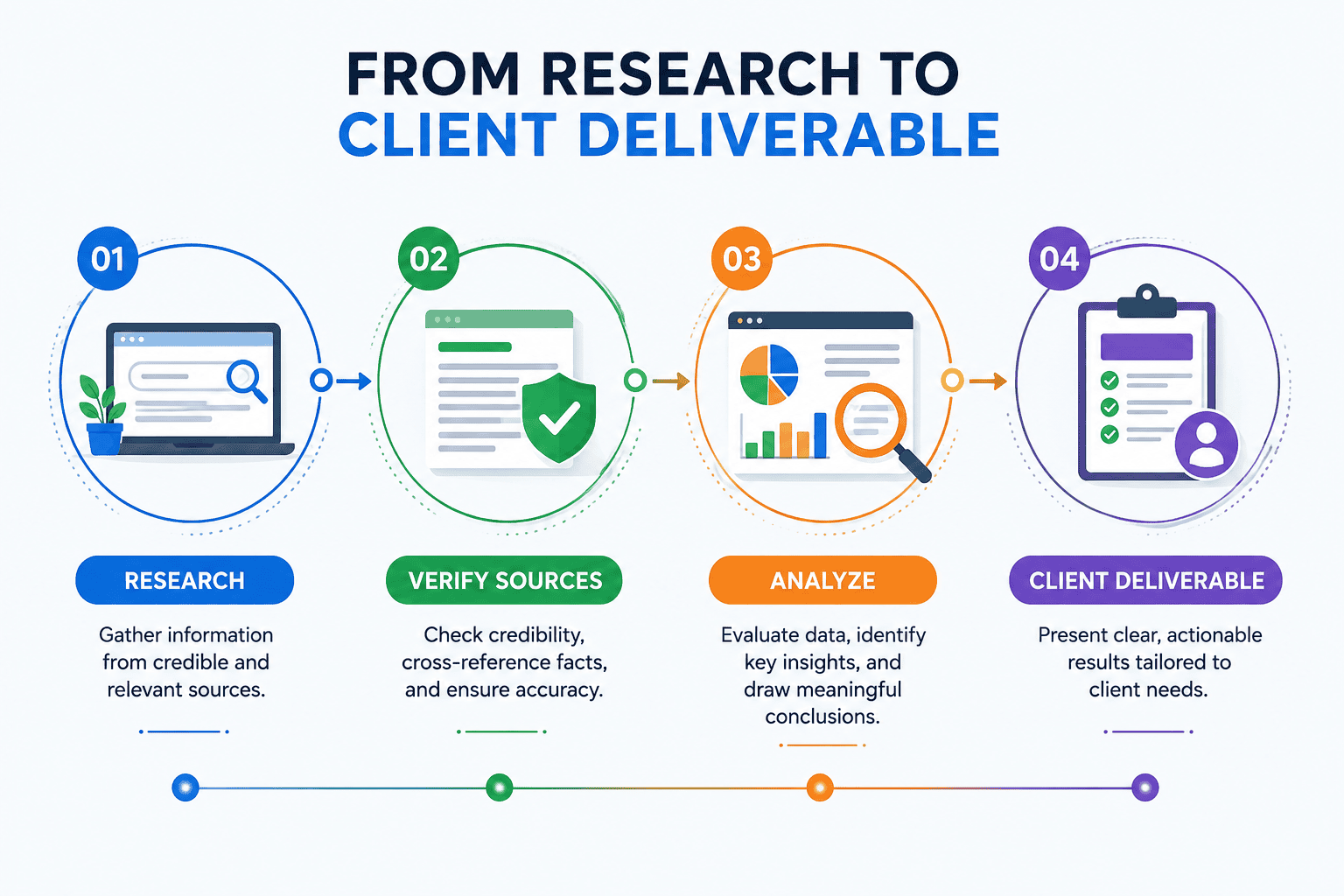
The best practice is not to treat an AI-generated research answer as a final authority. Open the underlying sources, determine whether they are credible and current, and verify important claims independently.
This is particularly important for client-facing work. A polished answer with citations can still rely on weak sources.
9. GitHub Copilot — Best for Freelance Developers
For software developers, AI has become increasingly integrated into the coding environment rather than remaining a separate chat window.
GitHub Copilot is aimed specifically at software development workflows.
Depending on the developer’s setup and available features, AI coding assistance can help with tasks such as understanding code, generating suggestions, explaining unfamiliar logic, drafting tests, and accelerating routine development work.
For freelance developers, the potential productivity improvement is attractive—but this is also an area where careless AI use can create serious problems.
Generated code may be:
- Incorrect
- Inefficient
- Insecure
- Incompatible with the existing project
- Based on false assumptions
- Difficult to maintain
A professional developer remains responsible for reviewing, testing, securing, and understanding code delivered to a client.
AI can accelerate implementation. It cannot accept professional responsibility for the implementation.
GitHub Copilot official website
10. NotebookLM — Best for Working From a Defined Source Library
NotebookLM is especially useful when you want AI assistance grounded in a collection of sources you provide or select.
This makes it different from asking a general chatbot an open-ended question.
Imagine a freelance consultant receives several reports, meeting transcripts, background documents, and research papers from a client. Instead of repeatedly searching each document manually, a source-grounded workspace can make it easier to explore themes and understand relationships across that material.
Potential freelance use cases include:
- Reviewing client documentation
- Studying research papers
- Preparing for interviews
- Understanding product documentation
- Comparing reports
- Building knowledge from a defined source collection
This approach is particularly useful when the source material itself matters.
It still does not remove the need to inspect the original documents. If an exact quotation, number, contractual requirement, or technical detail matters, verify it against the original source.
Google NotebookLM official website
How to Choose the Best AI Tools for Your Freelance Business
The biggest mistake is subscribing to tools before identifying the bottleneck.
A freelancer does not need ten AI subscriptions just because ten good products exist.
Start by examining a normal working week.
Step 1: Find repetitive work
Write down tasks you perform repeatedly that consume meaningful time.
Examples might include proposal preparation, research, meeting summaries, image resizing, content repurposing, lead categorization, or project updates.
Step 2: Separate judgment from processing
Ask which parts require your expertise.
A copywriter’s strategic positioning may require significant human judgment. Converting an approved article into five possible social captions is more repetitive.
A developer must decide whether an architecture is appropriate. Generating boilerplate may be easier to assist.
Automate or accelerate the processing without casually outsourcing the judgment.
Step 3: Choose one tool for the biggest bottleneck
If research consumes hours, test a research-oriented assistant.
If design production is the problem, test Canva’s AI workflow.
If project information is scattered, consider Notion.
If you repeatedly copy information between applications, investigate automation.
This produces a better technology stack than buying every popular AI product.
Step 4: Measure the result
After several weeks, ask:
- Did the tool actually save time?
- Did quality improve or decline?
- How much reviewing was necessary?
- Did it introduce new errors?
- Are you using it often enough to justify the cost?
- Did it make the client experience better?
Cancel tools that do not solve a real problem.
A Practical AI Workflow for Freelancers
A useful AI-enabled freelance workflow might look like this:
1. Lead arrives: Information is collected through your normal enquiry process.
2. Qualification: AI may help summarize the enquiry, but you decide whether the project fits.
3. Research: ChatGPT, Gemini, Perplexity, or another research tool helps gather background information. Important sources are manually checked.
4. Proposal: AI helps organize the proposal around the client’s requirements. You determine scope, pricing, timeline, and promises. For the next step, see our guide to writing better Fiverr and Upwork proposals.
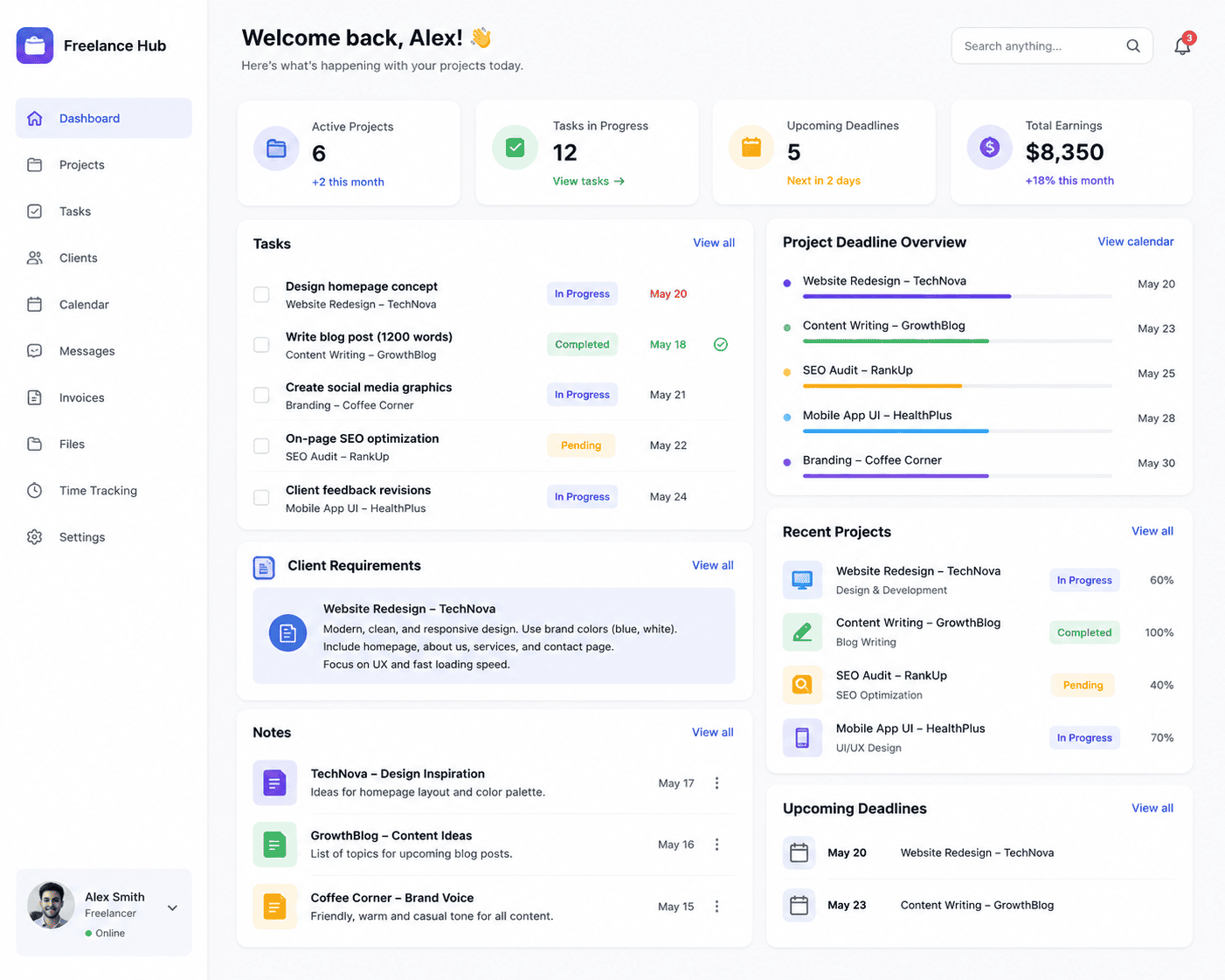
5. Project setup: Notion or another workspace stores requirements, tasks, deadlines, and notes.
6. Production: Specialized tools assist with writing, design, coding, analysis, or whatever service you provide.
7. Quality control: A human checks every deliverable against the brief.
8. Communication: AI can help draft updates and follow-ups, but important client messages receive manual review.
9. Repetitive administration: Zapier or another automation platform handles carefully selected routine steps.
This model keeps AI in the role where it is strongest: accelerating work around human expertise.
Risks Freelancers Should Not Ignore
AI productivity has a downside when speed becomes more important than professional responsibility.
Hallucinations and factual errors
Generative AI can produce incorrect information confidently. Verify facts that matter.
Client confidentiality
Freelancers routinely handle unpublished products, customer data, business strategies, credentials, contracts, and other sensitive information. Do not assume every piece of client information should be uploaded to an AI service. Review your client agreements, applicable requirements, and the tool’s current privacy/data controls.
Generic deliverables
If five freelancers use the same tool with the same generic prompt, their output may become remarkably similar.
Your advantage is not access to AI. Your advantage is expertise, taste, context, judgment, relationships, and the ability to turn tools into better outcomes.
Over-automation
Not every workflow should run without supervision.
Automatic internal categorization is one thing. Automatically sending a high-stakes message to a major client is another.
Use approval stages wherever an error could meaningfully damage money, reputation, privacy, or the client relationship.
Will AI Replace Freelancers?
AI is changing freelance work, but “AI versus freelancer” is the wrong framework for most professional services.
Clients do not simply purchase words, pixels, lines of code, or hours. They purchase outcomes.
A business hiring a web designer needs a site that serves a purpose. A company hiring a writer needs communication that is accurate and persuasive. A client hiring a developer needs software that works reliably. A consultant is expected to understand a situation and recommend sensible action.
AI can assist with pieces of those jobs, but the freelancer still contributes context, accountability, judgment, communication, and domain expertise.
The more capable AI becomes, the more valuable it may be for freelancers to clearly define the human value they provide.
Do not compete with an AI system at producing the largest volume of generic material.
Use AI to remove low-value friction so you can spend more time doing work worth paying for.
Frequently Asked Questions
What are the best AI tools for freelancers in 2026?
There is no universal best tool. ChatGPT and Claude are strong general-purpose assistants; Gemini is useful for research-oriented and Google-connected workflows; Canva supports visual creation; Notion AI combines AI with workspace knowledge; Zapier is useful for automation; and specialized tools such as GitHub Copilot suit developers. Choose according to your main workflow bottleneck.
Can freelancers use ChatGPT to write proposals?
Yes, ChatGPT can help structure or draft a proposal from information you provide. However, the freelancer should personally verify the scope, deliverables, pricing, deadlines, client details, and promises before sending it.
Are free AI tools enough for a new freelancer?
They can be. New freelancers should avoid buying multiple subscriptions before they have a clear use case. Start with available free or limited-access options, identify which tool materially improves your workflow, and upgrade only when the additional capability provides enough value.
Which AI tool is best for freelance writers?
Writers may benefit from general-purpose assistants such as ChatGPT or Claude for brainstorming, outlining, research assistance, analysis, and revision. Grammarly can help with editing, while research-oriented tools can support source discovery. Professional writers should still fact-check and preserve an original voice.
What is the best AI tool for freelance graphic designers?
Canva AI is useful for fast visual production and everyday design workflows, particularly for freelancers who already use Canva. Professional designers may combine AI assistance with specialist design software depending on the project’s complexity and requirements.
Can AI help freelancers get more clients?
AI can support activities such as researching prospects, improving profile copy, drafting personalized outreach, organizing leads, and preparing proposals. It cannot guarantee clients. Portfolio quality, positioning, reputation, communication, pricing, relationships, and the ability to solve real problems remain important.
Is it safe to upload client files to AI tools?
Do not assume it is automatically appropriate. Consider the client’s agreement, confidentiality requirements, applicable laws or policies, the sensitivity of the information, and the AI provider’s current privacy and data controls before uploading client material.
Conclusion
The best AI tools for freelancers are the ones that remove friction without removing professional judgment.
ChatGPT can serve as a broad research and productivity assistant. Claude can support document-heavy, writing, coding, and analytical work. Gemini offers powerful research workflows, particularly for people working around Google’s ecosystem. Canva brings AI into visual production. Notion AI combines assistance with organized project knowledge, while Zapier can move AI from one-off prompting into repeatable automation.
Specialized platforms such as Grammarly, Perplexity, GitHub Copilot, and NotebookLM can fill narrower gaps.
But building the largest possible AI stack should not be the goal.
Start with one expensive problem in your workflow. Test whether AI can reduce the time spent on it without lowering quality. Keep human review around consequential work. Protect client information. Verify facts. Measure whether the tool actually improves your business.
The freelancers who benefit most from AI are unlikely to be those who automate everything. They will be those who understand what should be automated, what should be assisted, and what still deserves careful human attention.