AI Automation for WordPress: A Practical Guide to Smart Workflows
- by Muhammad Raza
- 0 Comments
- 14 minutes read
- 68 Views
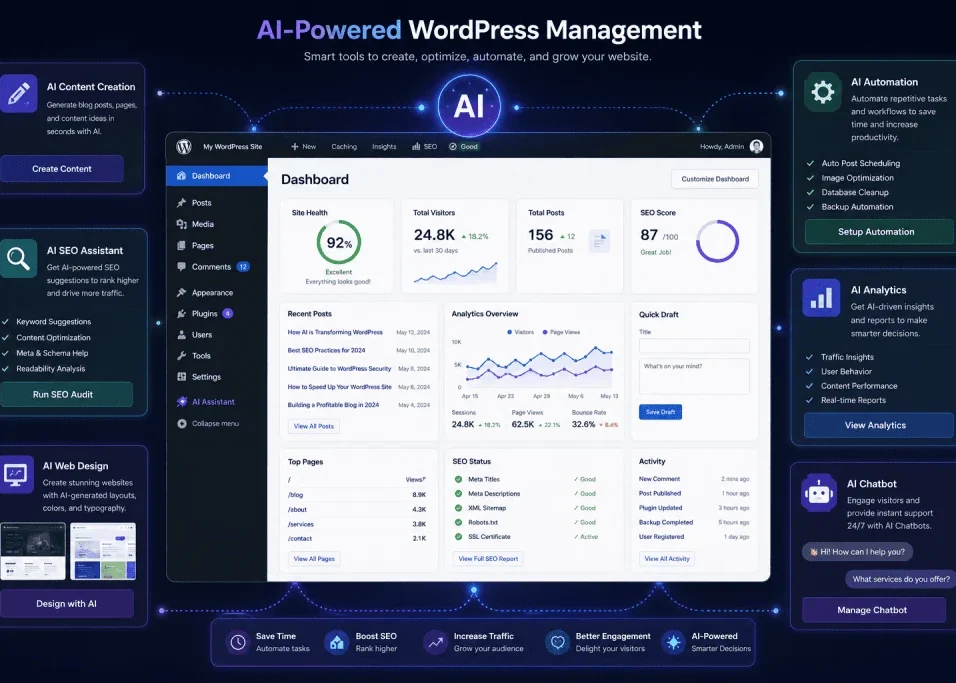
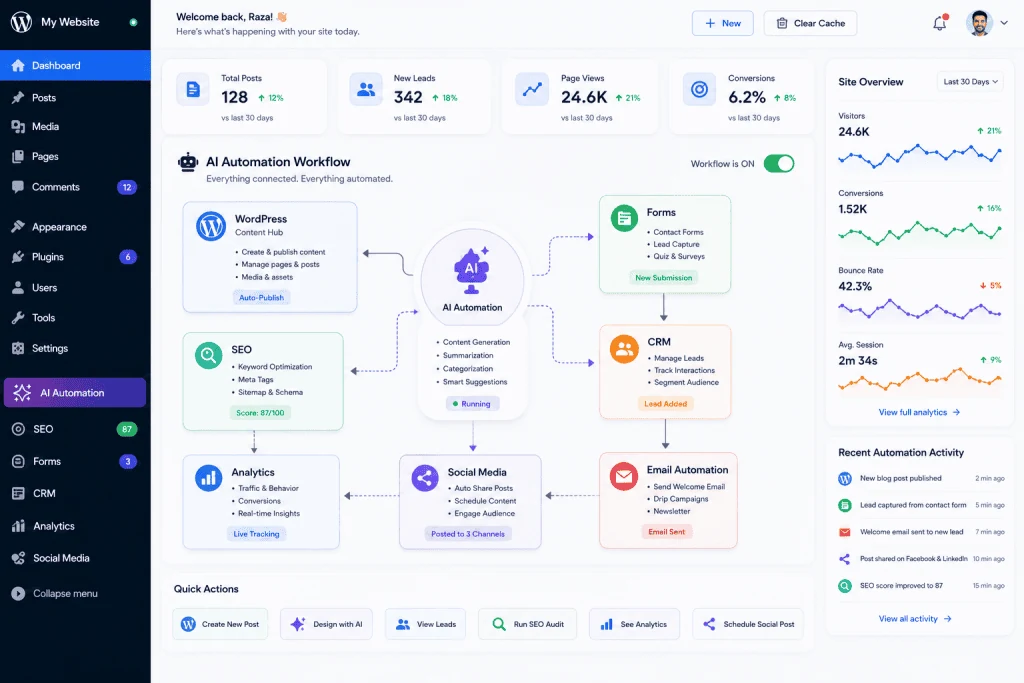
AI automation for WordPress helps you reduce repetitive website work by connecting WordPress with AI and automation tools to handle tasks such as content processing, lead classification, customer support, SEO assistance, publishing workflows, and reporting.
The goal is not to automate everything. The strongest workflows automate predictable, repetitive steps while keeping humans involved wherever accuracy, security, brand decisions, or meaningful judgment matter.
This guide explains practical AI automation workflows for WordPress, how they work, which tasks are worth automating, how to build safer workflows, and how to measure whether automation is actually saving time without sacrificing quality or control.
2. Automate WordPress Content Summaries
Long articles can be repurposed into shorter formats automatically.
For example:
New article published
↓
AI reads article
↓
AI generates summary
↓
Summary stored in database or sent to another application
The summary could then be used for:
- Newsletter content
- Social media posts
- Internal editorial notes
- Content previews
- Video scripts
This saves time because you do not have to manually summarize every article.
You can also create multiple summary lengths.
For example:
50-word summary
100-word summary
LinkedIn-style summary
Email introduction
The same article can therefore become several pieces of useful content.
3. Automatically Create Social Media Drafts
Publishing an article is only part of content marketing.
You also need to promote it.
AI automation can turn a WordPress article into social media drafts.
A possible workflow is:
New WordPress post
↓
AI extracts important ideas
↓
AI creates social media drafts
↓
Drafts sent to approval
↓
Approved posts scheduled
You could generate different versions for different platforms.
For example:
A LinkedIn post might focus on professional insights.
A short social post might highlight one practical tip.
A video script might explain the article’s main lesson.
The important point is that the AI should adapt the message rather than simply copy the article.
4. Automate Contact Form Lead Classification
Contact forms generate valuable information, but manually sorting every submission can become repetitive.
AI can classify incoming messages into categories such as:
- Sales inquiry
- Support request
- Partnership
- General question
- Job inquiry
- Spam
- High-priority lead
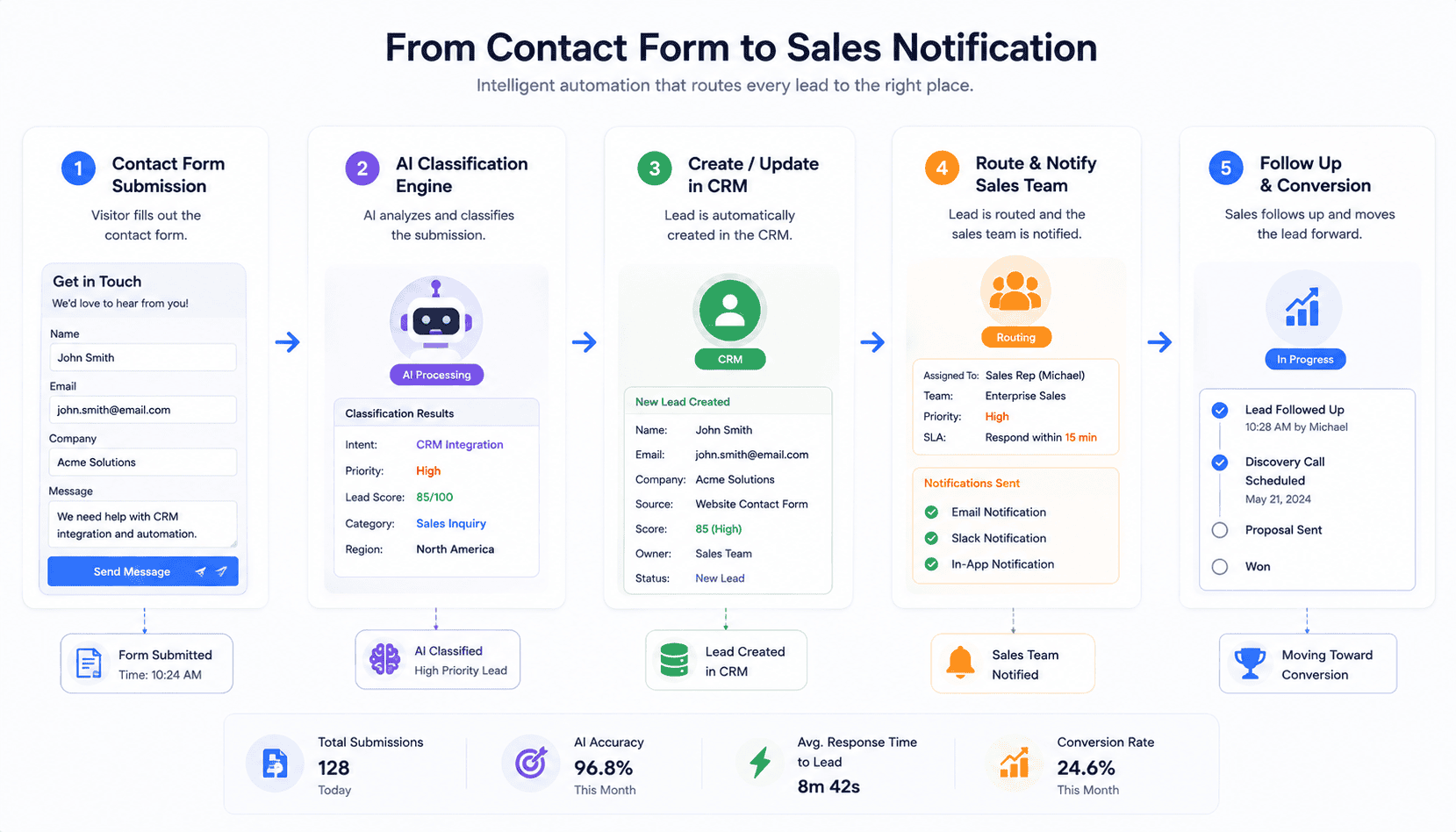
The workflow could look like this:
Contact form submitted
↓
AI reads message
↓
AI identifies category
↓
Lead added to CRM
↓
Relevant team member notified
For example, a message saying:
“I need a WordPress website for my business and would like a quote.”
could be classified as a sales lead.
Another message asking:
“How can I reset my password?”
could be categorized as support.
The automation saves time while allowing the human team to focus on the conversations that require attention.
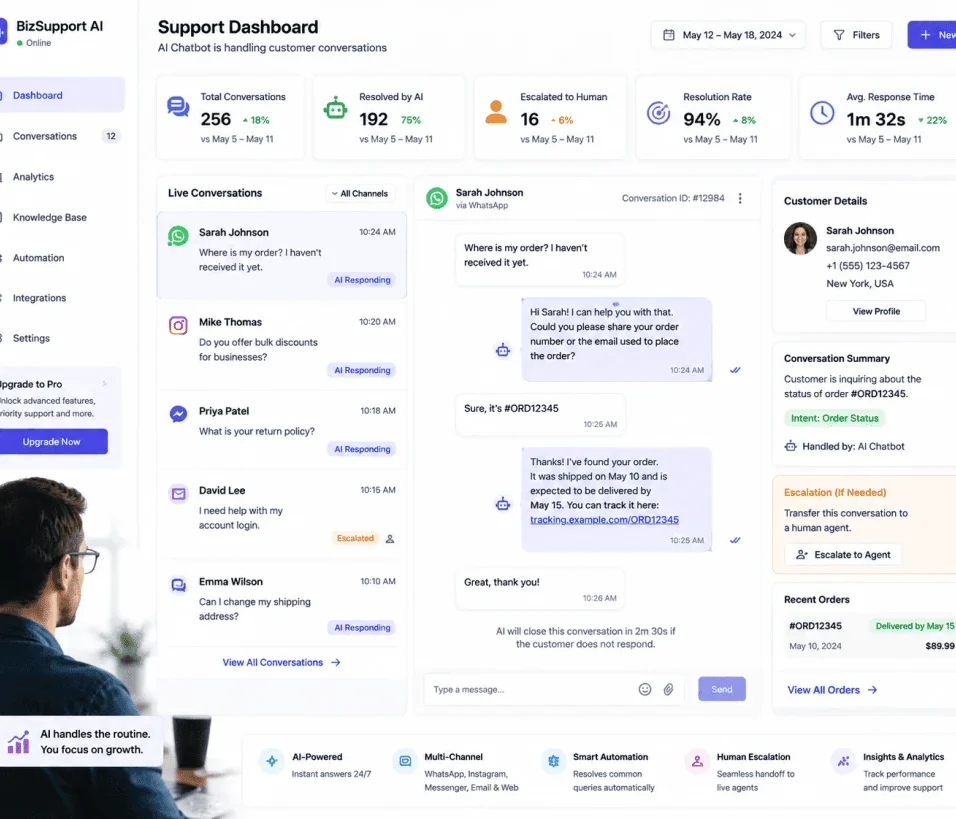
5. Build an AI Customer Support Workflow
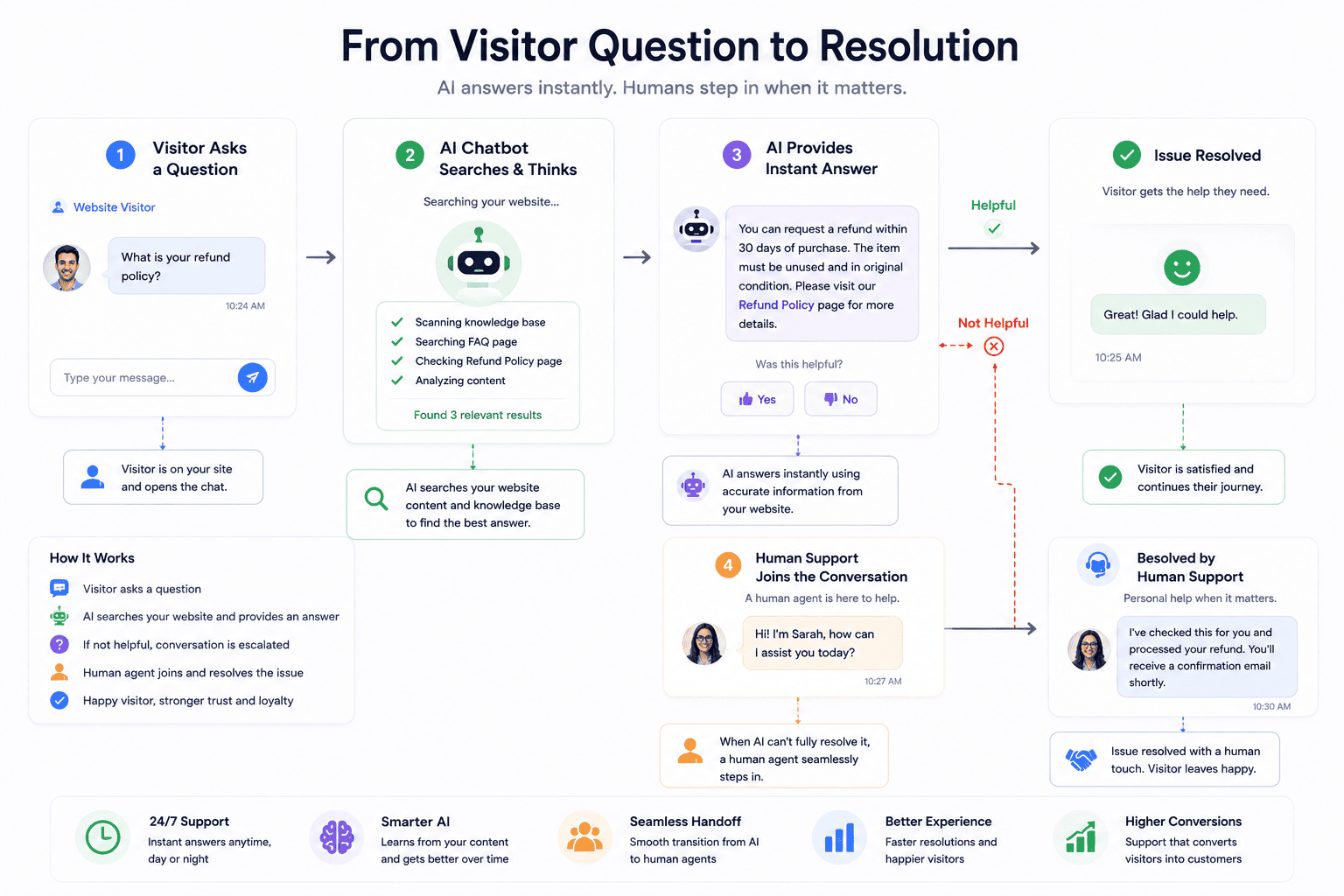
An AI chatbot can answer common website questions automatically.
For example, visitors might ask:
- What services do you provide?
- How can I contact you?
- Do you offer WordPress development?
- How long does a project take?
- Where can I find a specific article?
- What are your support options?
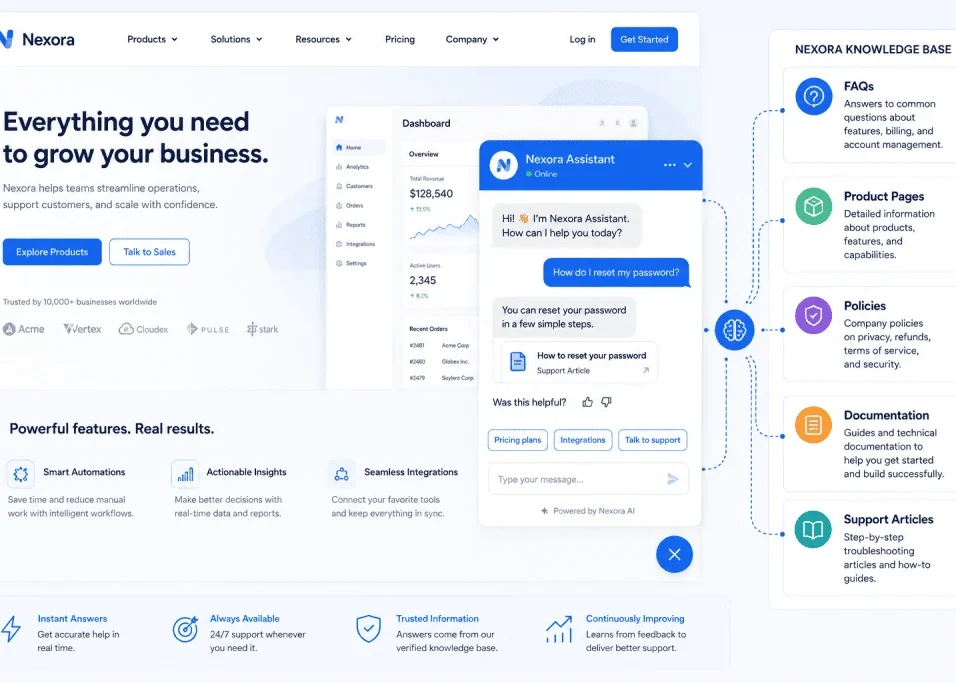
The chatbot can search your approved website information and provide an answer.
A more advanced workflow can connect the chatbot to WordPress content.
For example:
Visitor asks question
↓
AI searches approved website content
↓
Relevant information retrieved
↓
AI creates response
↓
Visitor receives answer
The important part is controlling the information source.
A chatbot should not confidently invent answers about your business.
For sensitive or complicated questions, it should provide a human handoff.
6. Automatically Create FAQs From Customer Questions
Your customers are a source of content ideas.
Suppose you receive hundreds of questions over several months.
AI can analyze those questions and identify repeated themes.
For example:
- Pricing questions
- Setup questions
- Technical problems
- Delivery questions
- Feature requests
You can then turn common questions into FAQ content.
The workflow could be:
Customer questions → AI analysis → Repeated questions identified → FAQ draft → Human review → WordPress publication
This creates a useful feedback loop.
Your customers tell you what they want to know.
AI organizes that information.
You turn it into helpful website content.
7. Automate Internal Linking Suggestions
As a WordPress website grows, internal linking becomes increasingly difficult.
You may have dozens or hundreds of articles.
AI can analyze a new article and identify potentially relevant existing pages.
For example, an article about WordPress automation may naturally connect to articles about:
- AI tools
- WordPress
- Chatbots
- Web design
- SEO
- Freelancing
- SaaS applications
An automation can generate a list of suggested links for editorial review.
The important word is suggested.
Do not automatically insert hundreds of links.
The links should make sense for the reader.
Good internal linking helps visitors discover related information and gives your website a clearer structure.
8. Automate SEO Metadata Generation
Every article may need an SEO title and meta description.
AI can generate initial versions automatically when a new WordPress post is created.
The workflow might be:
New draft created
↓
AI analyzes title and content
↓
SEO title generated
↓
Meta description generated
↓
Editor reviews
↓
Article published
AI can also suggest:
- Focus keyphrases
- Related keywords
- FAQ questions
- Image ALT text
- Internal-link opportunities
However, automatic SEO generation should never replace editorial review.
The final metadata should accurately represent the page.
9. Automate Image ALT Text Suggestions
Websites often contain images without useful descriptions.
AI can help generate descriptive ALT text.
For example, instead of:
image123.jpg
an image might be described as:
AI automation workflow connecting WordPress with external applications
The important rule is that ALT text should describe the actual image.
Do not use ALT attributes simply to stuff keywords.
AI can generate a first suggestion, but the website owner should verify that it accurately describes the visual.
This workflow can be particularly useful when a website has a large media library.
10. Automate Content Updating
Old content can gradually become outdated.
AI can help identify articles that may need review.
For example, an automation could identify posts that:
- Have not been updated for a long time
- Contain outdated references
- Mention old tools
- Have broken links
- Have declining traffic
- Lack newer information
The AI could generate an update report.
For example:
Article: Best WordPress AI Tools
Possible issues:
- Two tools are no longer available
- Three sections need current information
- FAQ section could be expanded
- Internal links could be improved
A human can then decide what changes should actually be made.
This is safer than allowing AI to rewrite old articles automatically.
11. Create Automated Newsletter Workflows
Your WordPress articles can become newsletter content.
A workflow might look like:
New article published
↓
AI summarizes article
↓
AI creates newsletter draft
↓
Newsletter platform receives draft
↓
Human reviews
↓
Newsletter scheduled
This is particularly useful for websites that publish regularly.
You can also ask AI to generate a newsletter introduction and three key takeaways.
The human editor can then refine the tone before sending it.
12. Automate Comment Moderation Assistance
Comments can be difficult to manage as traffic increases.
AI can assist by categorizing comments.
For example:
Positive
Question
Technical problem
Potential spam
Abusive
Product feedback
Instead of immediately deleting comments based solely on an AI decision, use AI as a recommendation layer.
For example:
Comment → AI classification → Human review if uncertain
This reduces the chance of accidentally removing legitimate visitors.
Automation should assist moderation rather than blindly control it.
13. Build Automated Analytics Reports
Website analytics can produce a lot of information.
AI can turn raw information into a simpler report.
For example:
Weekly data
↓
AI analysis
↓
Top articles
↓
Traffic changes
↓
Potential issues
↓
Recommended actions
A weekly report might tell you:
- Which articles performed best
- Which pages lost traffic
- Which topics attracted visitors
- Which content should be updated
- Which pages deserve internal links
AI should not invent analytics.
It must work from real data.
The value comes from helping you understand information more quickly.
14. Connect WordPress With CRM and Business Tools
WordPress does not need to operate alone.
You can connect it with:
- CRM platforms
- Email marketing systems
- Spreadsheets
- Project management tools
- Customer support platforms
- Analytics systems
- Databases
The WordPress REST API provides a structured interface that external applications can use to communicate with WordPress.
For example:
WordPress form
↓
AI classifies lead
↓
CRM record created
↓
Sales notification
↓
Follow-up task
This type of workflow can save significant administrative time.
15. Use AI Agents to Perform WordPress Tasks
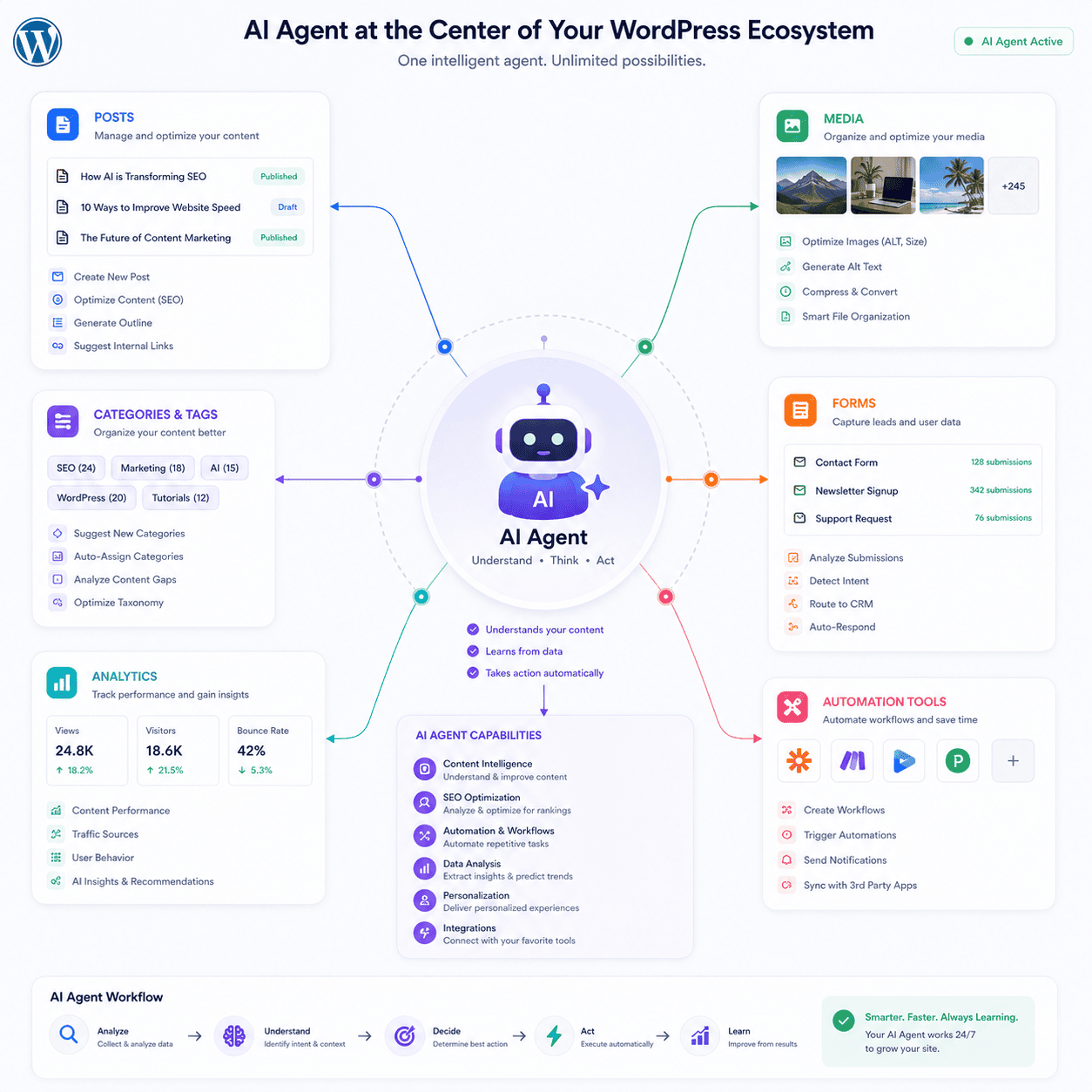
AI automation is evolving from simple triggers into more capable AI agents.
A traditional automation might follow a fixed path:
Trigger → Action → Action
An AI agent can potentially evaluate context and select among available tools.
WordPress’s Abilities API is designed to provide a standardized way for plugins to register capabilities. The WordPress MCP Adapter can expose those abilities to compatible AI clients, allowing agents to discover and call WordPress functionality.
This is an important development for the future of WordPress automation.
For example, an AI agent could potentially work with available site capabilities to:
- Retrieve information
- Work with content
- Run specific actions
- Assist with diagnostics
- Interact with custom plugin functionality
The exact capabilities depend on the implementation, permissions, available tools, and website configuration.
The WordPress AI project itself describes its AI plugin as experimental and recommends testing it outside production when adopting early capabilities.
That is an important reminder:
AI agents should be introduced carefully.
How WordPress AI Automation Works
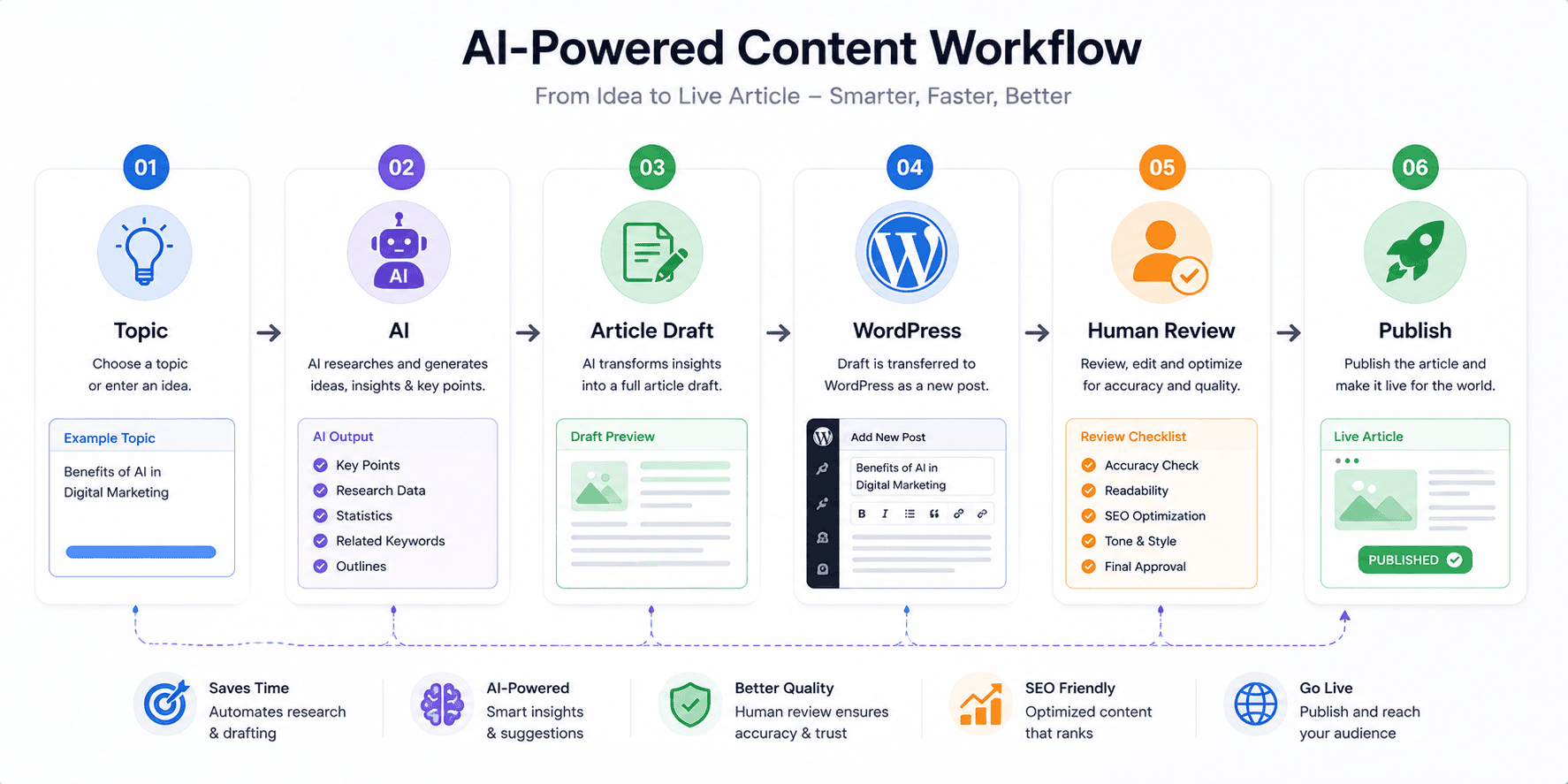
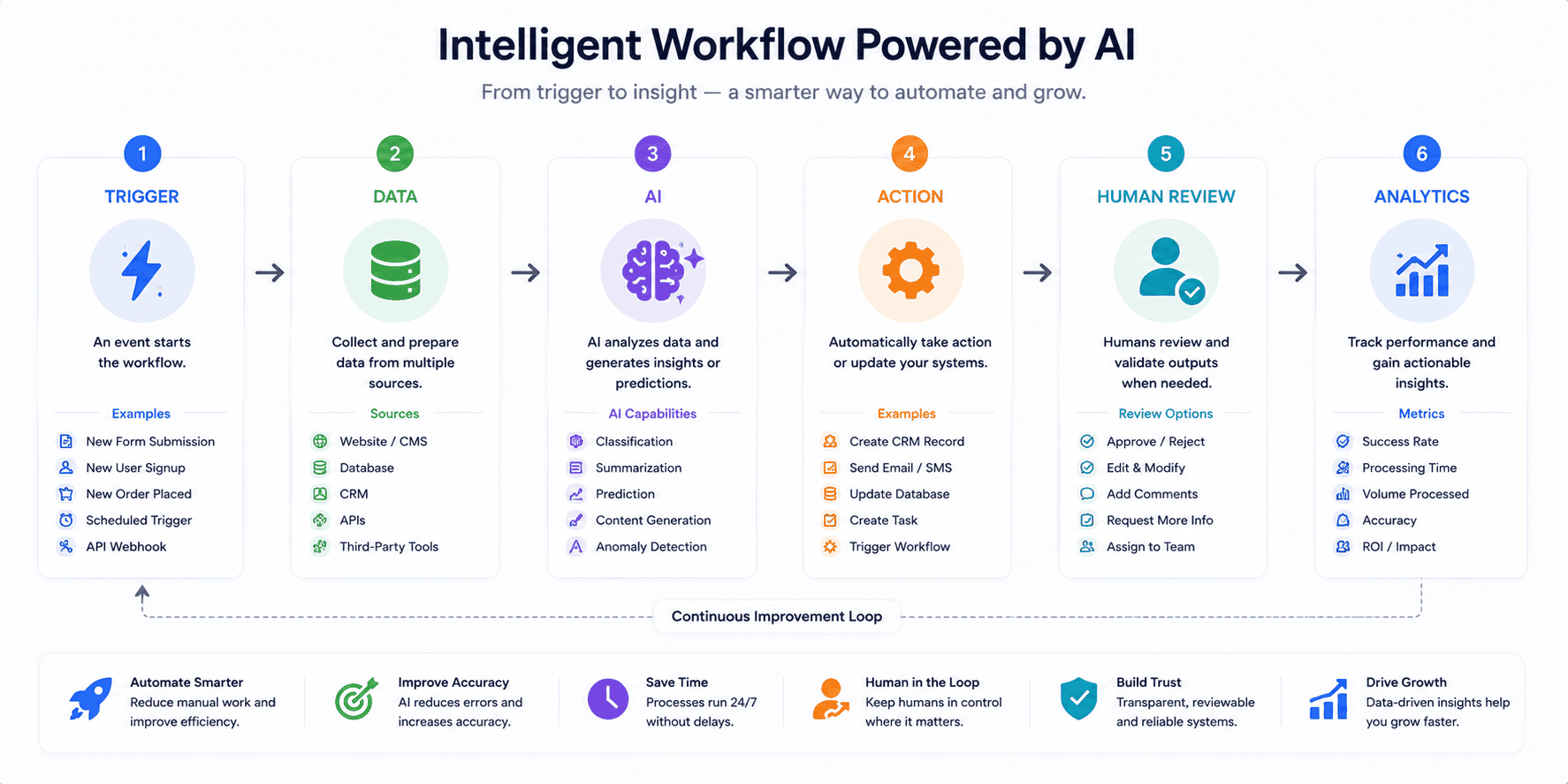
A typical AI automation workflow has five components.
1. Trigger
Something happens.
Examples:
- New post
- New form submission
- New comment
- New customer
- Scheduled event
2. Data
The workflow collects the relevant information.
For example:
- Post title
- Article content
- Customer message
- Email address
- Product information
3. AI Processing
The AI interprets or transforms the information.
For example:
- Summarizes it
- Classifies it
- Generates text
- Extracts important information
- Suggests an action
4. Action
The automation does something with the result.
Examples:
- Create a draft
- Send an email
- Update a CRM
- Create a task
- Add metadata
5. Human Review
For important actions, a person checks the result.
This final layer is extremely valuable.
Tools You Can Use for WordPress AI Automation
There are several approaches to building automation.
WordPress REST API
The REST API allows external applications to communicate with WordPress using HTTP and JSON. WordPress documents endpoints for posts, pages, categories, tags, media, users, comments, and more.
Automation Platforms
Automation platforms can connect WordPress with other services and create multi-step workflows.
Depending on your needs, these may include platforms such as Zapier, Make, or n8n.
WordPress Automation Plugins
Some WordPress plugins provide workflow builders directly inside the WordPress dashboard.
For example, the WordPress.org directory currently includes AI workflow automation plugins that provide visual workflow builders, AI integrations, chatbot functionality, and human approval features.
Always review a plugin’s maintenance history, permissions, documentation, reviews, compatibility, and data practices before installing it.
A Practical AI Automation Example
Imagine you publish a new article every Monday.
Your current process might be:
Write article
→
Add featured image
→
Write meta description
→
Publish
→
Write social media posts
→
Create newsletter
→
Check internal links
This could become:
WordPress article published
↓
AI creates social media drafts
↓
AI creates newsletter draft
↓
AI suggests internal links
↓
AI suggests ALT text
↓
Editor reviews everything
↓
Approved content is scheduled
The automation does not replace the editor.
It removes repetitive preparation work.
That is a much more realistic and sustainable use of AI.
How to Build Your First AI Automation
You do not need to create a complicated AI agent on day one.
Start with a simple workflow.
Step 1: Identify a Repetitive Task
Choose something you perform frequently.
For example:
Creating social media drafts from articles.
Step 2: Define the Trigger
The trigger could be:
New WordPress post published.
Step 3: Define the AI Task
Tell the AI exactly what it should do.
For example:
Read the article and create three social media drafts using the article’s main ideas. Do not invent statistics or claims that are not present in the article.
Step 4: Define the Output
Decide where the result should go.
For example:
Google Sheet → Editorial review
or
Project management task → Human approval
Step 5: Test It
Run the workflow with several articles.
Check whether the AI produces consistent results.
Step 6: Add Human Approval
If the workflow affects public content, consider adding an approval stage.
Step 7: Measure the Results
Track:
- Time saved
- Errors
- AI costs
- Quality
- Editorial workload
Only expand the automation after you know it is useful.
AI Automation Security for WordPress
Automation creates convenience, but it also creates responsibility.
The more systems connected to your website, the more carefully you need to manage access.
WordPress authentication determines which protected data and actions can be accessed through authenticated API requests.
Follow basic security principles:
- Use strong authentication.
- Give integrations only necessary permissions.
- Avoid exposing private information unnecessarily.
- Protect API credentials.
- Review plugin permissions.
- Keep WordPress and plugins updated.
- Test automation in a staging environment.
- Keep backups.
- Log important automated actions.
- Require human approval for high-risk operations.
Never give an AI agent unrestricted control simply because it is convenient.
Why Human Approval Still Matters
AI can produce useful results, but it can also misunderstand information.
Imagine an AI automatically publishing an article containing an incorrect statement.
Or imagine an AI incorrectly classifying a customer complaint as spam.
Or an automated agent accidentally modifying the wrong piece of content.
These situations demonstrate why human approval is valuable.
A good principle is:
Low-risk task → More automation
High-risk task → More human oversight
For example:
Generating a draft is relatively low risk.
Publishing a legal statement automatically is much higher risk.
The level of automation should match the consequences of mistakes.
Common AI Automation Mistakes
Automating Too Much Too Quickly
Start with one workflow.
Publishing AI Content Automatically
Always review important public content.
Ignoring Data Privacy
Know what information your AI service receives.
Giving Excessive Permissions
Use the minimum access necessary.
Forgetting Error Handling
Every automation should have a plan for failures.
Not Monitoring Costs
AI APIs and automation platforms may generate usage costs.
Installing Too Many Plugins
Use only the tools that solve genuine problems.
Ignoring Website Performance
Additional integrations can add requests, scripts, or processing.
Assuming AI Is Always Correct
AI output should be checked when accuracy matters.
AI Automation and SEO
AI automation can support SEO, but automation should never become an excuse for producing low-quality pages at scale.
Use AI to assist with:
- Content planning
- Metadata
- Internal linking
- Content updates
- FAQ research
- Content summaries
- Image descriptions
But your website should still provide original value.
A strong workflow is:
Research → AI assistance → Human expertise → Fact-check → Optimization → Publish
This is better than:
AI → Generate hundreds of pages → Publish
Quality and usefulness should remain the foundation of your SEO strategy.
AI Automation for Freelancers and Agencies
Freelancers can use automation to reduce administrative work.
For example:
New client inquiry
↓
AI classifies project
↓
CRM record created
↓
Proposal task created
↓
Notification sent
Agencies can go further by creating standardized workflows for multiple clients.
For example:
New article
↓
AI creates summary
↓
AI creates social drafts
↓
Client approval
↓
Scheduled publishing
This creates a repeatable system that can be used across multiple projects.
The more repetitive a workflow becomes, the stronger the business case for automation.
The Future of AI Automation in WordPress
WordPress is moving toward a more AI-aware ecosystem.
The WordPress developer team has been working on the Abilities API and MCP-related infrastructure, creating standardized ways for AI systems to discover and interact with website functionality.
This could eventually make WordPress automation more flexible.
Instead of every AI tool needing a completely separate integration for every plugin, standardized capabilities could make it easier for compatible systems to discover what a website can do.
WordPress.com has also described WordPress 7.0 as introducing shared infrastructure intended to support AI-powered websites and reduce the need for every plugin to build completely separate AI foundations.
The long-term direction is clear:
WordPress is becoming more connected to AI systems.
But the best websites will not necessarily be the ones with the most automation.
They will be the ones using automation intelligently.
Final Thoughts
AI automation for WordPress can transform repetitive website management into a more efficient workflow.
You can use AI to assist with:
- Blog drafts
- Content summaries
- Social media
- Lead classification
- Customer support
- FAQs
- Internal linking
- SEO metadata
- ALT text
- Content updates
- Newsletters
- Comments
- Analytics
- CRM integration
- AI agents
The best strategy is to begin with one repetitive task.
Automate it.
Test it.
Review the results.
Then expand.
Remember that automation is not about removing humans from the process.
It is about allowing humans to spend less time on repetitive work and more time on strategy, creativity, customer relationships, and meaningful website improvements.
WordPress provides the platform.
AI provides intelligence and assistance.
Automation connects the steps.
Human oversight provides quality control.
When these three elements are combined carefully, your WordPress website can become much more efficient without sacrificing quality or control.
Frequently Asked Questions
What is AI automation for WordPress?
AI automation for WordPress combines artificial intelligence with WordPress and automation workflows to perform repetitive tasks such as content processing, lead classification, SEO assistance, customer support, and website management.
Can I automate WordPress content creation?
Yes. You can create workflows that generate article outlines or drafts and send them into WordPress for human review. It is generally safer to create drafts rather than automatically publish AI-generated content.
Can AI automate WordPress SEO?
AI can assist with SEO titles, meta descriptions, keyword organization, internal-link suggestions, content updates, and ALT text.
Can WordPress connect to AI tools?
Yes. WordPress provides a REST API that allows applications to communicate with WordPress content and other resources.
What is the WordPress REST API?
The WordPress REST API is an interface that allows applications to communicate with WordPress using HTTP requests and JSON data. It can be used to retrieve and modify supported WordPress resources.
Can AI agents control WordPress?
Modern WordPress AI initiatives are making it possible for compatible AI clients and agents to interact with standardized WordPress capabilities. The WordPress MCP Adapter is designed to expose registered abilities to compatible AI systems.
Is AI automation safe?
It can be, provided that you control permissions, protect credentials, review integrations, test workflows, maintain backups, and keep humans involved in important decisions.
Should AI automatically publish WordPress articles?
For most websites, a human-review workflow is safer. AI can prepare a draft while an editor checks accuracy, quality, SEO, and originality before publication.
Can AI automate WordPress lead generation?
AI can classify contact form submissions, identify potential leads, extract information, and send relevant data to CRM or sales workflows.
Can freelancers use AI automation with WordPress?
Yes. Freelancers can automate repetitive client communication, content preparation, lead classification, reporting, documentation, and other administrative tasks.