AI Chatbots for Customer Support: A Small Business Guide
- by Muhammad Raza
- 0 Comments
- 17 minutes read
- 46 Views
AI chatbots for customer support can help small businesses answer routine questions faster without removing human support from the process.
A well-designed chatbot can use reliable business information to handle repetitive requests, guide customers to useful answers, collect details, and route complex or sensitive issues to the right person.
This guide explains how to choose useful chatbot tasks, build clear escalation rules, protect customer information, test realistic conversations, and improve support automation without sacrificing accuracy or trust.
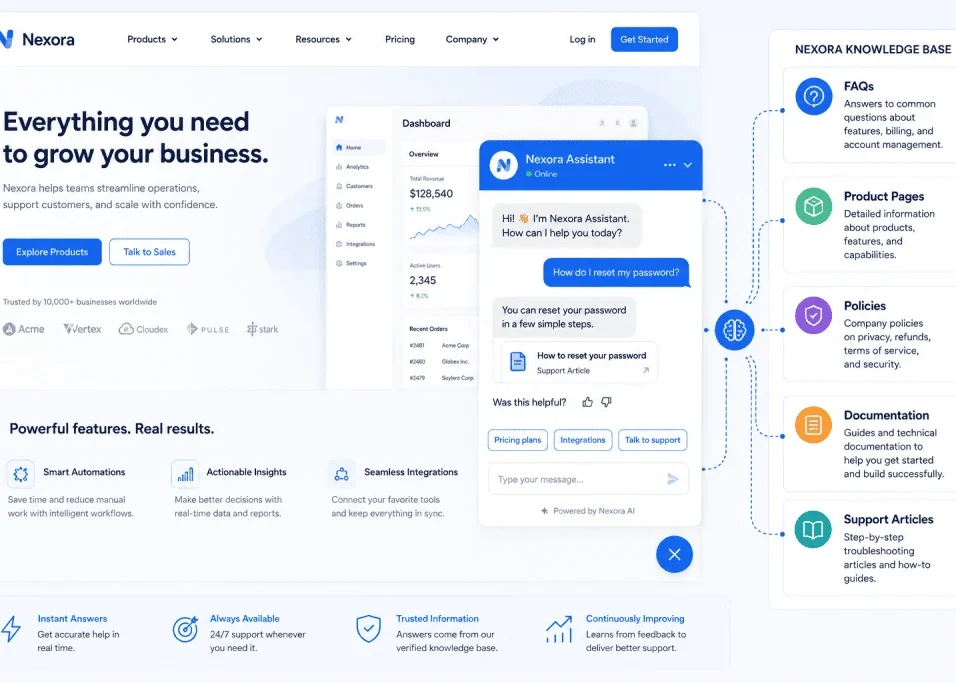
For a deeper look at the information layer behind these systems, see our AI chatbot knowledge base guide.

Give the Chatbot a Reliable Source of Truth
An AI chatbot becomes much more useful when it works with information the business controls.
Possible sources include:
- Help-center pages
- Product documentation
- Service descriptions
- Frequently asked questions
- Shipping policies
- Return policies
- Account instructions
- Troubleshooting documentation
- Pricing information
The chatbot should not have to invent business rules.
Suppose a customer asks:
“How many days do I have to return an unused product?”
If the business has a written return policy, the chatbot should use that information.
If no clear policy exists, the solution is not to encourage the chatbot to guess.
The business needs to fix its documentation.
This reveals an important lesson:
Improving a chatbot often begins with improving the business information behind it.
Clean Up Your Knowledge Base Before Connecting AI
Adding more documents does not automatically make a chatbot better.
Imagine your business has three documents:
- An old page saying returns are allowed within 14 days
- A newer document saying 30 days
- An internal note mentioning 21 days
Which one should the chatbot trust?
The problem is not the AI.
The underlying information is inconsistent.
Before connecting business content to a chatbot, review it for:
Accuracy
Does the information still reflect current business policies?
Duplication
Are several pages answering the same question differently?
Clarity
Can someone unfamiliar with the business understand the instructions?
Ownership
Who is responsible for updating the information?
Expiration
Which documents should no longer be used?
A cleaner knowledge base reduces the chance of contradictory customer answers.
Use AI to Find Information, Not Invent Policy
A useful way to think about customer-support AI is:
The chatbot should behave more like a helpful guide than an independent decision-maker.
It can help customers locate information.
It can summarize approved instructions.
It can ask clarifying questions.
It can help categorize a request.
But important business decisions should come from defined policies or authorized employees.
For example, suppose a customer asks:
“My return is two days outside the normal deadline. Can you make an exception?”
A chatbot may explain the standard policy.
But deciding whether that customer should receive an exception could require human judgment.
That boundary protects both the customer and the business.
Human Handoff Should Be Part of the Design
Many frustrating chatbot experiences have the same problem:
The bot does not know the answer, but it refuses to stop talking.
A customer asks for help.
The chatbot misunderstands.
The customer explains again.
The chatbot repeats the same answer.
The customer asks for a person.
The chatbot shows another automated message.
That is not useful automation.
A strong support system should have a clear escape route.
Possible handoff triggers include:
- The customer explicitly asks for a human
- The chatbot cannot find reliable information
- Two or more answers fail to solve the problem
- The conversation involves a dispute
- The issue requires manual account changes
- Sensitive information is involved
- The customer’s request falls outside the chatbot’s approved scope
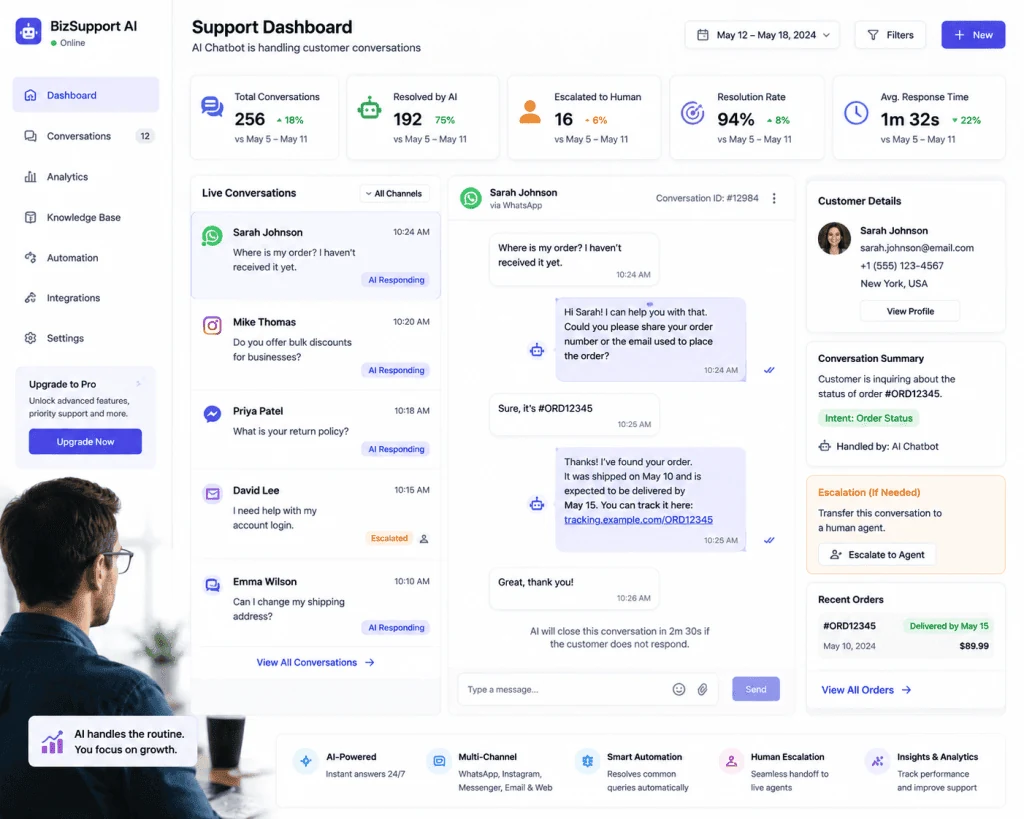
When handoff happens, the human agent should ideally receive enough context to avoid making the customer start from the beginning.
Let the Bot Prepare the Conversation for a Human
Automation can still help even when it cannot resolve the issue.
Suppose a customer says:
“My order arrived damaged.”
Instead of attempting to make the final decision, the chatbot might collect:
- Order reference
- Product involved
- Date received
- Basic description of the problem
- Preferred contact method
The conversation can then move to a support employee with the key details already available.
The chatbot has not replaced the human.
It has reduced the administrative part of the interaction.
This is often one of the most valuable uses of support automation.
After-Hours Support Does Not Need to Pretend Someone Is Online
A small business may not have employees answering customer questions at midnight.
That is normal.
A chatbot can still provide useful assistance outside business hours without pretending that a human team is available.
It might:
- Answer common questions
- Direct visitors to documentation
- Collect support details
- Create a ticket
- Explain when employees will be available
- Help customers prepare information needed for follow-up
This creates a better experience than a completely silent contact form.
But the chatbot should make its limits clear.
If an employee will not review the request until the next business day, the system should not imply that immediate human action is happening.
Ecommerce Businesses Can Start With Pre-Purchase Questions
An online store does not need to begin with complicated order-management automation.
It can start with questions customers ask before purchasing.
For example:
- Which size should I choose?
- Is this item available?
- What material is it made from?
- Do you deliver internationally?
- What payment options are available?
- What is the return policy?
These questions can influence whether visitors continue shopping.
A chatbot that quickly directs customers toward accurate product information may reduce unnecessary searching around the website.
Later, the business may add authenticated order support if necessary.
SaaS Businesses Can Use Chatbots as Documentation Guides
Software products often have detailed help centers.
The challenge is that customers may not know what terminology to search.
A user might ask:
“How do I let another employee access my workspace?”
The help-center article may be titled:
Managing Team Permissions
The customer may never search for that phrase.
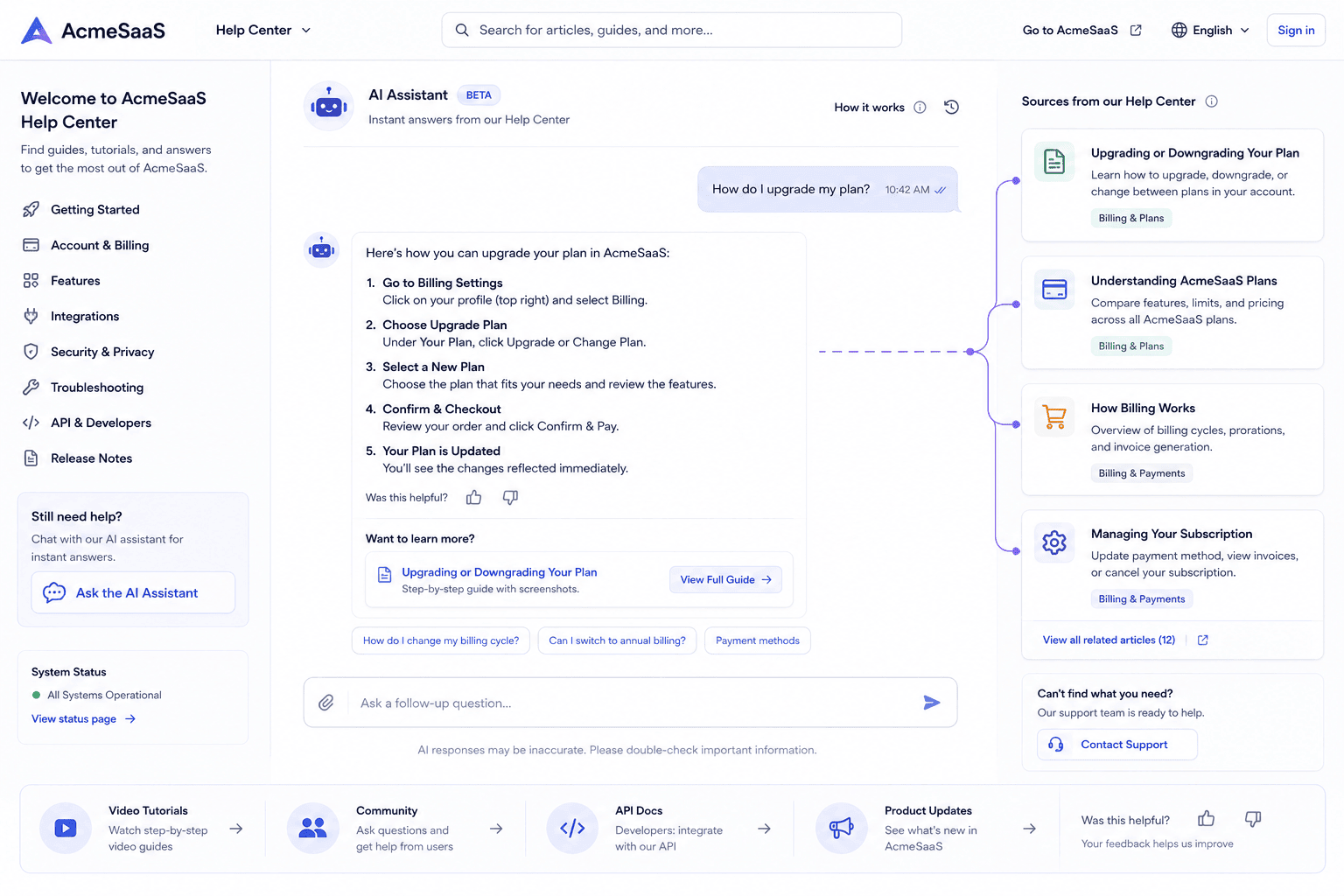
A conversational interface can act as a bridge between the user’s question and the relevant documentation.
A SaaS chatbot could help customers locate:
- Setup instructions
- Account settings
- Feature documentation
- Billing information
- Troubleshooting steps
- Integration guides
The chatbot does not necessarily need to produce a long original answer.
Sometimes directing the customer to the correct documentation is the better solution.
Service Businesses Can Use AI Differently
Not every small business sells products or software.
Consider:
- Consultants
- Cleaning companies
- Repair services
- Agencies
- Tutors
- Salons
- Local professional services
Their customer questions may focus on:
- Availability
- Services offered
- Areas covered
- Appointment preparation
- General pricing structure
- Required information
- Booking process
A chatbot can collect preliminary details before someone from the business responds.
For example, rather than simply displaying:
“Send us a message.”
the chatbot could ask:
- What service are you interested in?
- Where are you located?
- When do you need the service?
- Is this urgent?
- What is the best way to contact you?
The human then receives a more useful inquiry.
Don’t Try to Make the Chatbot Sound Too Human
Businesses sometimes focus heavily on making a chatbot appear indistinguishable from a person.
That should not be the priority.
Customers generally need useful assistance, not an illusion.
Clear communication is better.
The chatbot can identify itself as an automated assistant and still provide an excellent experience.
For example:
“I’m the automated support assistant. I can help with orders, product information, and common account questions. For anything else, I can direct you to our team.”
That immediately sets expectations.
The customer knows:
- What the system is
- What it can help with
- That human support remains available
Transparency can prevent confusion.
Keep Chatbot Answers Short Enough to Use
A customer asking a simple support question usually does not need a 700-word explanation.
Chatbot responses should be designed for conversation.
A useful response might include:
- A direct answer
- The next action
- A relevant link or option
- Human assistance if needed
For example:
Customer: “Can I update the delivery address?”
A helpful response could explain whether address changes are possible and what the customer should do next.
It should not begin with a long history of the company’s delivery process.
Good conversational support is usually concise and action-oriented.
Privacy Should Influence the Chatbot’s Design
Customer conversations can contain personal information.
Depending on the business, messages may include:
- Names
- Email addresses
- Telephone numbers
- Delivery addresses
- Order details
- Account information
- Business data
That means chatbot implementation is also a data-handling decision.
Before deployment, a business should understand:
- What information the chatbot collects
- Why that information is required
- Where conversations are stored
- Who can access them
- How long information is retained
- Which third-party systems process it
The simplest rule is useful:
Do not collect information simply because you can.
Collect what the support process actually needs.
Give the Chatbot Only the Access It Needs
Imagine a chatbot whose only task is answering public questions about products.
Does it need access to the company’s entire customer database?
No.
Does it need administrative permissions?
Probably not.
Does it need private employee documents?
No.
Access should match responsibility.
This limits unnecessary exposure if something goes wrong.
As the chatbot gains additional responsibilities, permissions can be expanded carefully rather than granted all at once.
Authentication Matters for Account-Specific Answers
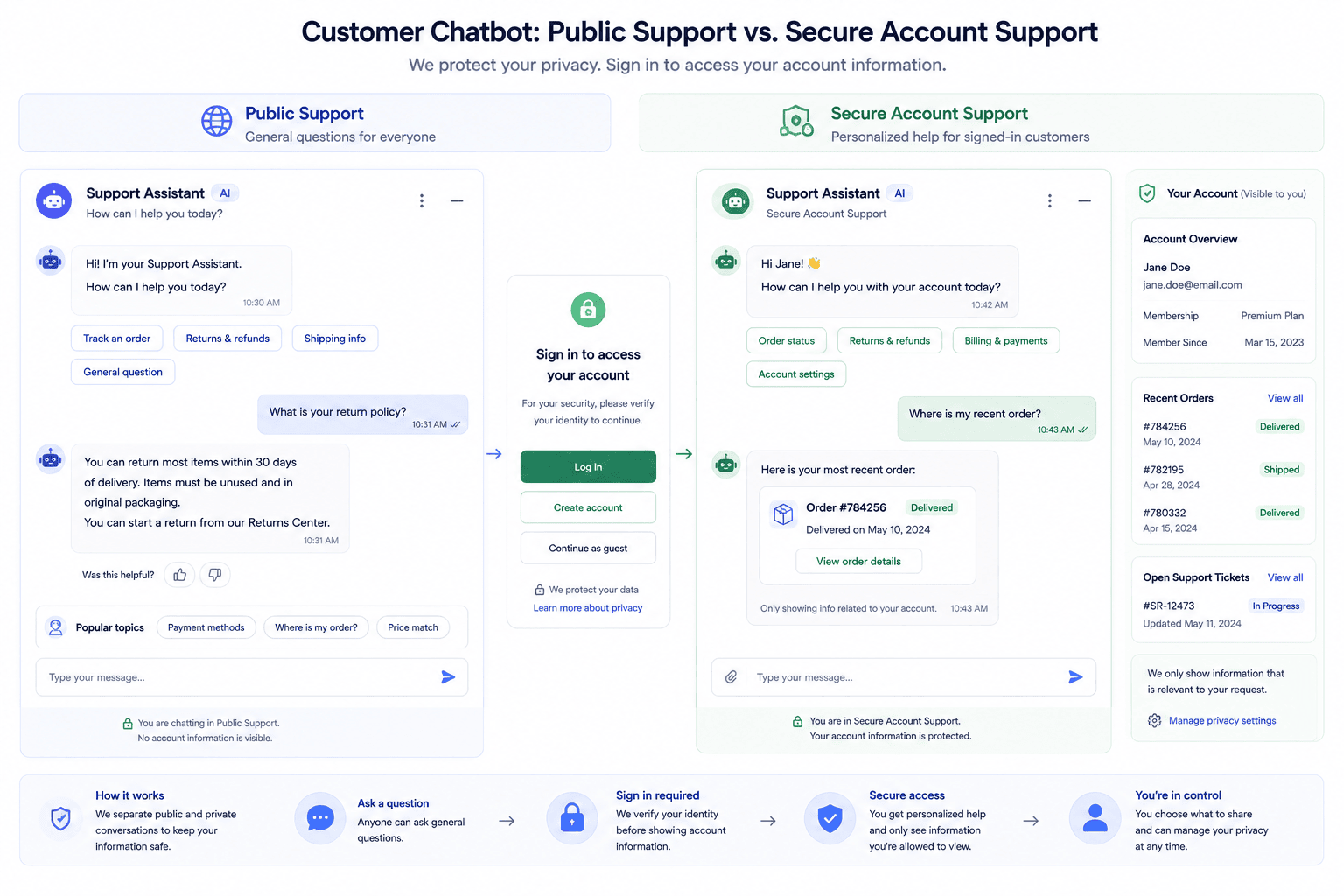
Public questions and private account questions are different.
A visitor can reasonably ask:
“What does your premium plan include?”
without signing in.
But:
“What is the balance on my account?”
requires identity verification.
A chatbot should not provide private information merely because someone knows an email address or order number.
Account-specific automation should be integrated with an appropriate authentication process.
This is especially important when conversations involve:
- Billing
- Personal details
- Orders
- Private documents
- Subscription changes
- Account permissions
Convenience should not override security.
Create a List of Things the Chatbot Must Never Do
Most implementation plans focus on features.
Businesses should also define prohibitions.
For example, a support chatbot might be instructed never to:
- Invent prices
- Promise refunds outside documented policy
- Confirm an order without verification
- Request unnecessary payment information
- Expose another customer’s information
- Make legal commitments
- Claim that a human has approved something when nobody has
- Guess when reliable information is unavailable
This “do not” list can be as important as the chatbot’s feature list.
It creates operational boundaries.
Test With Messy Questions, Not Only Perfect Ones
Businesses often test chatbots with questions written exactly like their documentation.
Real customers are rarely that predictable.
People misspell words.
They leave out details.
They use slang.
They write several questions in one message.
They may be frustrated.
They may describe the wrong problem.
Therefore, testing should include realistic variations.
Instead of only testing:
“What is your refund policy?”
also test:
“can i get my money back”
“bought this last week dont need it now”
“return??”
“I opened the box but didn’t use the product. What do I do?”
The objective is not to make the chatbot answer everything.
The objective is to understand when it answers reliably and when it should escalate.
Create a Small Test Library
Before launch, prepare a spreadsheet or document containing common test cases.
Useful categories include:
Correctly Answerable
The business has a clear approved answer.
Missing Information
The chatbot should request clarification.
Outside Scope
The system should explain that it cannot help directly.
Sensitive
The chatbot should follow the secure support path.
Human Required
The conversation should be escalated.
Incorrect Customer Assumption
The chatbot should clarify rather than accept the assumption as true.
Conflicting Information
The test should reveal whether outdated business documents are influencing answers.
Repeat these tests whenever significant policies or chatbot configurations change.
Launch to a Small Scope First
Businesses do not have to expose a new chatbot to every support situation immediately.
A controlled launch is easier to evaluate.
For example:
Week One Scope
Only FAQ questions.
Next Stage
Product and service information.
Later Stage
Basic account support.
Advanced Stage
Authenticated workflows and selected integrations.
Each stage produces real-world conversations that can be reviewed before the chatbot receives more responsibility.
This is much safer than attempting complete support automation on day one.
Review What Customers Are Actually Asking
Once the chatbot is running, conversation history becomes a valuable source of business information.
Repeated unanswered questions might reveal:
- Missing help-center articles
- Confusing product descriptions
- Poor website navigation
- Unclear policies
- Problems in the checkout process
- Missing onboarding instructions
Suppose customers repeatedly ask whether a certain service includes revisions.
The solution may not be a smarter chatbot.
The service page itself may need to explain revisions more clearly.
Customer-support automation can therefore reveal weaknesses elsewhere in the customer journey.
Measure Useful Outcomes, Not Just Conversation Volume
A dashboard showing “5,000 chatbot messages” tells you very little.
A business should be interested in what happened after those messages.
Useful questions include:
Did the Customer Find an Answer?
Conversation volume matters less than successful outcomes.
Was the Information Correct?
A fast incorrect answer is not a support improvement.
How Often Did Customers Need a Human?
Escalation is not necessarily failure. Some conversations belong with people.
Which Questions Failed Repeatedly?
These may reveal documentation gaps.
Did Customers Repeat Themselves?
Repeated explanations may indicate that the chatbot is misunderstanding intent.
How Long Did Resolution Take?
Automation should simplify the journey, not add extra steps.
Did Customers Abandon the Conversation?
Abandonment can indicate frustration or confusion.
Metrics should help improve the experience rather than simply make automation numbers look impressive.
Never Treat Human Escalation as a Failure
A common mistake is trying to minimize the number of conversations reaching employees.
That can encourage bad behavior.
Suppose a customer has a complex billing problem.
The chatbot tries to stop the customer from contacting a human because the business wants a high “automation rate.”
The chatbot may appear successful in a dashboard while the customer receives poor support.
A better question is:
Was the problem handled through the right channel?
For a shipping FAQ, the right channel may be automation.
For a billing dispute, the right channel may be a trained employee.
Good support routing is more important than maximizing chatbot usage.
Build a Simple Chatbot Voice Guide
AI-generated replies can become inconsistent if communication rules are unclear.
Create a short internal guide.
For example:
Tone
Helpful, calm, and professional.
Length
Answer briefly before offering additional detail.
Terminology
Use the same product names used on the website.
Uncertainty
Never turn uncertain information into a confident claim.
Human Assistance
Offer escalation when appropriate.
Customer Frustration
Avoid arguing or repeatedly providing the same response.
Sensitive Topics
Follow the approved support process.
This helps maintain a consistent experience across conversations.
Give Employees Visibility Into Chatbot Conversations
Customer-service employees should not be separated from the automation system.
They are often the people best positioned to identify whether chatbot responses are useful.
Create a feedback process.
Employees might flag:
- Incorrect answers
- Poor escalation
- Missing information
- Repeated customer confusion
- Outdated documentation
- New questions appearing frequently
That feedback can improve both the chatbot and the support knowledge base.
Automation works better when employees participate in its improvement.
Keep Policies and Chatbot Information Synchronized
A chatbot can become outdated quietly.
Suppose the business changes:
- Delivery times
- Subscription prices
- Return periods
- Service areas
- Opening hours
The website gets updated, but the chatbot continues using an older document.
Customers now receive conflicting information.
Businesses need a process for updating chatbot knowledge whenever operational information changes.
One practical approach is assigning ownership.
For example:
Operations: shipping and returns
Sales: pricing and plans
Support: help-center content
Product team: feature documentation
Someone should know which information needs updating and when.
A Practical Small-Business Implementation Plan
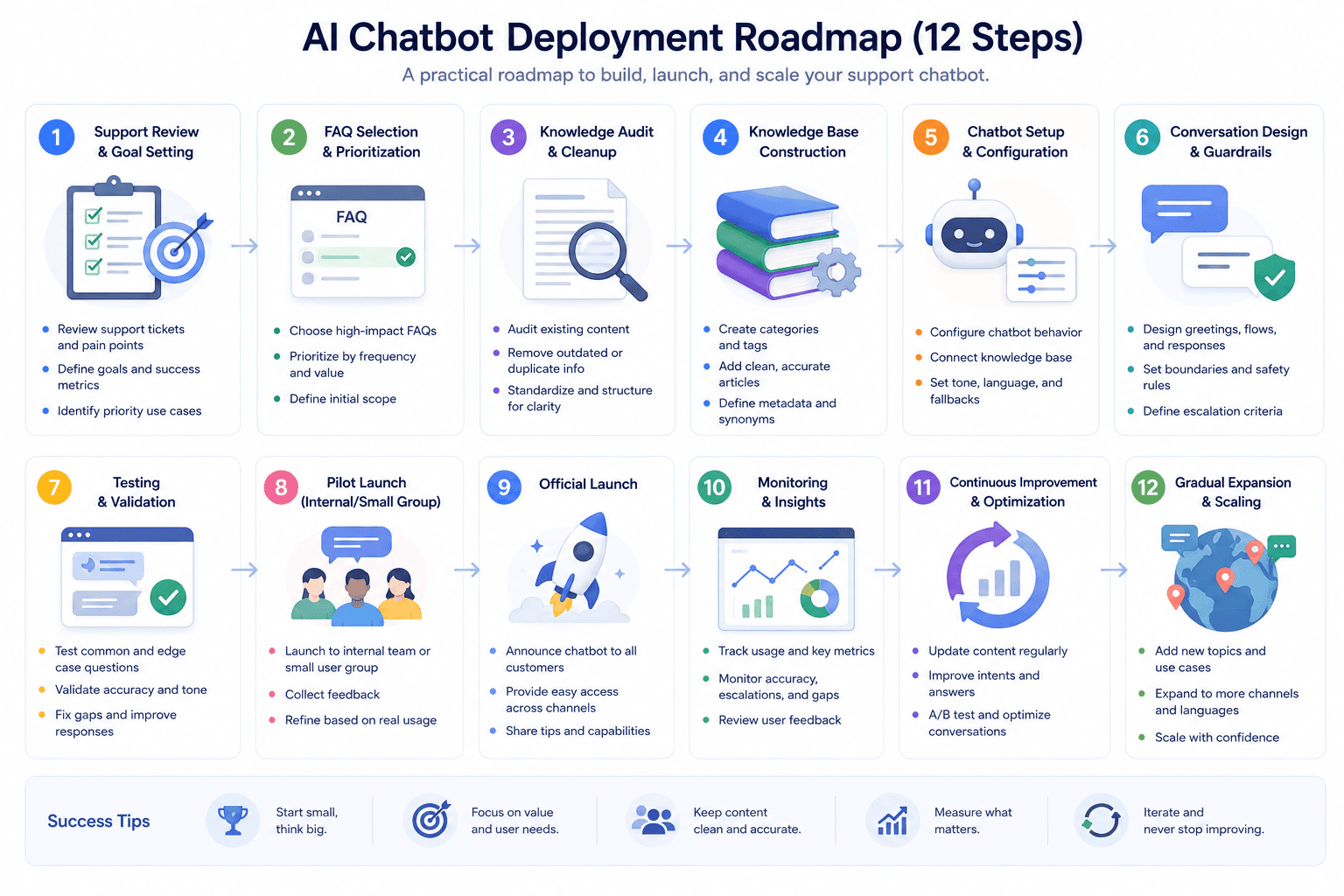
Businesses interested in AI customer support can follow a simple sequence.
Step 1: Review Existing Conversations
Read recent support emails, tickets, chat messages, or contact-form submissions.
Identify repeated questions.
Step 2: Select a Narrow Starting Area
Choose a small group of questions suitable for automation.
Do not start with every support process.
Step 3: Improve the Documentation
Make sure answers are current, clear, and consistent.
Remove outdated versions.
Step 4: Define Human-Only Situations
Create rules for complaints, unusual requests, sensitive issues, and other cases requiring judgment.
Step 5: Define the Chatbot’s Permissions
Decide exactly what systems and information it may access.
Step 6: Build the Conversation Paths
Decide what happens when information is available, unavailable, or sensitive.
Step 7: Test Realistic Questions
Include incomplete, unclear, and unusual messages.
Step 8: Check Human Handoff
Make sure customers can reach the right support channel without unnecessary friction.
Step 9: Launch Gradually
Start with limited responsibilities.
Step 10: Review Conversations
Identify inaccurate responses and missing information.
Step 11: Update Documentation
Use customer questions to strengthen the knowledge base.
Step 12: Expand Only When the Existing System Works
Do not add new automation simply because the technology allows it.
Example: A Small Online Store
Consider a fictional online accessories store called Northlane Goods.
Before adding a chatbot, the owner notices that customer messages repeatedly fall into six categories:
- Shipping destinations
- Delivery estimates
- Product availability
- Return instructions
- Order tracking
- Product questions
Instead of attempting complete automation, Northlane begins with four areas:
Shipping
The chatbot answers questions using the store’s shipping page.
Returns
It summarizes the documented process and directs customers to the full policy.
Product Information
It retrieves details already available in the product catalog.
Contact Routing
It collects information for questions that require employees.
Order tracking is added later because it requires integration with customer-specific information.
Refund decisions remain human-controlled.
This fictional example demonstrates a useful principle:
Automate according to risk and clarity, not simply according to what is technically possible.
Signs Your Business May Be Ready for a Support Chatbot
AI customer support may be worth considering when:
- Employees repeatedly answer identical questions
- Customers frequently ask for information already available on the website
- After-hours inquiries are common
- Your help center contains useful but difficult-to-find information
- Employees spend significant time categorizing basic requests
- Your business needs a better first-response process
- Support volume is growing faster than the team
However, a chatbot may not be the first priority if:
- Business policies are poorly documented
- Product information is regularly outdated
- Almost every customer request requires individual judgment
- Nobody can review chatbot performance
- The business has no clear support escalation process
Automation cannot fix an undefined support operation.
Common Mistakes to Avoid
Starting With Too Much Automation
Begin with a narrow responsibility and expand based on evidence.
Using Contradictory Documents
Clean the knowledge base before expecting reliable answers.
Making Human Support Difficult to Reach
Customers should not be trapped inside automation.
Allowing the Bot to Guess
Uncertainty should trigger clarification or escalation.
Collecting Too Much Customer Data
Request only information needed for the support task.
Granting Excessive Permissions
Give the chatbot access based on its actual responsibilities.
Ignoring Conversation Reviews
Real customer interactions reveal problems that testing may miss.
Measuring Only Ticket Reduction
Accuracy and customer resolution matter as well.
Trying to Hide That the Customer Is Talking to AI
Clear expectations usually create a better experience.
Forgetting to Update the System
A chatbot using last year’s policies can create new support problems instead of solving them.
Frequently Asked Questions
What is the best use of AI chatbots for customer support?
For many small businesses, the best starting point is repetitive, low-risk questions with clearly documented answers. Examples include opening hours, shipping information, product guidance, FAQs, and basic troubleshooting.
Should every customer question be answered by AI?
No. Complaints, disputes, unusual requests, sensitive account problems, and situations requiring judgment may be better handled by employees.
Can a chatbot answer questions when the business is closed?
Yes, a chatbot can provide documented information or collect details outside normal support hours. It should still be clear when actual human follow-up will occur.
Can AI chatbots provide wrong information?
Yes. AI-generated responses can be inaccurate, especially when source information is missing, contradictory, or outdated. Businesses should control knowledge sources, test responses, and create escalation rules.
Does a chatbot need access to customer accounts?
Not necessarily. Many useful chatbot functions rely only on public business information. Account access should be added only when required and protected with suitable authentication.
Can a chatbot help with sales as well as support?
It can help answer product questions, explain services, and collect basic information from potential customers. Complex sales conversations can then be passed to a person.
How often should chatbot conversations be reviewed?
There is no single schedule suitable for every business. New deployments should generally be reviewed more closely, while mature systems can use an ongoing review process based on support volume and risk.
What should happen when the chatbot cannot answer?
It should clearly state its limitation, collect relevant information where useful, and direct the customer toward an appropriate human-support option.
Should small businesses build a complicated chatbot immediately?
Usually not. Starting with a few well-defined support scenarios makes testing, monitoring, and improvement easier.
What is more important: the AI model or the knowledge base?
Both matter, but even a capable model can provide poor customer support when it is working with incomplete, inaccurate, or contradictory business information.
Final Thoughts
The most useful customer-support chatbot is not the one that attempts to replace an entire support department.
It is the one that understands its job.
For a small business, that job may be straightforward:
Answer repetitive questions.
Help customers locate accurate information.
Collect useful details.
Provide assistance outside normal working hours.
Recognize when automation is no longer appropriate.
Then move the conversation to a person.
That combination can create a support process that is easier for both customers and employees.
Businesses should begin with their customer questions rather than with technology.
Study what people repeatedly ask.
Organize the answers.
Decide where judgment is required.
Protect private information.
Build a clear handoff process.
Test the system with realistic conversations.
Then improve it based on what customers actually do.
AI can make customer support more efficient, but efficiency should never come at the cost of clarity, privacy, or customer trust.
The goal is not to make every interaction automated.
The goal is to use automation exactly where it makes the customer journey simpler — and keep people involved wherever human judgment adds real value.