Best AI Tools for Small Businesses in 2026: 25 Top Picks
- by Muhammad Raza
- 0 Comments
- 13 minutes read
- 66 Views
Best AI tools for small businesses can turn artificial intelligence from an experiment into a practical business advantage. Small businesses can use AI for writing, research, marketing, customer support, automation, design, meetings, productivity, coding, and everyday operations without subscribing to dozens of overlapping tools.
The key is choosing tools that solve real business problems and deliver measurable value. This guide compares 25 AI tools for different small-business needs, explains what each tool is best for, and shows how to build a focused AI stack without wasting money on unnecessary subscriptions.
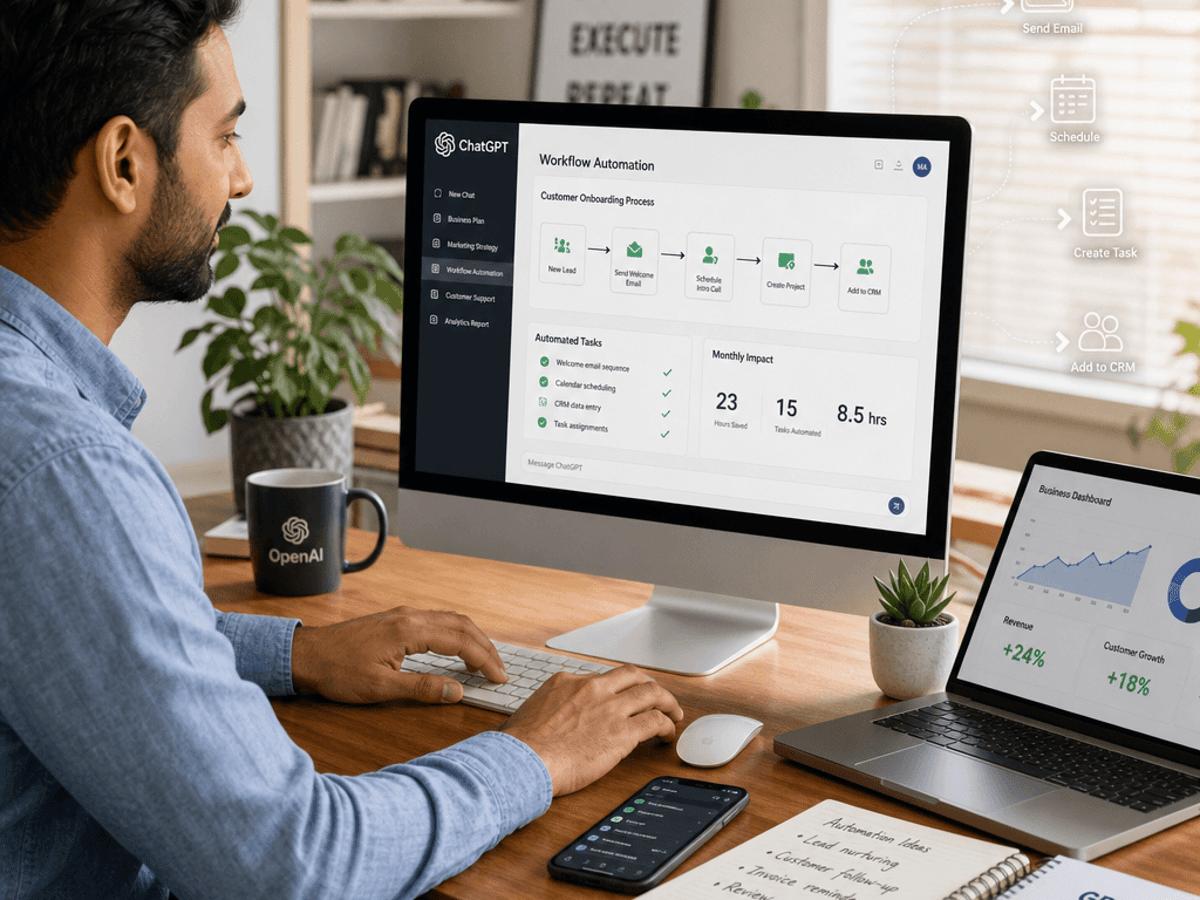





ChatGPT is one of the most versatile AI tools available to businesses.
A small business can use it for:
- Brainstorming
- Writing
- Research assistance
- Customer-support drafts
- Content planning
- Data analysis
- Coding assistance
- Documentation
- Business strategy
- Summaries
- Translation
- Internal knowledge tasks
One of its biggest advantages is flexibility.
Instead of purchasing a separate tool for every small writing or brainstorming task, a business can use a general-purpose AI assistant across many departments.
However, businesses should still review important outputs.
AI-generated information can contain errors, and confidential business information should only be handled according to appropriate privacy and organizational policies.
Best for: General business productivity.
2. Claude — Writing, Analysis, and Long Documents
Claude is another general-purpose AI assistant that can be useful for businesses.
It can help with:
- Long-form writing
- Document analysis
- Summaries
- Brainstorming
- Coding
- Research assistance
- Business communication
- Content editing
It can be particularly useful when working with long documents or complex written material.
A business could use it to review a large internal document and create a concise summary for employees.
Best for: Writing, analysis, documentation, and complex text-based work.
3. Google Gemini — AI for the Google Ecosystem
Google Gemini can be useful for businesses already working heavily inside Google’s ecosystem.
Depending on the available plan and integrations, businesses may use Google’s AI capabilities across productivity workflows.
Potential use cases include:
- Brainstorming
- Writing
- Summarization
- Research
- Document assistance
- Workspace productivity
- Information organization
This can be especially useful for businesses that already depend heavily on Google Workspace.
Best for: Businesses operating primarily in Google’s productivity ecosystem.
4. Microsoft Copilot — AI for Microsoft Users
Microsoft Copilot is designed to bring AI assistance into Microsoft’s broader ecosystem.
Businesses using Microsoft 365 may find AI particularly useful for tasks involving:
- Documents
- Presentations
- Meetings
- Spreadsheets
- Workplace productivity
The main advantage of an integrated AI assistant is reducing the need to move information between multiple applications.
Best for: Microsoft-based businesses.
5. Perplexity — AI-Powered Research
Perplexity focuses heavily on AI-assisted search and research.
Small businesses can use it to:
- Research industries
- Explore competitors
- Investigate topics
- Find sources
- Generate research summaries
- Explore emerging technologies
Research-heavy teams can save time by using AI to organize initial information before verifying important facts through primary sources.
Best for: Research and information discovery.
6. Grammarly — AI Writing Assistance
Grammarly can help businesses improve written communication.
It can be useful for:
- Emails
- Blog posts
- Marketing copy
- Proposals
- Business documents
- Social media posts
For a small business, professional communication matters.
A simple spelling or clarity problem can make an otherwise professional message look careless.
AI writing assistance can help employees improve clarity before sending important communications.
Best for: Business writing and editing.
7. Jasper — AI Marketing Content
Jasper is designed around marketing and content workflows.
Marketing teams can use AI assistance for:
- Campaign ideas
- Content drafts
- Marketing copy
- Brand messaging
- Content planning
- Marketing workflows
The advantage of specialized marketing tools is that they may provide workflows designed specifically around marketing teams rather than general-purpose conversations.
Best for: Marketing teams and content operations.
8. Canva — AI-Assisted Design
Canva has become a popular design platform for small businesses.
Its AI-powered features can assist with tasks such as:
- Presentations
- Social media graphics
- Marketing materials
- Posters
- Business documents
- Visual concepts
- Image creation
- Design variations
A small business may not need a full-time graphic designer for every basic marketing asset.
Canva can help employees create professional starting points that can then be reviewed and refined.
Best for: Marketing design and visual content.
9. Adobe Firefly — Generative Creative Tools
Adobe Firefly provides generative AI capabilities for creative workflows.
Businesses can explore AI-assisted:
- Image creation
- Creative concepts
- Design variations
- Marketing visuals
- Image editing
It can be especially useful for creative teams that already use Adobe’s broader ecosystem.
Best for: Creative professionals and marketing teams.
10. Zapier — AI Workflow Automation
Zapier is useful when you want different business applications to work together.
For example:
Website form → AI analysis → CRM → email notification
Or:
New blog post → AI summary → social media draft → approval
Zapier can connect many business applications and automate repetitive processes.
The important point is that automation should solve a real operational problem.
Do not automate a workflow simply because automation is possible.
Best for: No-code business automation.
11. Make — Visual Automation
Make provides a visual approach to workflow automation.
It can be useful for businesses that need more complex automation logic.
For example:
New lead → AI classification →
High priority → CRM + Slack
Medium priority → CRM
Low priority → Email sequence
This type of branching workflow can become difficult to manage manually.
Best for: Visual and multi-step automation.
12. n8n — Flexible Workflow Automation
n8n is particularly interesting for technical users and AI automation specialists.
It can connect:
- APIs
- AI models
- Databases
- CRMs
- Web applications
- Communication tools
Businesses that need more customization may prefer a platform like n8n over simpler automation systems.
It can also be attractive when greater control over infrastructure is important.
Best for: Technical teams and advanced AI automation.
13. Notion AI — Knowledge and Productivity
Notion combines workspace management with AI assistance.
Businesses can use it for:
- Notes
- Documentation
- Project management
- Internal knowledge
- Meeting information
- Writing
- Task organization
This can be particularly useful for small teams that need one central location for internal information.
Best for: Team documentation and knowledge management.
14. Otter.ai — Meeting Transcription and Summaries
Otter.ai focuses on AI-powered meeting transcription and related productivity features.
Instead of manually taking notes during every meeting, teams can use AI to capture conversations and identify important information.
Potential outputs include:
- Meeting transcripts
- Summaries
- Action items
- Decisions
- Key discussion points
Best for: Meetings and team collaboration.
15. Fireflies.ai — AI Meeting Assistant
Fireflies.ai is another AI meeting tool that can help capture and organize conversations.
Sales teams, agencies, consultants, and remote teams can benefit from turning meetings into searchable information.
For example:
Client meeting → transcript → summary → action items → CRM update
This is a good example of combining AI with workflow automation.
Best for: Sales calls, meetings, and documentation.
16. HubSpot — AI-Assisted CRM and Marketing
HubSpot provides CRM, marketing, sales, and customer-service capabilities.
Its AI features can support activities such as:
- Content
- Customer relationship management
- Sales
- Marketing
- Customer service
- Data management
For a growing business, having customer information centralized can be more valuable than using many disconnected AI tools.
Best for: CRM-centered businesses.
17. Salesforce Einstein — AI for Larger CRM Operations
Salesforce Einstein provides AI capabilities within the Salesforce ecosystem.
Potential business applications include:
- Sales assistance
- Customer service
- CRM analysis
- Predictions
- Workflow support
- Customer insights
This may be more relevant to growing businesses already using Salesforce rather than very small operations.
Best for: Businesses with established Salesforce infrastructure.
18. GitHub Copilot — AI Coding Assistant
GitHub Copilot can help developers with coding tasks.
Developers can use AI assistance for:
- Code completion
- Explanations
- Debugging assistance
- Refactoring
- Documentation
- Development workflows
AI coding assistants can improve developer productivity, but generated code still needs review and testing.
Best for: Developers and software teams.
19. Cursor — AI-Powered Code Editor
Cursor is an AI-focused code editor designed to help developers work with codebases.
It can be useful for:
- Code generation
- Code explanation
- Debugging
- Refactoring
- Working across multiple files
For SaaS startups and technical businesses, AI-powered development environments can accelerate some stages of software development.
Best for: Software developers and startups.
20. Descript — AI Video and Audio Editing
Descript provides AI-assisted tools for audio and video workflows.
Businesses increasingly need video for:
- YouTube
- Training
- Product demonstrations
- Social media
- Marketing
- Customer education
AI-assisted editing can simplify some tasks that traditionally required more manual video editing.
Best for: Video content and marketing teams.
21. ElevenLabs — AI Voice Technology
ElevenLabs provides AI-powered voice technology.
Potential business applications include:
- Narration
- Voiceovers
- Audio content
- Localization
- Product experiences
- Accessibility
Businesses should ensure they have appropriate rights and permissions when using voices, especially when working with identifiable individuals.
Best for: Voice content and multimedia.
22. Midjourney — AI Image Creation
Midjourney is known for AI-generated imagery.
Businesses can use image-generation tools for:
- Creative concepts
- Marketing ideas
- Moodboards
- Visual experimentation
- Social media concepts
However, businesses should always review licensing, commercial-use terms, brand requirements, and intellectual-property considerations before using generated assets commercially.
Best for: Visual ideation and creative experimentation.
23. Descript for Content Repurposing
One particularly useful AI workflow is turning one piece of content into multiple formats.
For example:
Long video → transcript → article → social posts → short clips → newsletter
A tool such as Descript can assist with parts of this process.
This approach allows a small business to get more value from content it has already created.
Instead of constantly starting from zero, one piece of high-quality content can become the source for multiple marketing assets.
Best for: Content repurposing.
24. Gamma — AI-Assisted Presentations
Gamma can help users create presentations and other visual documents with AI assistance.
Businesses can use presentation tools for:
- Sales proposals
- Investor materials
- Internal presentations
- Training
- Client reports
- Business plans
The key is to treat AI-generated presentations as a starting point.
Important business presentations should be reviewed for accuracy, structure, and visual quality.
Best for: Presentations and business documents.
25. Reclaim AI — AI-Assisted Scheduling
Reclaim AI focuses on calendar and productivity management.
For busy business owners, time management can become a major problem.
AI scheduling tools can help organize tasks, meetings, habits, and calendar commitments.
The goal is not simply to fill a calendar.
The goal is to protect time for important work.
Best for: Time management and productivity.
How to Choose the Best AI Tools for Your Business
You do not need all 25 tools.
In fact, subscribing to too many tools can create a new problem.
Instead, build an AI stack around your actual business needs.
Start by answering these questions.
What Is Your Biggest Bottleneck?
If content is your problem, prioritize content tools.
If customer support is your problem, prioritize support automation.
If administration consumes your time, prioritize workflow automation.
If meetings consume too much time, use meeting assistants.
If software development is slow, consider AI coding tools.
Build an AI Tool Stack by Function
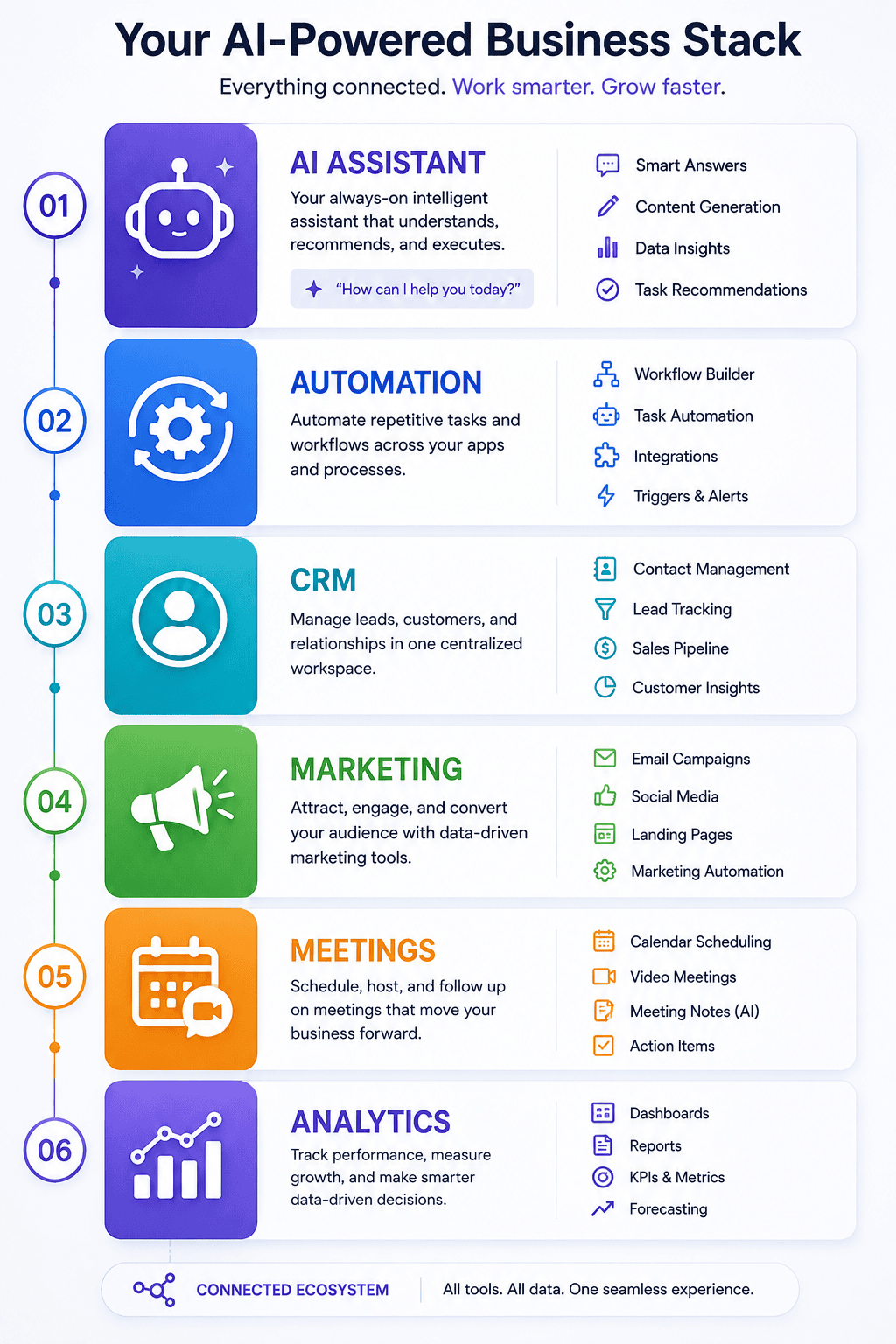
A practical small-business AI stack might look like this:
General AI
ChatGPT or Claude
Research
Perplexity
Design
Canva
Automation
Zapier, Make, or n8n
Meetings
Otter.ai or Fireflies.ai
CRM
HubSpot
Productivity
Notion
Development
GitHub Copilot or Cursor
You don’t necessarily need every category.
Choose the tools that solve your biggest problems.
Don’t Buy AI Tools Just Because They Are Trending
This is one of the biggest mistakes businesses make.
A new AI product becomes popular.
Thousands of people start discussing it.
A business owner subscribes.
Then the tool sits unused.
Instead, follow this rule:
Problem first. Tool second.
For example:
Bad approach:
“Everyone is talking about AI agents, so we need an AI agent.”
Better approach:
“Our employees spend ten hours each week manually categorizing support requests. Can automation reduce that workload?”
Then determine whether AI is appropriate.
AI Tools vs AI Automation
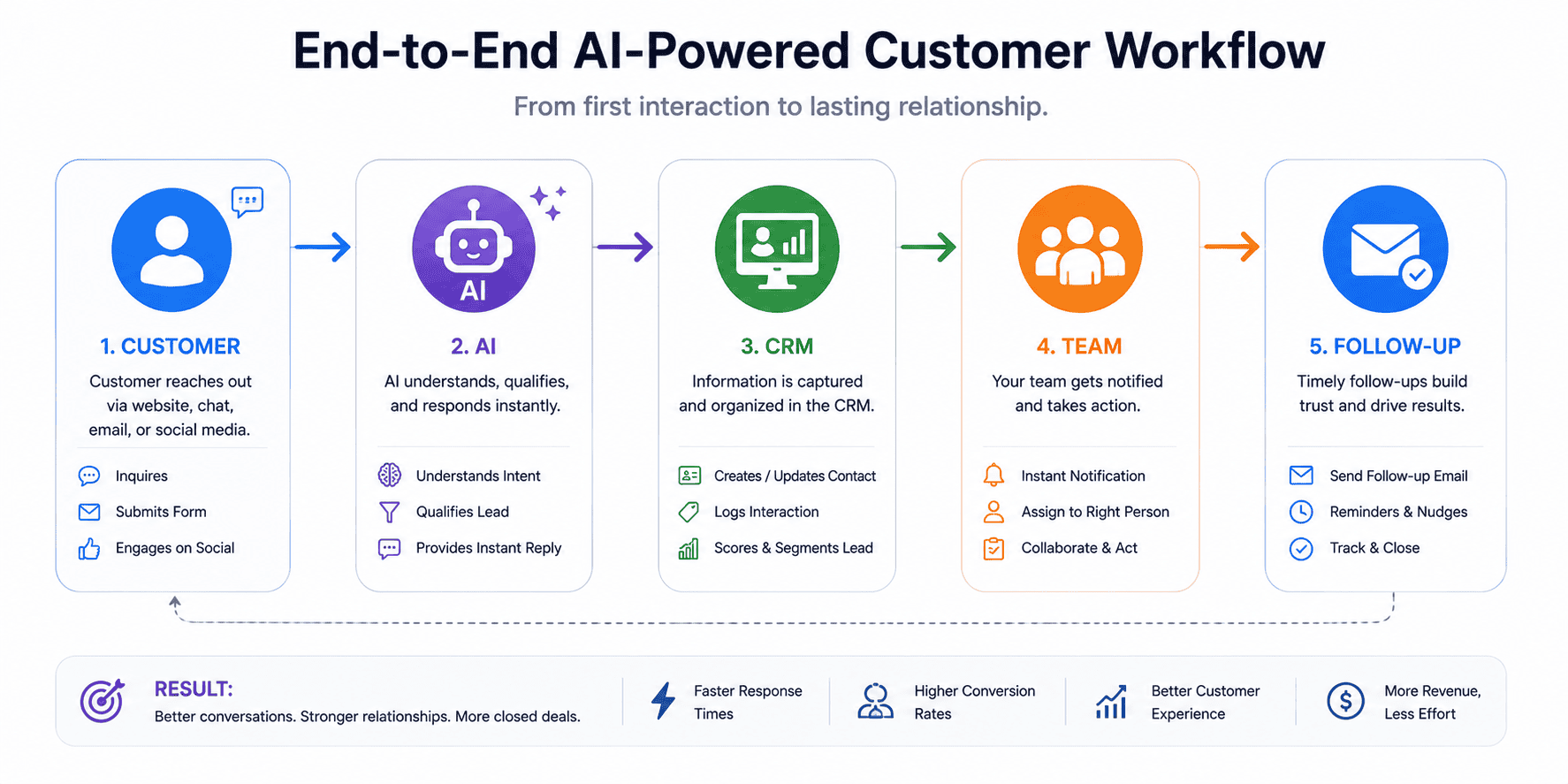
AI tools and AI automation are related, but they are different.
An AI tool might help an employee perform a task.
For example:
Employee → ChatGPT → write email
AI automation connects systems together.
For example:
Customer inquiry → AI classification → CRM → Slack → follow-up task
The second system can run automatically after being configured.
For small businesses, the combination can be powerful.
Employees use AI tools for individual tasks.
Automation handles repetitive workflows.
Imagine a content agency.
Its workflow could be:
Client topic submitted
↓
AI researches topic
↓
Content brief created
↓
Writer receives brief
↓
Draft completed
↓
AI performs initial quality check
↓
Editor reviews
↓
Final content published
This is not about removing humans.
The AI handles repetitive support work.
Humans handle:
- Strategy
- Expertise
- Fact verification
- Editorial judgment
- Final approval
This hybrid model is often more practical than trying to fully automate everything.
AI Tools for Marketing
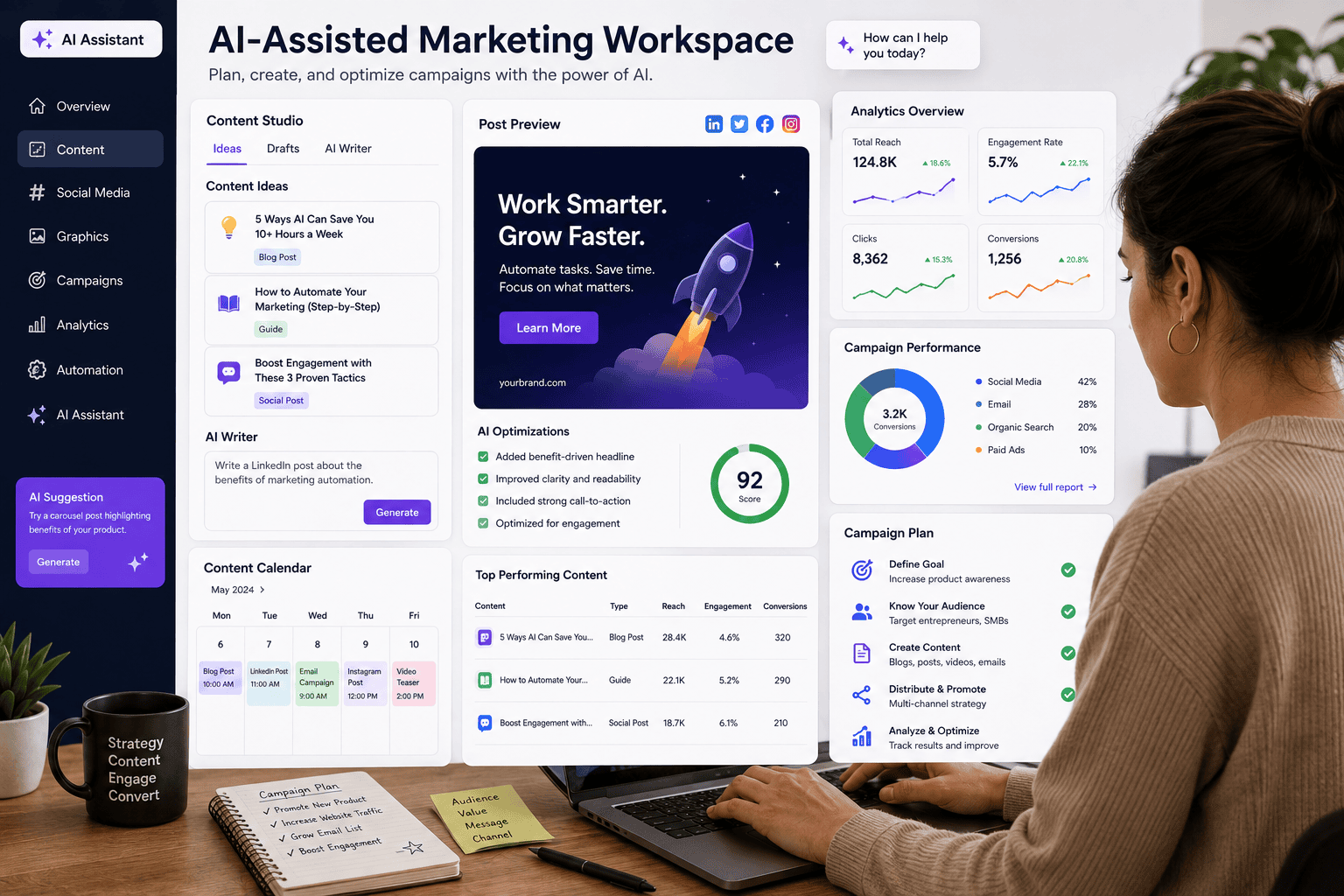
Marketing is one of the biggest areas where small businesses can benefit from AI.
AI can support:
- Content ideas
- Keyword research
- Social media planning
- Email drafts
- Ad concepts
- Image creation
- Video production
- Customer research
- Competitor analysis
However, businesses should avoid producing large amounts of generic content simply because AI makes it easy.
Quality still matters.
A strong marketing system combines AI efficiency with original business knowledge.
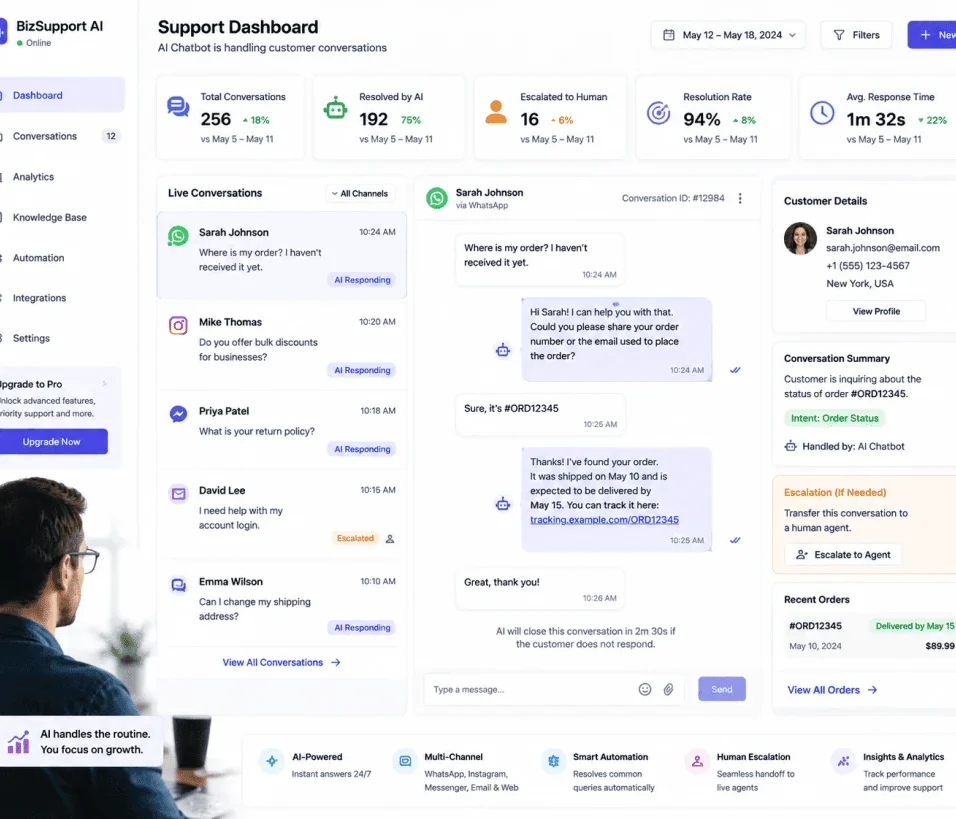
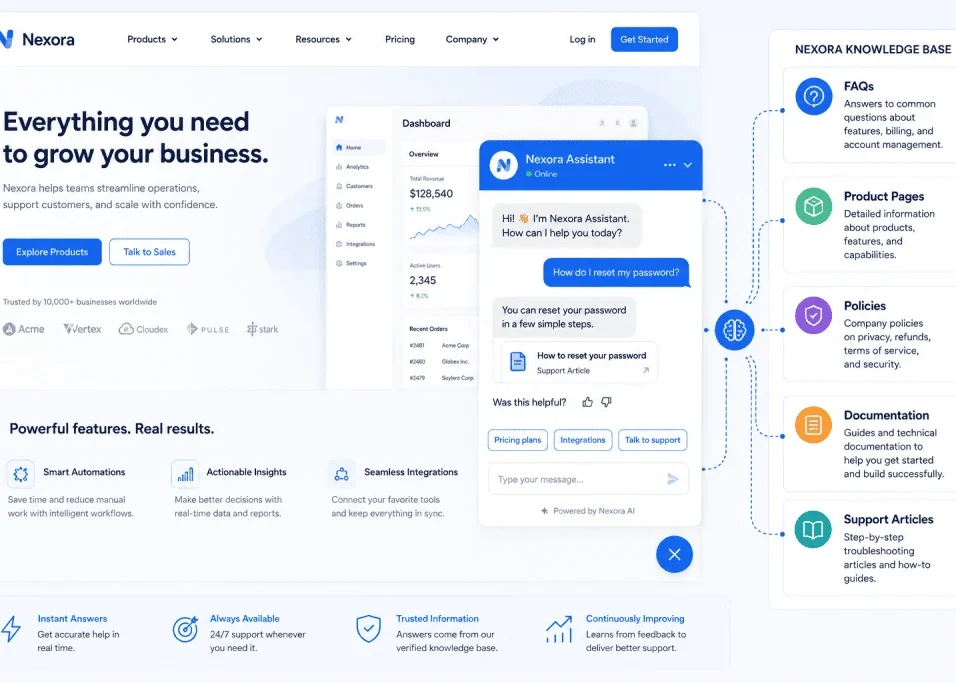
AI Tools for Customer Support
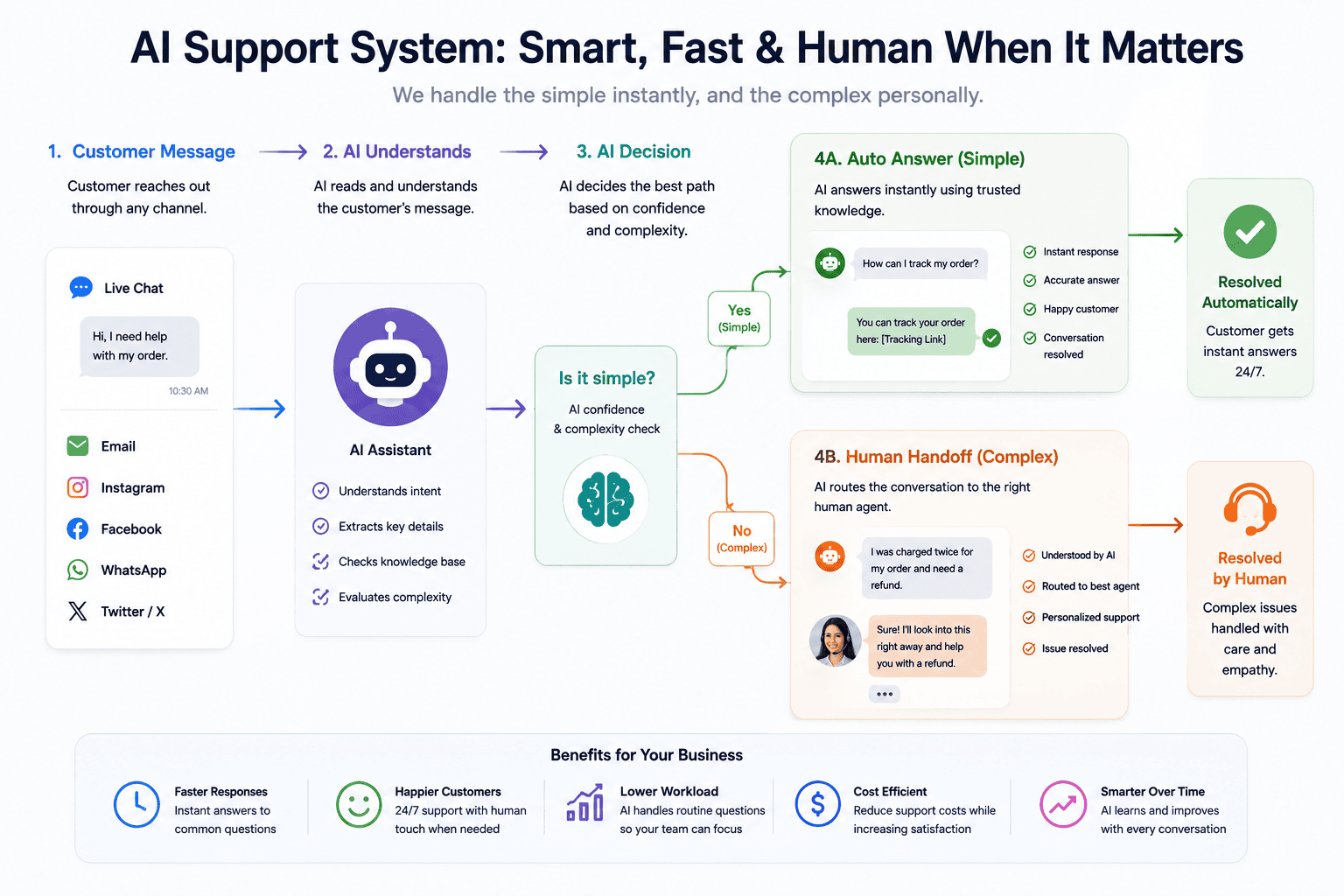
Customer support can be improved with AI in several ways.
AI can:
- Categorize tickets
- Draft responses
- Search knowledge bases
- Summarize conversations
- Identify urgent cases
- Recommend next steps
A useful support architecture might be:
Customer message
↓
AI identifies intent
↓
Simple question → automated response
Complex question → human agent
This approach gives businesses a balance between speed and human support.
AI Tools for Sales
Sales teams can use AI for:
- Lead research
- Lead scoring
- Call summaries
- CRM updates
- Email drafting
- Follow-up reminders
- Customer segmentation
A salesperson could finish a call and automatically receive:
Customer needs
Budget
Timeline
Objections
Next steps
This reduces administrative work and makes customer information easier to manage.
AI Tools for Content Creation
AI can accelerate content production.
A simple workflow might be:
Topic
→
Research
→
Outline
→
Draft
→
Human editing
→
Fact checking
→
SEO optimization
→
Publishing
The human review stage is important.
AI should assist content creation rather than become an excuse for publishing low-value material.
AI Tools for Ecommerce
Ecommerce businesses can use AI to improve:
- Product descriptions
- Customer support
- Review analysis
- Product categorization
- Marketing
- Customer segmentation
- Content production
For example, hundreds of customer reviews can be analyzed to identify recurring complaints.
Instead of reading every review manually, a business owner can use AI to identify patterns and then investigate the underlying issues.
AI Tools for Small Business Administration
Administrative tasks may not appear exciting, but they can consume significant time.
AI can assist with:
- Meeting notes
- Email organization
- Document summaries
- Task management
- Data extraction
- Report generation
- Internal documentation
Automating these processes can allow business owners to spend more time on growth.
How to Measure Whether an AI Tool Is Worth It
Before adopting a tool, establish a baseline.
For example:
Current process: 10 hours per month
AI-assisted process: 4 hours per month
Time saved: 6 hours
Then estimate the value of that time.
You can also measure:
- Error reduction
- Faster response times
- Increased output
- Customer satisfaction
- Employee productivity
- Revenue opportunities
A tool should create measurable value.
The Hidden Cost of Too Many AI Tools
Using too many tools can create:
- Subscription costs
- Data fragmentation
- Training requirements
- Security concerns
- Duplicate functionality
- Workflow complexity
- Maintenance problems
Suppose a business has:
- Three writing tools
- Four image tools
- Two meeting tools
- Three automation tools
- Two CRM tools
The company may spend more time managing software than actually using it.
A smaller, integrated AI stack can be more effective.
AI Tool Security and Privacy
Businesses should think carefully about data before entering information into AI applications.
Be particularly careful with:
- Customer personal information
- Financial information
- Passwords
- API keys
- Confidential contracts
- Private employee data
- Sensitive business strategies
- Proprietary source code
Before using an AI service with sensitive information, review its current privacy, security, retention, and enterprise controls.
Your business should also establish internal rules about what employees can and cannot enter into AI systems.
AI Does Not Eliminate Human Review
This is one of the most important principles in business AI adoption.
AI can make mistakes.
It can misunderstand instructions.
It can generate incorrect information.
It can miss context.
It can produce confident but inaccurate answers.
Therefore, businesses should decide where human review is required.
For low-risk tasks, minimal review may be sufficient.
For high-risk tasks, human approval should remain part of the workflow.
The Best AI Strategy for a Small Business
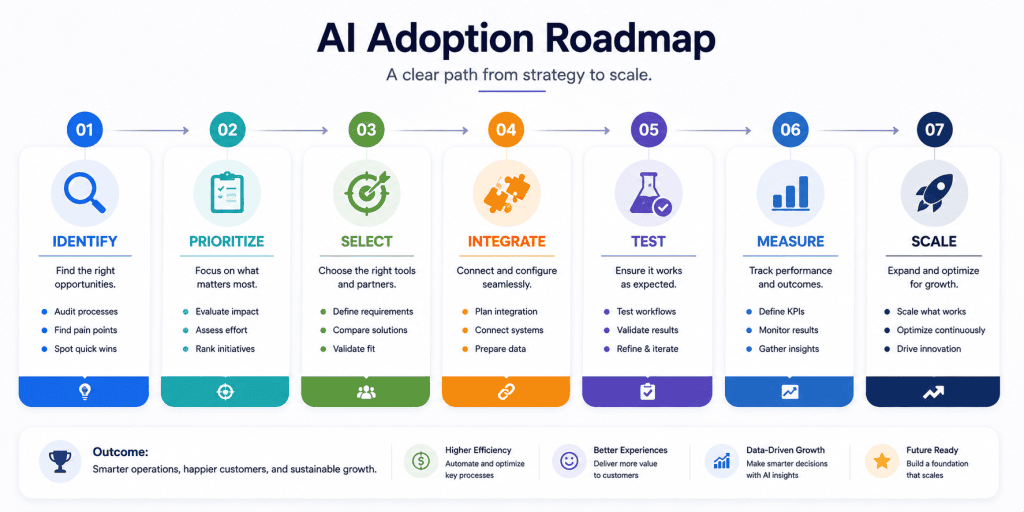
A strong strategy can be summarized in seven steps.
Step 1: Identify
Find repetitive tasks.
Step 2: Prioritize
Choose the tasks with the greatest potential value.
Step 3: Select
Choose tools that solve those specific problems.
Step 4: Integrate
Connect tools where appropriate.
Step 5: Test
Run small experiments.
Step 6: Measure
Track actual results.
Step 7: Scale
Expand only after the workflow proves useful.
A 30-Day AI Adoption Plan
Week 1: Business Audit
List repetitive tasks.
Identify the top five time-consuming processes.
Choose the most practical one.
Week 2: Tool Selection
Research tools.
Compare:
- Features
- Integrations
- Pricing
- Security
- Ease of use
- Scalability
Week 3: Implementation
Set up the tool.
Create the workflow.
Train employees if necessary.
Week 4: Measurement
Compare the new process with the old one.
Ask:
- Did we save time?
- Did quality improve?
- Did costs decrease?
- Did employees find it useful?
- Did customers benefit?
If yes, continue.
If no, change the approach.
What Will AI Tools Look Like in the Future?
The biggest shift may not simply be better chatbots.
AI is increasingly becoming part of the software businesses already use.
Instead of opening a separate AI application, employees may encounter AI directly inside:
- CRM systems
- Documents
- Project management
- Customer support
- Development environments
- Marketing platforms
- Business analytics
This could make AI less visible but more deeply integrated into everyday work.
The important skill for businesses will therefore be less about knowing every AI product and more about understanding where AI can create genuine operational value.
My Rule for Choosing AI Tools
I would not build a small-business AI stack by collecting the most popular products in every category. That creates overlapping subscriptions and more places for information to move.
Start with the business problem, then choose the smallest toolset that handles it reliably. If one tool solves the job well enough, adding a second tool should have a specific reason: a capability the first one does not provide, a useful integration, or a materially better result.
The strongest choice is also the one the team will actually use. A sophisticated tool that requires constant prompting, manual cleanup, or complicated handoffs can be a worse investment than a simpler product that fits the existing workflow.