How to Use AI in WordPress: 15 Smart Ways to Build, Manage, and Grow Your Website in 2026
- by Muhammad Raza
- 0 Comments
- 16 minutes read
- 51 Views
WordPress has always been one of the most flexible platforms for building websites. From personal blogs and online portfolios to business websites, ecommerce stores, news websites, and publishing platforms, WordPress gives website owners a huge amount of control over their online presence.
Now artificial intelligence is changing how WordPress websites are created and managed.
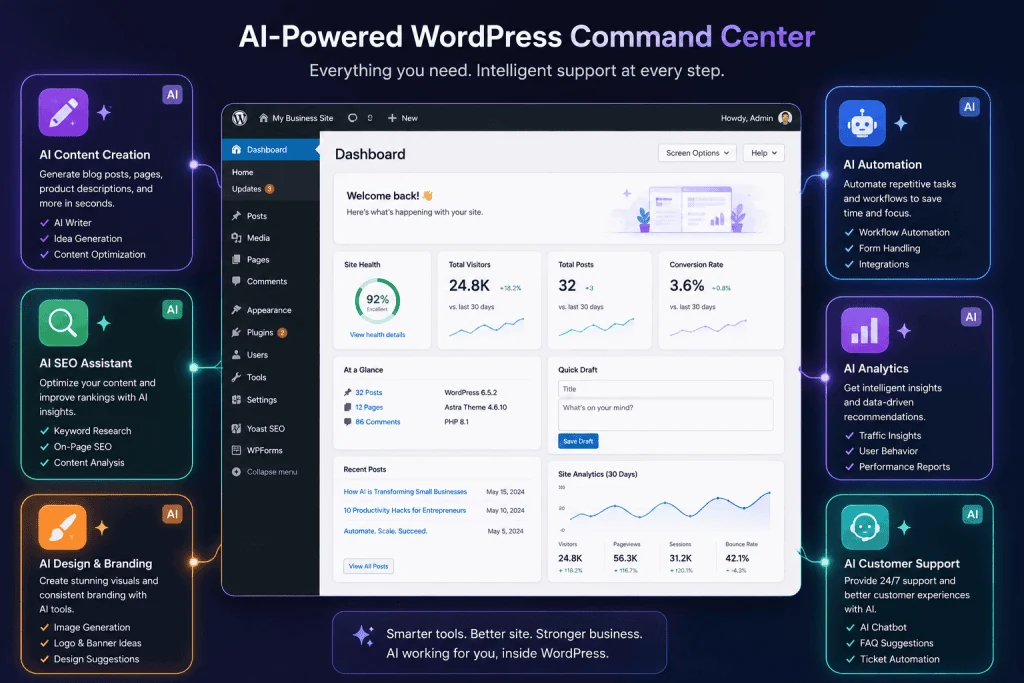
Instead of using AI only for writing articles, website owners can use it for content creation, SEO research, website design, image generation, customer support, code assistance, analytics, automation, and website maintenance.
That makes AI in WordPress one of the most useful combinations for website owners who want to work faster without sacrificing control.
WordPress itself is also moving further toward AI-powered workflows. WordPress.com currently provides AI features for creating and managing websites, including AI-assisted content, design, image generation, and site management. Its AI website builder can create a website from a prompt, while its AI Assistant can work inside the editing environment.
But using AI effectively does not mean allowing an AI system to build your entire website and publish everything automatically.
The better approach is to use AI as a productivity partner.
Let AI handle repetitive work.
Let humans handle strategy, fact-checking, brand decisions, quality control, and important business decisions.
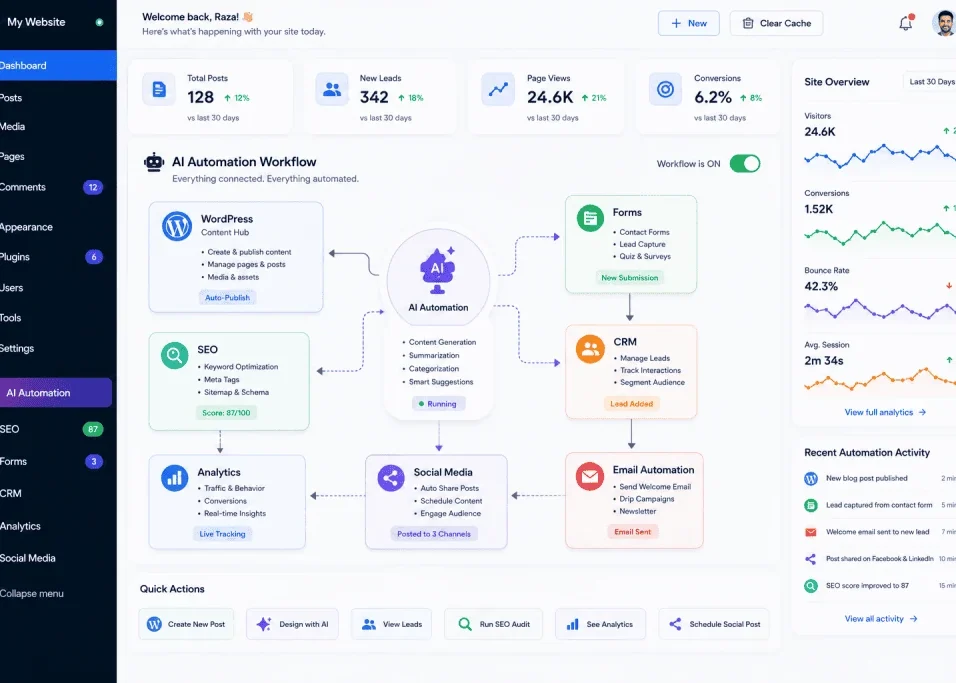
In this guide, you will learn how to use AI in WordPress, which tasks are worth automating, how AI can help with SEO, how to create better content, how to improve website design, how to use AI chatbots, what mistakes to avoid, and how to build a practical AI-powered WordPress workflow in 2026.
What Does AI in WordPress Actually Mean?
AI in WordPress refers to using artificial intelligence tools and features to help create, manage, optimize, or improve a WordPress website.
This can happen in several ways.
For example, AI can help you:
- Write an initial article draft
- Generate content ideas
- Create SEO outlines
- Improve headlines
- Generate images
- Analyze keywords
- Create meta descriptions
- Improve existing content
- Build page layouts
- Generate code
- Create chatbot responses
- Summarize analytics
- Automate repetitive tasks
- Translate content
- Organize information
The important thing to understand is that AI is not a replacement for WordPress.
Instead, AI becomes another layer of capability that can make WordPress workflows faster.
Think of it like this:
WordPress = your website platform
AI = an intelligent assistant that helps you operate the platform
That combination can be extremely powerful.
Why AI Is Becoming Important for WordPress Websites
Running a website requires much more than publishing articles.
A website owner may need to:
- Research topics
- Write content
- Optimize pages
- Create graphics
- Update old articles
- Respond to visitors
- Monitor performance
- Manage plugins
- Create landing pages
- Fix small technical problems
- Maintain internal links
- Manage social media
- Analyze traffic
For one person, this can become overwhelming.
AI can reduce the amount of repetitive work involved.
For example, instead of spending an hour creating a basic content outline, AI can produce an initial structure in minutes.
Instead of manually turning a long article into several social media posts, AI can create first drafts.
Instead of reading every customer message individually, AI can categorize incoming requests.
The human still reviews the output, but the starting point is much faster.
15 Smart Ways to Use AI in WordPress
1. Generate Better Content Ideas
One of the first ways to use AI in WordPress is content planning.
A common problem for bloggers is running out of topics.
Instead of asking AI:
“Give me blog ideas.”
Give it more context.
For example:
“Create 30 article ideas for a WordPress website that covers AI tools, freelancing, automation, SaaS, web design, and digital productivity. Focus on beginner-friendly search intent and avoid duplicate topics.”
A better prompt produces more useful results.
You can then organize the ideas into categories such as:
- Informational
- Commercial
- Tutorial
- Comparison
- Beginner guide
- Advanced guide
- Troubleshooting
- Case-study-style content
The final topic selection should still be based on your audience and actual content strategy.
2. Create Article Outlines With AI
A strong outline makes long-form writing easier.
AI can help create a structure containing:
- Introduction
- Main sections
- Subsections
- Examples
- FAQs
- Conclusion
For example, if your topic is AI automation for WordPress, an outline could include:
- What is AI automation?
- Why WordPress websites need automation
- AI content workflows
- AI customer support
- AI SEO workflows
- AI image generation
- AI plugins
- Security considerations
- Common mistakes
- Implementation guide
The outline gives the writer a logical framework.
But do not blindly accept every AI-generated heading.
Remove sections that do not provide genuine value.
3. Use AI to Improve Existing WordPress Articles
AI is not only useful for new content.
Older articles can often become more useful with careful updates.
You can ask AI to identify:
- Outdated sections
- Repetitive paragraphs
- Missing FAQs
- Weak introductions
- Unclear explanations
- Missing examples
- Opportunities for better headings
You can also ask it to summarize an article and compare the summary with the original search intent.
However, an AI rewrite should not automatically replace your existing article.
Review the changes carefully.
Preserve useful original information, firsthand experience, unique examples, and important context.
For a broader workflow, see our guide to AI automation for WordPress.
8. Use AI for WordPress Website Design
AI can help website owners create design ideas faster.
You can ask AI to suggest:
- Homepage sections
- Landing page structures
- Navigation layouts
- Call-to-action ideas
- Color combinations
- Typography combinations
- Content hierarchy
- Mobile layout considerations
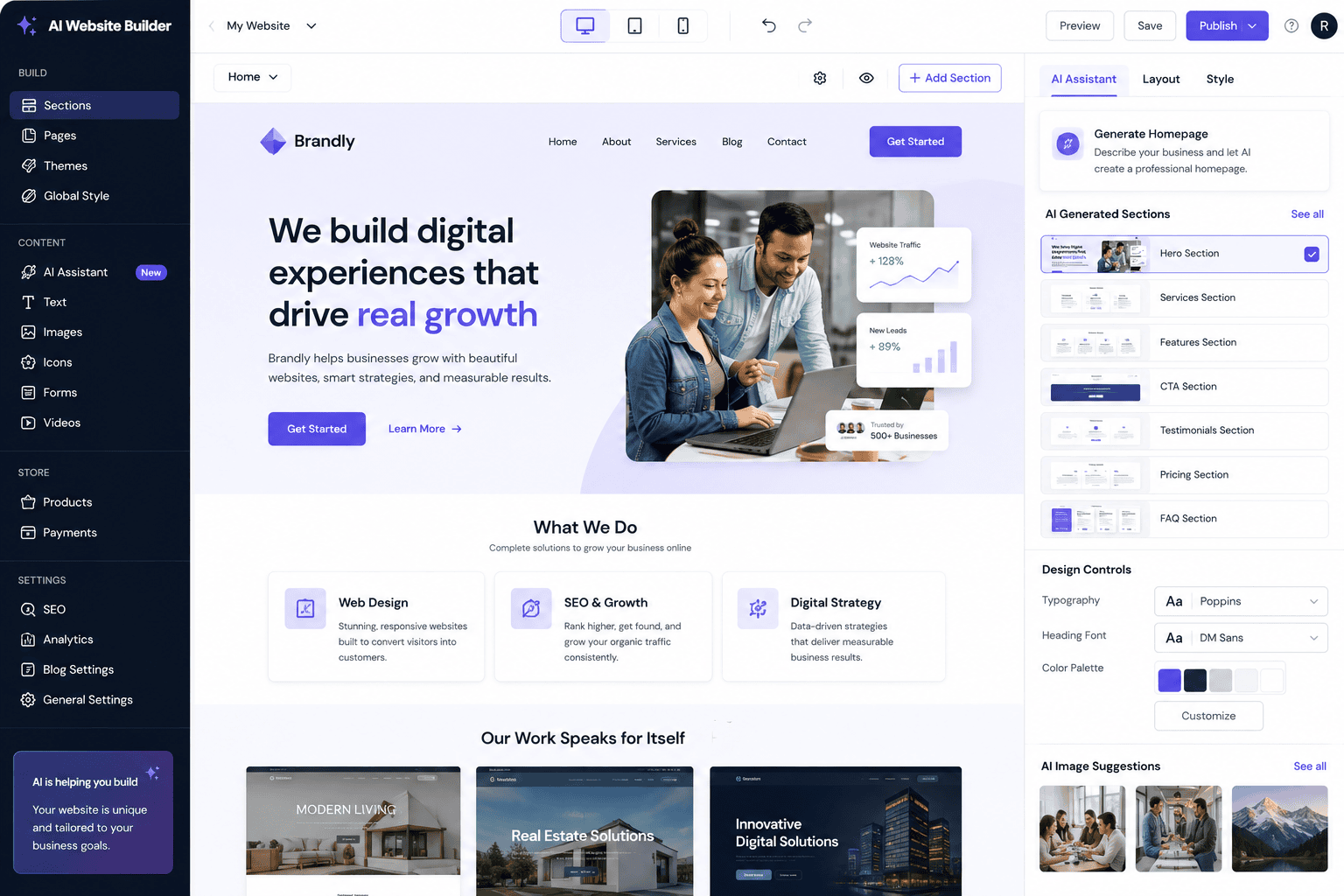
WordPress.com now provides an AI website builder that can create a site from a prompt and allow users to customize the generated website afterward.
This demonstrates an important direction for website creation:
Instead of starting with a blank page, users can begin with an AI-generated foundation and then customize it manually.
That can reduce the time required to create the first version of a website.
9. Generate WordPress Code With AI
AI can also assist developers and advanced WordPress users.
For example, it can help create:
- CSS
- HTML
- PHP snippets
- JavaScript
- WordPress hooks
- Shortcodes
- Custom functions
- Database queries
- Debugging suggestions
Imagine you want to add a small custom feature.
Instead of searching through dozens of forum discussions, you can explain the desired behavior to an AI assistant and ask for a possible implementation.
However, generated code should always be reviewed and tested.
Never paste unverified code directly into a production website simply because an AI model says it is correct.
A small coding error can break a page or create security problems.
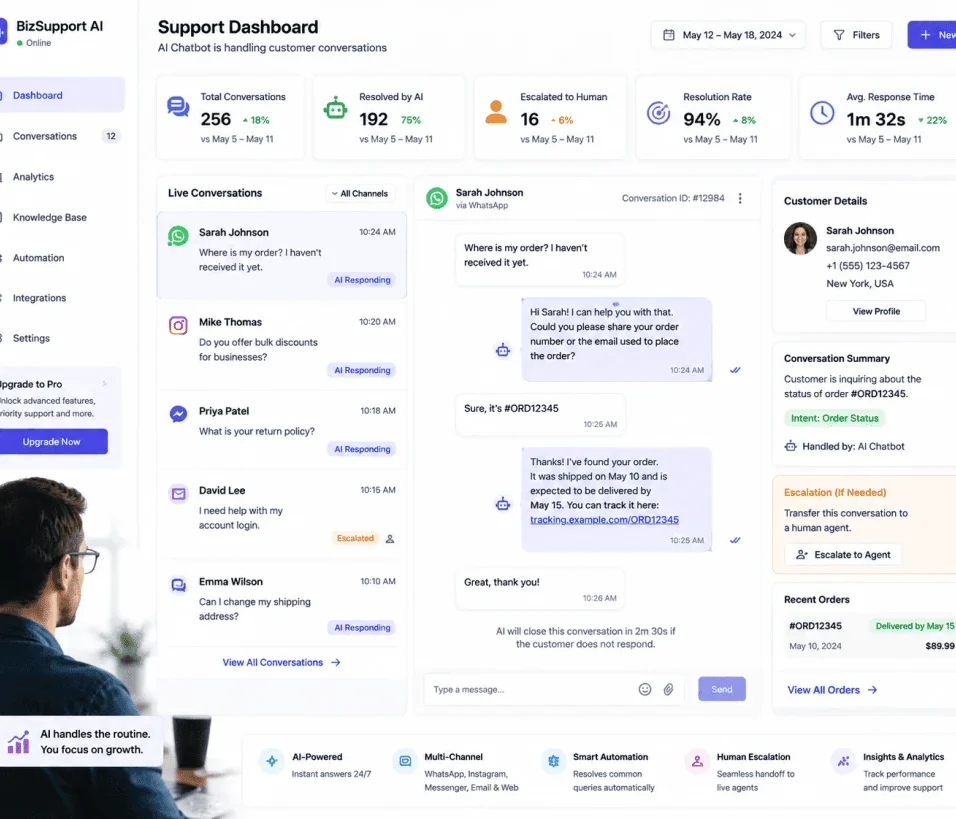
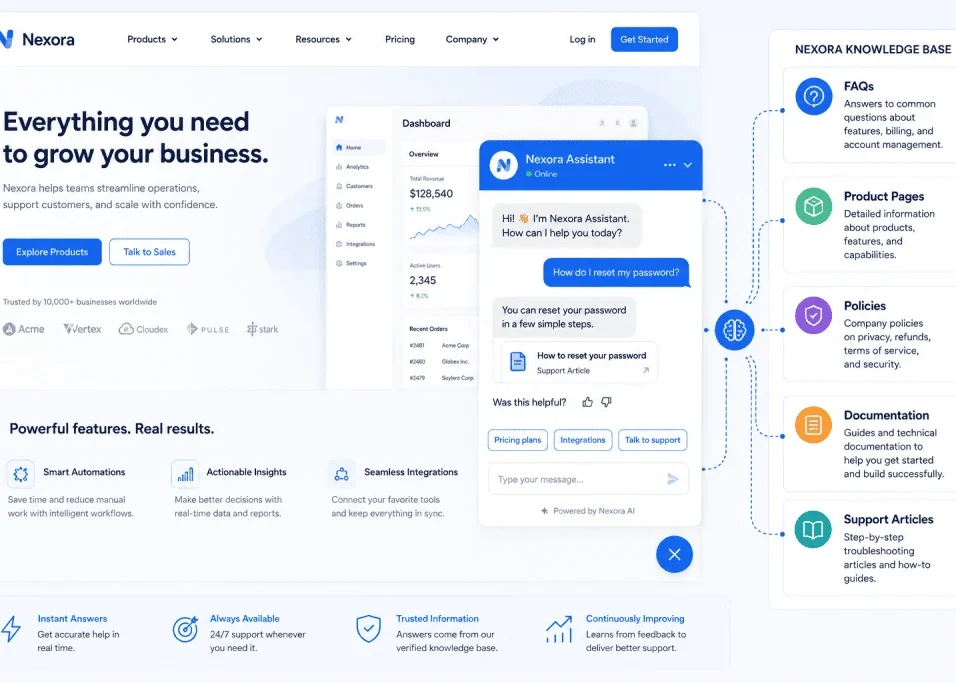
10. Use AI for WordPress Customer Support
A chatbot can help answer common website questions.
For example:
Visitor: What services do you offer?
AI: We provide…
Or:
Visitor: How can I contact your team?
AI: You can contact us through…
This is especially useful when visitors repeatedly ask the same questions.
A chatbot can also collect information before passing a conversation to a human.
For example:
Name → Email → Service needed → Question
That information can then be routed into a CRM or email workflow.
The key is to make the chatbot useful.
A chatbot that cannot answer basic questions or continuously sends users in circles will frustrate visitors.
11. Use AI to Build Internal Linking Opportunities
Internal links help visitors discover related content.
They can also help search engines understand relationships between pages.
As your WordPress site grows, manually finding every relevant internal-link opportunity becomes difficult.
AI can help identify relationships.
For example:
An article about AI automation may naturally link to:
- AI tools
- AI chatbots
- WordPress automation
- SaaS applications
- Freelancing with AI
- AI productivity
AI can analyze your existing content and suggest where related articles may fit.
But the final link should make sense to a human reader.
Do not add internal links simply because a keyword appears.
12. Use AI for Content Repurposing
One long-form WordPress article can become multiple pieces of content.
For example:
Blog article
↓
LinkedIn post
↓
X post
↓
Email newsletter
↓
Short video script
↓
Instagram caption
↓
YouTube description
AI can help transform the original article into different formats.
This is one of the most practical uses of AI because you are not starting from zero every time.
You create one valuable piece of content and then adapt it for multiple channels.
The important rule is to adapt the message to the platform.
A LinkedIn post should not simply be a copy-paste version of the entire blog article.
13. Use AI to Analyze Website Data
AI can help make website data easier to understand.
For example, you could use AI to summarize:
- Traffic reports
- Search performance
- Conversion data
- Content performance
- Customer feedback
- Sales information
Instead of looking at dozens of rows in a spreadsheet, you might ask:
“Summarize the biggest changes in this month’s website performance and identify three areas that deserve further investigation.”
The AI can provide a starting interpretation.
But important business decisions should be based on verified underlying data, not an AI summary alone.
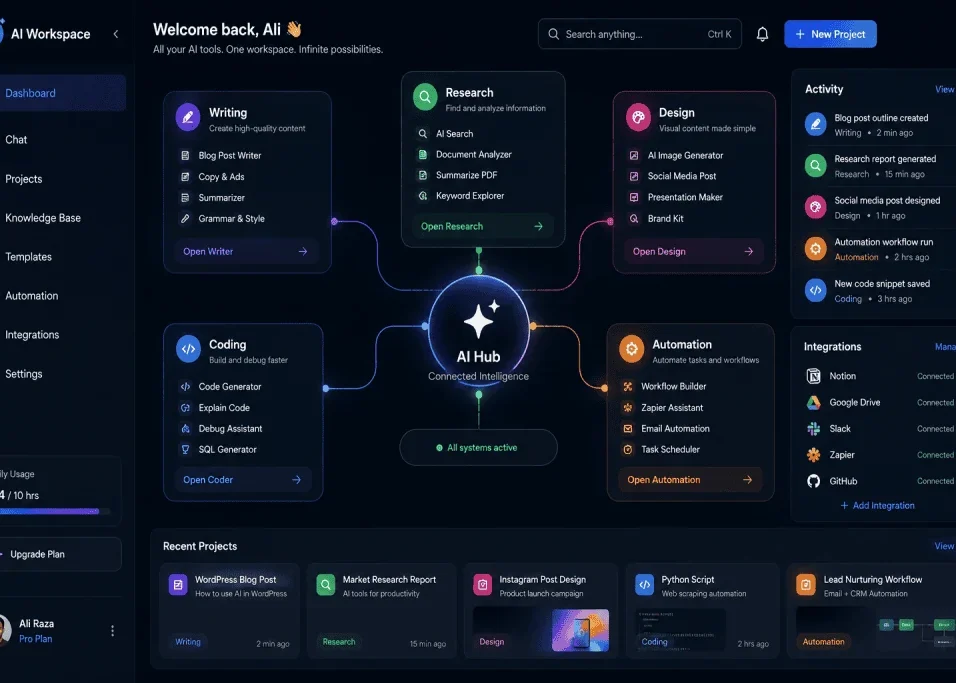
14. Use AI to Automate Repetitive WordPress Tasks
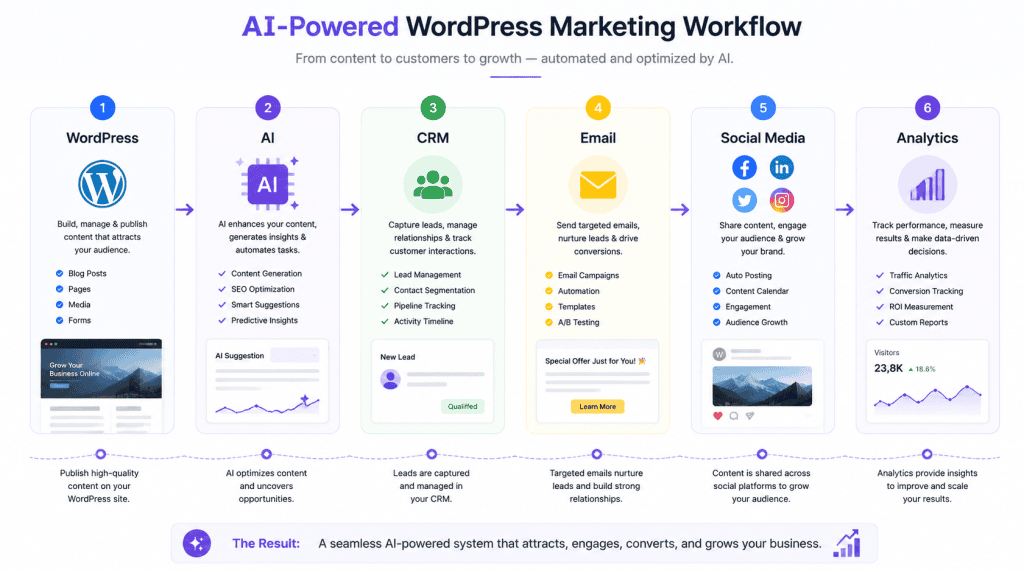
This is where AI and automation for WordPress become especially powerful.
A workflow might look like:
New WordPress article published
↓
AI creates summary
↓
AI generates social media drafts
↓
Automation sends drafts for approval
↓
Approved content is scheduled
Another workflow might be:
New contact form submission
↓
AI categorizes inquiry
↓
CRM record created
↓
Sales notification sent
↓
Follow-up task created
These systems can save time because they connect WordPress with other applications.
The best automation usually combines:
AI for interpretation
and
automation for predictable actions.
15. Use AI to Help Manage Your WordPress Website
WordPress.com currently provides AI tools that can assist with content, design, image generation, site management, and other tasks. Its AI Assistant is designed to work within the website environment rather than requiring users to constantly copy information between separate AI tools.
This is an important development because context matters.
An AI assistant that understands the website it is working on can potentially provide more relevant assistance than a completely separate chatbot where the user has to explain the entire website every time.
For WordPress site owners, this direction could make AI increasingly useful for everyday website management.
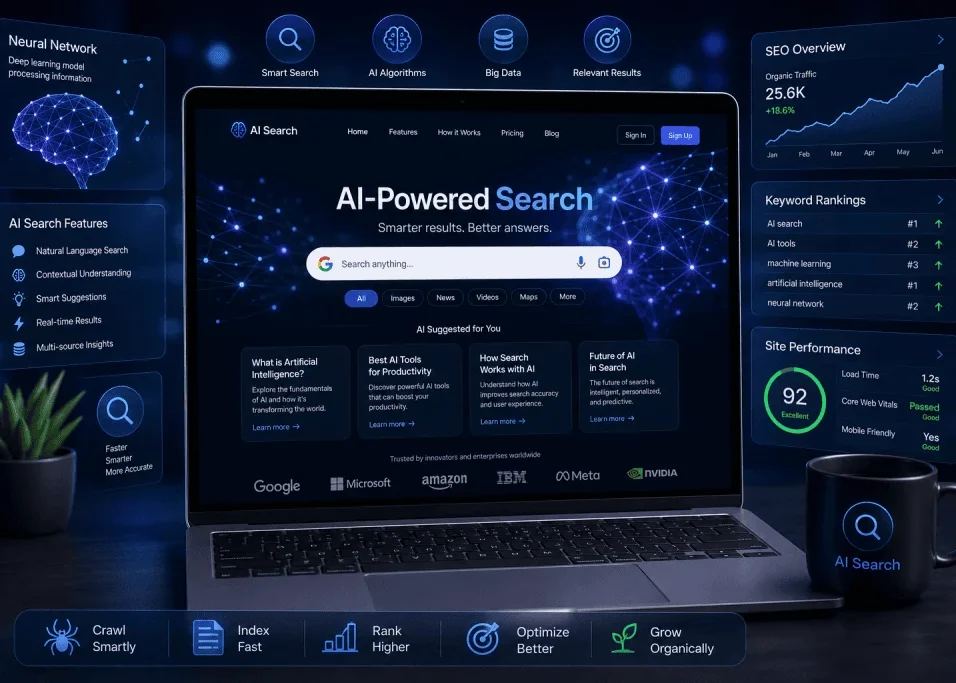
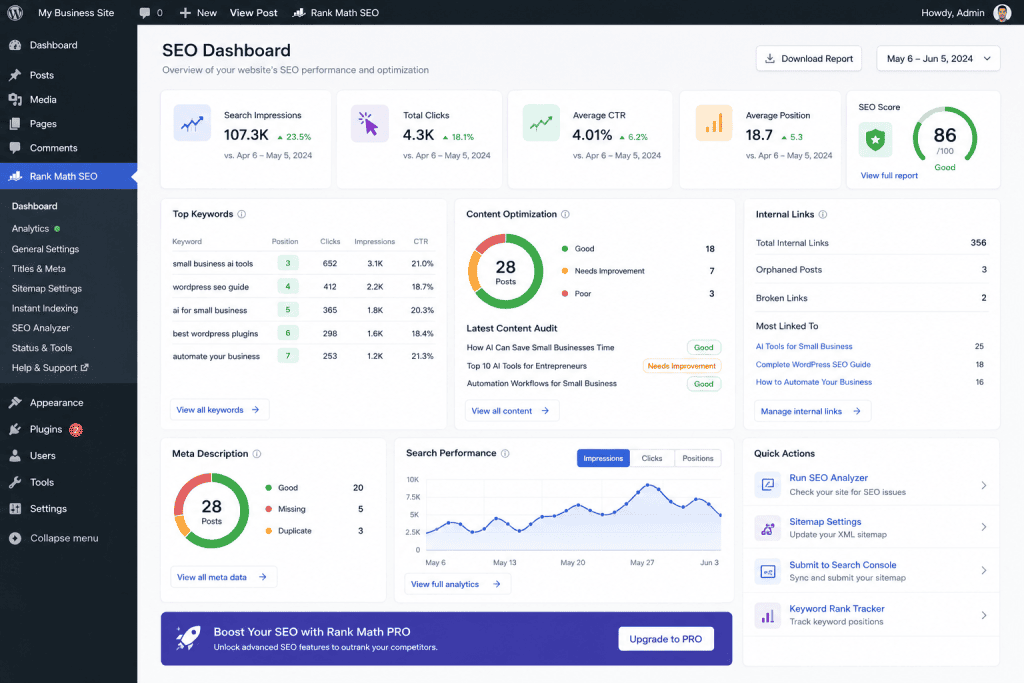
AI in WordPress for SEO
SEO is one of the areas where AI can provide significant assistance.
AI can help with:
- Keyword clustering
- Search-intent analysis
- Content outlines
- Title ideas
- Meta descriptions
- FAQ generation
- Internal-link suggestions
- Content refreshing
- Schema brainstorming
- Content gap analysis
But there is an important distinction.
AI-assisted SEO is not the same as mass-producing AI content.
Search engines are designed to provide useful results to users.
Your goal should be to create content that genuinely helps readers.
AI can accelerate research and drafting, but the final article should contain:
- Accurate information
- Useful explanations
- Clear examples
- Original insights
- Proper structure
- Human review
- Relevant sources
- Genuine value
That approach is much more sustainable than publishing hundreds of nearly identical AI-generated pages.
Should You Publish AI-Generated WordPress Articles?
AI-generated content can be useful, but publishing it without review is risky from a quality perspective.
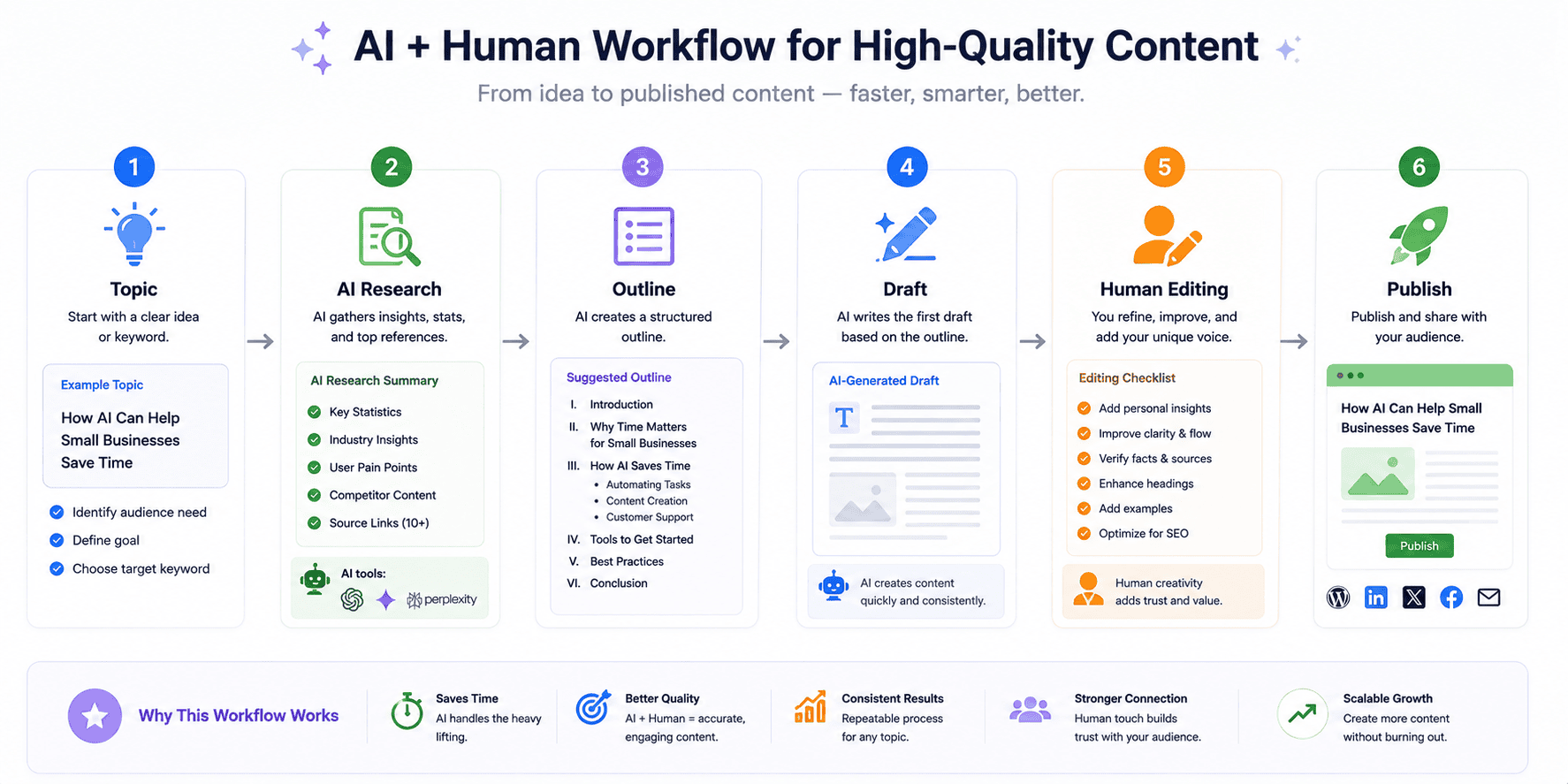
A better workflow is:
Research
↓
AI-assisted outline
↓
Draft
↓
Human review
↓
Fact-checking
↓
SEO optimization
↓
Editing
↓
Publishing
↓
Performance monitoring
This process creates a balance between efficiency and quality.
AI should help you produce better content faster, not simply more content.
How AI Can Improve WordPress Productivity
Consider a website owner who spends a typical week doing the following:
- 4 hours researching topics
- 5 hours writing
- 2 hours creating graphics
- 2 hours updating old content
- 2 hours creating social posts
- 2 hours organizing emails
AI might reduce the time spent on parts of these tasks.
It will not necessarily eliminate them.
Instead, the owner may spend more time reviewing, improving, and strategizing.
That is the real productivity opportunity.
AI Plugins vs External AI Tools
WordPress users have two broad approaches.
AI Inside WordPress
An AI plugin or native WordPress AI feature works directly inside the website.
Advantages can include:
- Convenience
- Context
- Faster workflows
- Less copying and pasting
External AI Tools
You can also use external services and connect them to WordPress.
Advantages can include:
- More specialized capabilities
- More integrations
- Advanced automation
- Greater flexibility
The right approach depends on your workflow.
You do not need to install an AI plugin for every possible function.
How to Choose an AI WordPress Plugin
Before installing an AI plugin, ask several questions.
Does It Solve a Real Problem?
Avoid installing plugins simply because they advertise AI.
Define the task first.
Does It Have Good Documentation?
Poor documentation can create problems later.
Is It Actively Maintained?
WordPress changes over time.
Plugins need to remain compatible.
Does It Affect Site Performance?
Some plugins may add scripts, API requests, or processing overhead.
How Does It Handle Data?
Understand what information leaves your website.
Does It Integrate With Your Existing Stack?
A tool that works with your CRM, email system, or automation platform may be more useful.
AI and WordPress Website Security
AI can improve productivity, but security remains essential.
Do not assume that an AI plugin is automatically safe because it uses modern technology.
Before installing a plugin, consider:
- Developer reputation
- Update frequency
- User reviews
- Compatibility
- Data handling
- API permissions
- Access requirements
Also keep WordPress, themes, and plugins updated according to your maintenance strategy.
AI-generated code should receive additional scrutiny.
If an AI suggests a PHP snippet, you should understand what the code does before putting it on a live site.
AI and WordPress Website Performance
A website can become slower if too many unnecessary plugins and external scripts are added.
AI features may involve:
- API requests
- JavaScript
- External services
- Image generation
- Large assets
- Database operations
Before adding an AI feature, ask:
Does the benefit justify the performance cost?
For important pages, monitor performance after installing new functionality.
A fast website remains important for user experience.
AI for WordPress Ecommerce
AI can also support WordPress ecommerce websites.
For WooCommerce stores, potential applications include:
- Product descriptions
- Customer support
- Product recommendations
- Review analysis
- FAQ generation
- Marketing copy
- Email drafts
- Product categorization
Imagine a store with hundreds of customer reviews.
AI could help categorize recurring comments into:
- Product quality
- Shipping
- Packaging
- Pricing
- Customer service
- Product usability
The business can then investigate the most common issues.
AI for WordPress Freelancers
WordPress freelancers can use AI to improve both development and client communication.
For example:
Before development
AI helps turn client requirements into a project outline.
During development
AI helps explain code and troubleshoot problems.
During content creation
AI helps generate initial drafts.
During client communication
AI helps prepare emails and meeting summaries.
After launch
AI can help create documentation and support materials.
This can help freelancers spend more time on high-value work instead of repetitive administration.
AI for WordPress Agencies
Agencies manage multiple websites, which creates even more opportunities for automation.
An agency could build workflows such as:
Client submits request
↓
AI categorizes request
↓
Project management task created
↓
Team member assigned
↓
Client receives confirmation
Or:
Client website update
↓
AI summarizes changes
↓
Report generated
↓
Client receives report
The agency can standardize repetitive processes while maintaining human review.
Common Mistakes When Using AI in WordPress
Mistake 1: Publishing Everything AI Generates
AI-generated text still needs editing.
Mistake 2: Keyword Stuffing
Repeating the same keyword excessively can make content unnatural.
Write for people first.
Mistake 3: Installing Too Many AI Plugins
More plugins mean more maintenance and potential compatibility problems.
Mistake 4: Ignoring Accuracy
AI can make factual errors.
Fact-check important claims.
Mistake 5: Using AI-Generated Code Without Testing
Code should be reviewed and tested before production use.
Mistake 6: Ignoring Privacy
Understand what information an AI service receives.
Mistake 7: Automating Important Decisions Completely
Keep humans involved when decisions carry significant consequences.
Mistake 8: Focusing on Quantity Instead of Quality
AI makes content production faster.
That does not mean your website needs thousands of pages.
One genuinely useful article can be more valuable than dozens of weak pages.
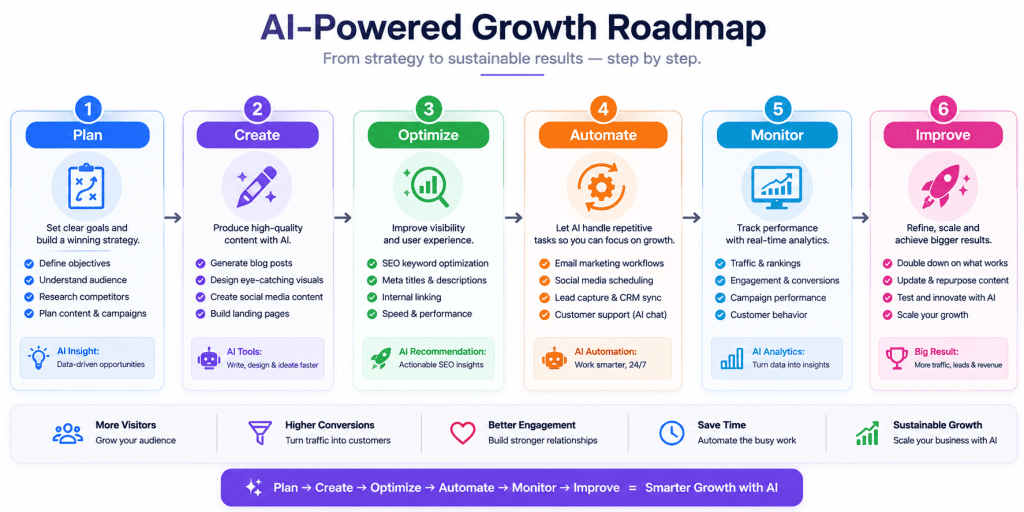
A Practical AI WordPress Workflow
If you want to start using AI without making your website overly complicated, use this workflow.
Step 1: Plan
Identify one website task that consumes too much time.
Step 2: Choose
Find one AI tool that can help.
Step 3: Test
Use it on a small number of pages.
Step 4: Review
Check quality, accuracy, speed, and usefulness.
Step 5: Integrate
Connect it with your WordPress workflow if the test succeeds.
Step 6: Automate
Automate repetitive steps where appropriate.
Step 7: Monitor
Review results regularly.
Step 8: Improve
Adjust the workflow based on actual performance.
30-Day AI in WordPress Implementation Plan
Week 1: Content
Use AI to:
- Generate topic ideas
- Build outlines
- Improve titles
- Draft meta descriptions
- Refresh one older article
Do not automate publishing yet.
Week 2: Design
Experiment with:
- Featured images
- Content graphics
- Landing-page ideas
- Visual concepts
Keep your brand style consistent.
Week 3: Automation
Choose one workflow.
For example:
Contact form → AI classification → email notification
Test it carefully.
Week 4: Optimization
Review:
- Time saved
- Content quality
- Website performance
- User experience
- Errors
- Costs
If the results are positive, expand carefully.
The Future of AI in WordPress
The future of AI in WordPress is likely to be less about standalone AI tools and more about AI becoming part of everyday website management.
Instead of opening a separate AI application for every task, website owners may increasingly interact with AI directly inside their content management environment.
WordPress.com is already moving in this direction with AI-assisted site creation and an AI Assistant that operates within the editing experience.
Creative platforms are also moving toward integrated AI workflows. Canva, for example, has expanded from individual AI features toward broader AI-assisted design, content, data, and interactive creation workflows.
This suggests a broader trend:
AI is becoming part of the workflow rather than simply being another website you visit.
For WordPress users, that could eventually mean easier website creation, smarter content management, faster design, better automation, and more personalized visitor experiences.
But the human role will remain important.
Website owners still need to decide:
- What their audience needs
- What information is trustworthy
- What their brand represents
- Which content deserves publication
- Which automation is appropriate
- Which decisions require human judgment
AI can accelerate the process.
It cannot replace the responsibility of running a useful website.
Final Thoughts
AI in WordPress is not simply about generating blog posts.
It can influence almost every stage of website management.
You can use AI to:
- Research topics
- Plan content
- Create drafts
- Improve SEO
- Generate images
- Design pages
- Write code
- Analyze information
- Support visitors
- Automate workflows
- Repurpose content
- Manage repetitive tasks
The most effective approach is to start small.
Choose one problem.
Find one AI solution.
Test it.
Measure the result.
Then expand.
Do not install every AI plugin or subscribe to every AI service you discover.
Build an AI stack around your actual needs.
Most importantly, remember that AI should increase the value of your website rather than simply increase the amount of content you publish.
A successful WordPress website still depends on useful information, good design, strong user experience, technical quality, trust, and consistent maintenance.
AI can help you achieve those goals faster.
The strategy should be simple:
Use AI for efficiency.
Use WordPress for control.
Use humans for judgment.
Use data for improvement.
That combination can make WordPress an even more powerful platform for building and growing a website in 2026.
Frequently Asked Questions
What is AI in WordPress?
AI in WordPress means using artificial intelligence to assist with website creation, content, SEO, design, coding, customer support, automation, analysis, and other website management tasks.
Can AI build a WordPress website?
Yes. AI-powered WordPress tools can help generate website structures, content, designs, and other elements. WordPress.com currently provides an AI website builder that can create a site from a prompt and then allow users to customize it.
Can AI write WordPress blog posts?
Yes, AI can help draft blog posts. However, content should be reviewed, fact-checked, edited, and improved before publication.
Is AI-generated content good for SEO?
AI itself is not a substitute for quality. AI can help with research, drafting, and optimization, but the final content should provide genuine value and satisfy the reader’s intent.
Can AI improve WordPress SEO?
AI can assist with keyword organization, content outlines, title ideas, meta descriptions, internal-link suggestions, content updates, and other SEO tasks.
Can AI create WordPress images?
Yes. AI image-generation tools can create illustrations, concepts, graphics, and other visual assets that can be used in WordPress content, subject to the applicable tool’s terms and licensing considerations.
Can AI write WordPress code?
AI can assist with HTML, CSS, PHP, JavaScript, WordPress hooks, and debugging. Generated code should always be reviewed and tested before being used on a live website.
Should I install an AI WordPress plugin?
Only if it solves a genuine problem. Before installing one, evaluate maintenance, compatibility, security, performance, data handling, and whether the plugin duplicates functionality you already have.
Can AI automate WordPress?
Yes. WordPress can be connected with automation platforms and other applications to automate workflows such as content distribution, lead handling, notifications, and data processing.
Is AI safe for WordPress websites?
AI itself does not guarantee safety. Website owners should evaluate plugins, integrations, APIs, permissions, data handling, and generated code carefully.
Can freelancers use AI with WordPress?
Absolutely. Freelancers can use AI for development assistance, content production, client communication, research, project documentation, troubleshooting, and repetitive workflow automation.