WordPress 7 AI Features: What’s New in WordPress 7.0 for 2026
- by Muhammad Raza
- 0 Comments
- 19 minutes read
- 58 Views
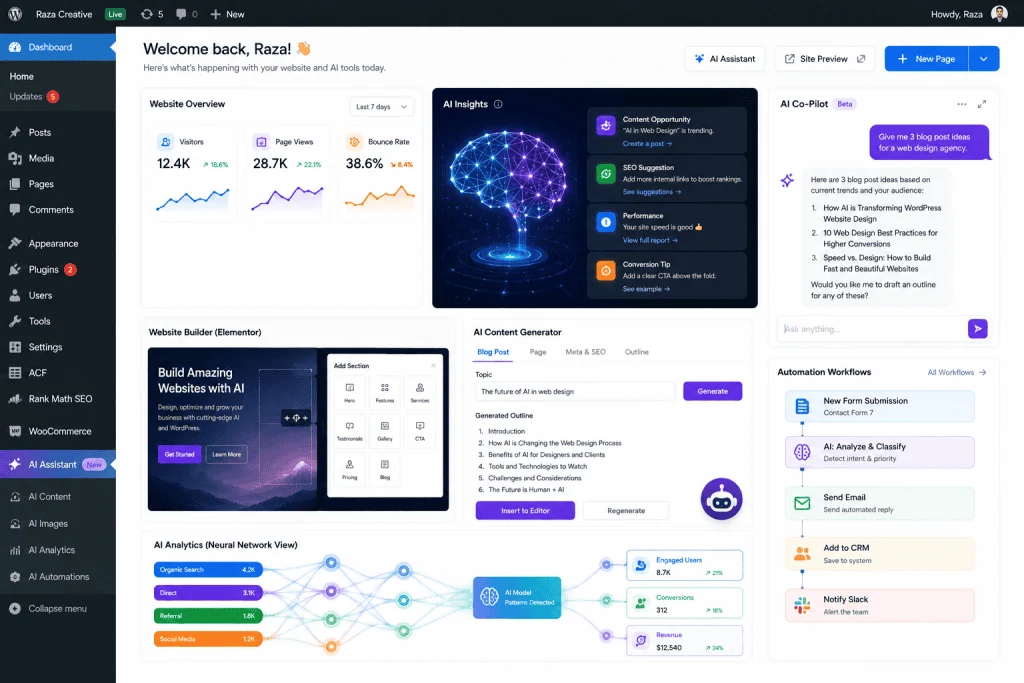
WordPress 7 AI features mark an important new phase for AI-powered websites.
For years, artificial intelligence was mostly something website owners added through third-party plugins, external SaaS tools, APIs, and automation platforms. With WordPress 7.0 “Armstrong,” released on May 20, 2026, AI became much more deeply integrated into the WordPress platform itself.
This does not mean that every WordPress website suddenly writes, designs, and manages itself. Instead, WordPress 7.0 provides a foundation that allows AI-powered functionality to become more naturally integrated into the WordPress ecosystem.
The release introduces an AI Client in WordPress Core, a Connectors system for managing external AI providers, new Abilities APIs, additional block and design capabilities, an updated dashboard, a Font Library, improved revision browsing, responsive controls, new blocks, and several developer-focused improvements.
For website owners, bloggers, agencies, developers, freelancers, and businesses using WordPress, this creates an important question:
What do the WordPress 7.0 AI features actually mean for the future of websites?
In this guide, we will explain the major changes in simple language, explore how WordPress AI works, discuss practical use cases, explain what developers can build with the new APIs, examine the benefits and limitations, and provide a practical checklist for preparing an existing WordPress website.
What Is WordPress 7.0?
WordPress 7.0, officially named “Armstrong,” is a major WordPress release that was publicly released on May 20, 2026.
The release is significant because it establishes new foundations for AI-powered functionality inside WordPress rather than treating AI as something completely separate from the CMS.
The official WordPress announcement describes 7.0 as laying the foundation for AI across the WordPress experience. The release combines AI infrastructure with improvements to the dashboard, editor, design tools, blocks, developer APIs, and customization workflows.
The name “Armstrong” honors jazz musician Louis Armstrong, continuing WordPress’s tradition of naming major releases after influential musicians.
But the most interesting part of this release is not the name.
It is the architectural shift.
WordPress is increasingly becoming a platform where AI can interact with website functionality rather than simply generate text outside the CMS.
Why WordPress AI Matters in 2026
Artificial intelligence has already changed how people create digital content.
Writers use AI for research and brainstorming.
Designers use AI to generate concepts and assets.
Developers use AI to understand code and automate repetitive tasks.
Marketers use AI for content planning, analysis, personalization, and customer communication.
However, there has traditionally been a separation between these AI tools and the actual website.
For example, a blogger might:
- Open an AI application.
- Ask it to create a title.
- Copy the title.
- Return to WordPress.
- Paste the title.
- Edit it.
- Upload an image separately.
- Write alt text.
- Publish the article.
That workflow works, but it involves multiple disconnected systems.
WordPress 7.0 starts building infrastructure that can allow more of these activities to happen within WordPress itself.
The official WordPress release explains that its new AI Client can communicate with generative AI models, while the Connectors system provides a centralized way to manage external connections.
This distinction is important:
WordPress is not becoming one giant AI model.
Instead, WordPress is providing infrastructure through which plugins and other functionality can interact with AI providers.
That approach could eventually create a much broader ecosystem of AI-enabled WordPress plugins.
The Biggest WordPress 7.0 AI Feature: AI Client
The most important technical development is the new WP AI Client.
Before WordPress 7.0, developers wanting to integrate an AI service into a plugin often had to build provider-specific integrations.
For example, one plugin might directly integrate with one AI provider while another plugin uses a completely different API architecture.
WordPress 7.0 introduces a standardized AI Client that gives developers a common interface for communicating with AI services.
The WordPress Developer Blog describes the AI Client as a provider-agnostic PHP library, meaning developers can work with a common interface rather than creating an entirely separate architecture for every AI provider.
This could have a major impact on plugin development.
Imagine a future WordPress plugin that needs AI to:
- Generate a product description
- Create an image
- Summarize an article
- Analyze content
- Generate alt text
- Classify information
- Suggest metadata
- Assist with customer support
Instead of every plugin inventing its own AI integration model, WordPress provides a common foundation.
That can make the ecosystem easier to extend.
How the WordPress AI Client Works
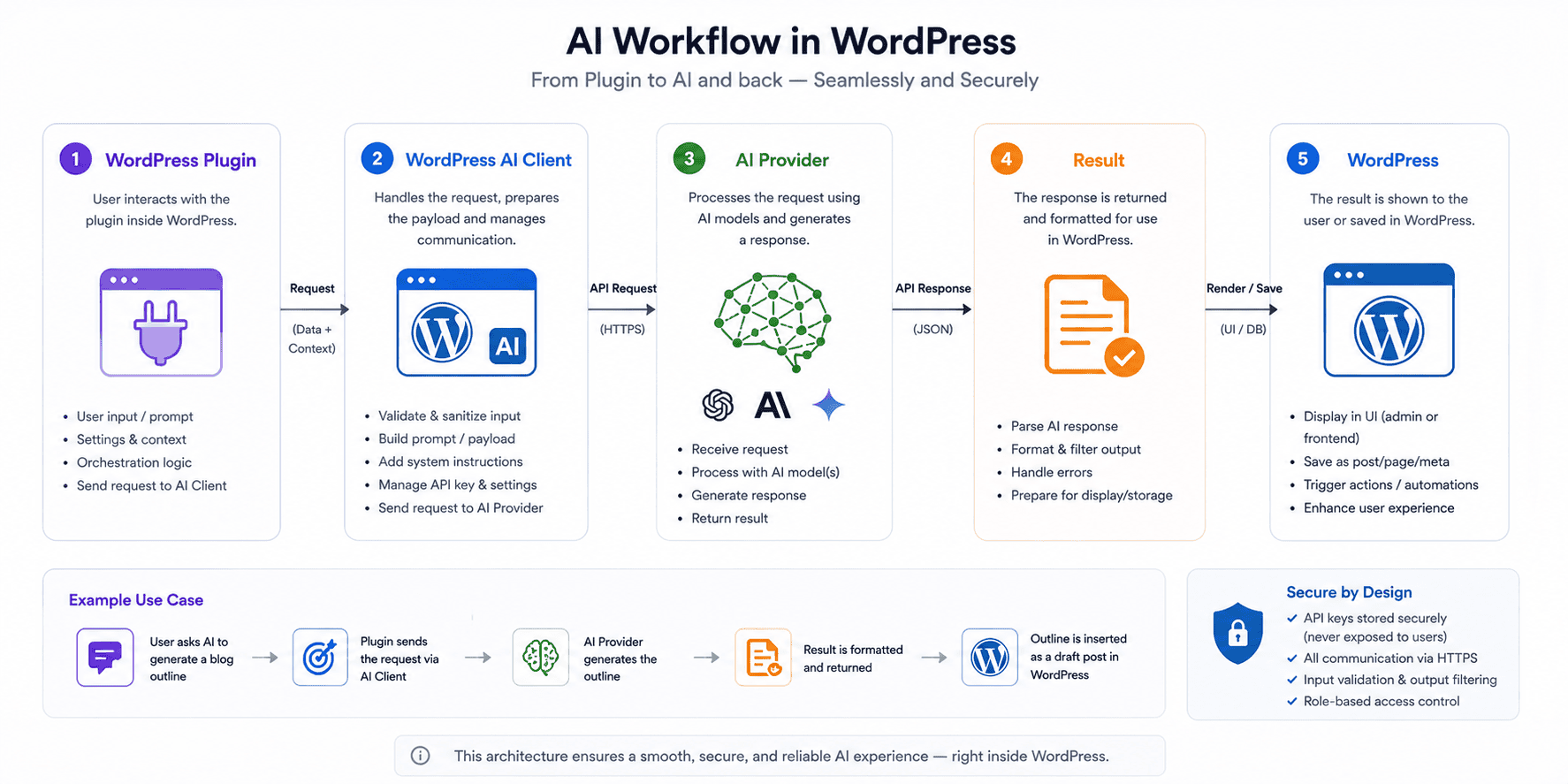
The AI Client acts as an abstraction layer.
Think of it like a universal adapter.
Your WordPress plugin wants an AI response.
Instead of needing to understand every technical detail of every AI provider, the plugin can communicate through the WordPress AI Client.
The provider remains external.
This is important for several reasons.
Provider flexibility
A site owner may eventually have more flexibility in choosing which AI service powers a particular workflow.
Easier plugin development
Developers can concentrate more on the functionality of their plugin instead of rebuilding fundamental AI connectivity.
Better ecosystem integration
If more plugins adopt common infrastructure, AI features can potentially become more consistent across WordPress.
Future expansion
The AI Client provides a foundation that can support additional AI-powered capabilities as the ecosystem develops.
The official WordPress developer documentation has already demonstrated this architecture by showing how to build an image-generation plugin using the WordPress AI Client.
What Is the WordPress Connectors System?
Another major part of WordPress 7.0’s AI architecture is the Connectors API and Connectors screen.
AI-powered functionality requires connections to external services.
Those services may require credentials or API keys.
Previously, different plugins could handle those credentials in different ways.
WordPress 7.0 introduces a more centralized approach.
The Connectors screen provides a place for website administrators to manage external provider connections.

The WordPress Developer Blog explains that since WordPress 7.0, AI providers can be connected through this centralized system, while the Connectors API provides infrastructure for storing external API credentials and selecting providers.
For website owners, this can eventually make AI configuration easier to understand.
Instead of having five different plugins with five unrelated AI settings screens, a more standardized architecture can give developers and administrators a common foundation.
WordPress 7.0 and the Abilities API
The AI Client is only one piece of the puzzle.
Another important component is the Abilities API.
The basic concept is simple:
An AI system becomes more useful when it can perform meaningful actions.
Generating text is one thing.
Actually interacting with website functionality is another.
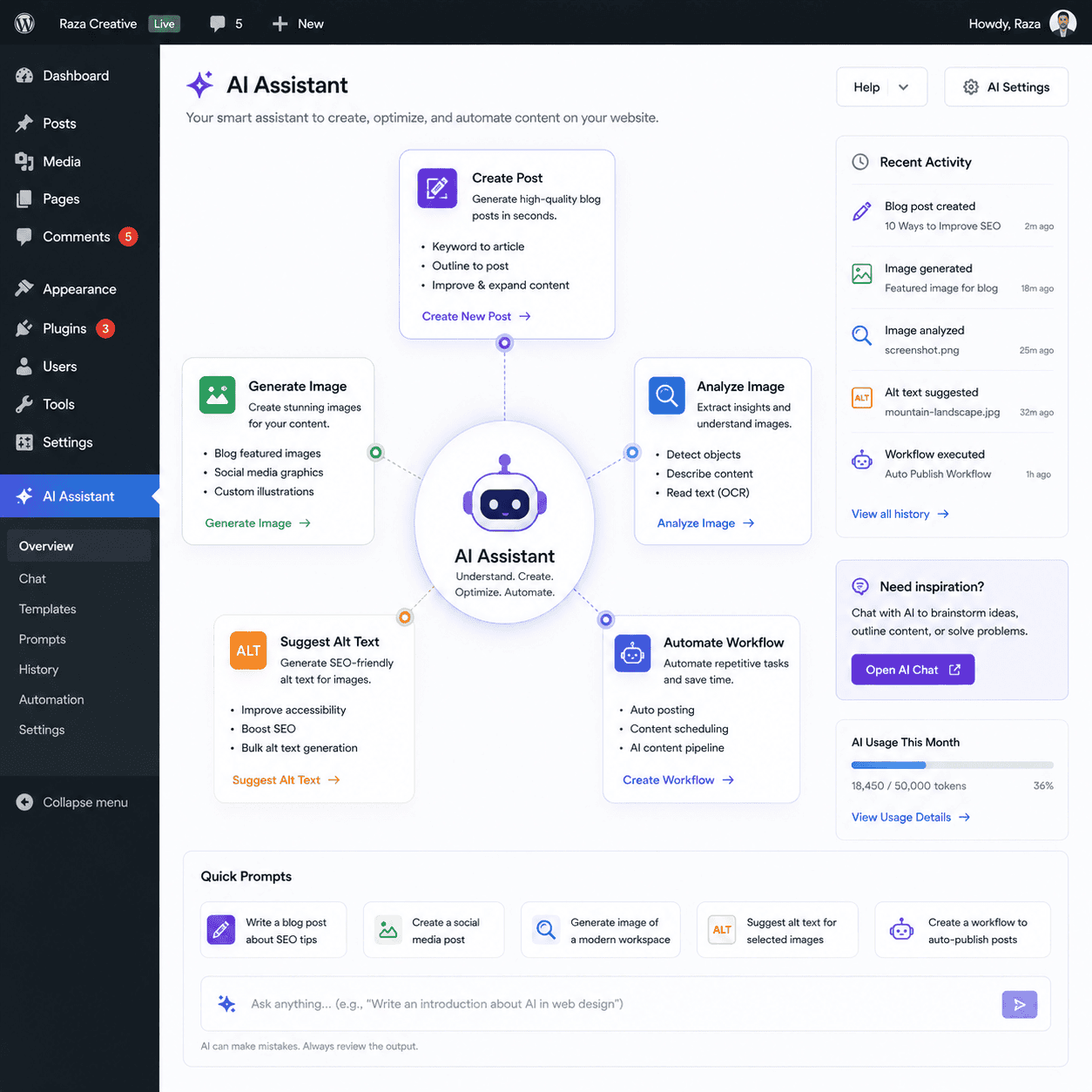
For example, imagine an AI assistant that can:
- Create a draft
- Generate a post excerpt
- Analyze an image
- Suggest alt text
- Modify a block
- Search website content
- Organize information
- Trigger a workflow
These are abilities.
WordPress 7.0 combines the AI Client with its Abilities API to provide a foundation for richer AI-powered workflows. The official release also describes a Client-Side Abilities package that extends these capabilities into browser-based interactions.
This is where WordPress AI becomes more interesting than simply adding a chatbot to the dashboard.
The long-term opportunity is for AI to become an interface through which people interact with website functionality.
What Can AI Do Inside WordPress?
The possibilities are still developing, but WordPress’s own release materials already highlight examples such as generating and editing images, creating titles and excerpts, and suggesting alt text.
Let’s examine practical use cases.
1. AI-Assisted Content Creation
A website owner could use AI to help generate:
- Article outlines
- Headlines
- Excerpts
- Summaries
- Content variations
- FAQs
- Meta descriptions
However, this should not mean publishing everything generated by AI without review.
Google’s current guidance emphasizes helpful, reliable, people-first content and warns against using generative AI to produce large amounts of low-value content simply for search traffic.
The best approach is:
AI assists → human reviews → expert improves → website publishes.
2. AI Image Workflows
Images are another area where WordPress AI can become extremely useful.
The official WordPress developer documentation demonstrates building an image-generation plugin using the AI Client and saving generated results into the WordPress Media Library.
This could eventually simplify workflows such as:
Prompt → Generate → Review → Save to Media Library → Insert into article
For bloggers, agencies, and publishers, this can remove unnecessary manual steps.
But there are still important considerations around image quality, licensing, brand consistency, accessibility, and originality.
AI should not become an excuse for publishing generic images everywhere.
3. Automatically Suggested Alt Text
Accessibility is another practical area.
An AI system can analyze an image and suggest descriptive alt text.
For example, instead of leaving an image without useful alternative text, AI could propose something such as:
Freelancer working on a laptop while reviewing a WordPress website dashboard.
A human should still review the description.
Alt text should describe the image appropriately for its context. It should not simply become a keyword-stuffing field.
4. AI-Assisted SEO
WordPress AI could also become useful for SEO workflows.
Possible applications include:
- Title suggestions
- Meta description suggestions
- Content summaries
- Internal-link recommendations
- Image alt-text suggestions
- Content structure suggestions
- FAQ ideas
- Content gap analysis
However, there is an important distinction between SEO assistance and SEO automation.
The objective should not be:
Generate 500 pages and hope Google ranks them.
Google explicitly states that its SEO fundamentals continue to apply to AI search features and recommends helpful, reliable, people-first content. Google also warns against mass-producing pages primarily to manipulate search rankings.
For a site such as a technology and freelancing publication, the stronger strategy is to use AI to accelerate research and organization while adding genuine editorial analysis.
5. AI-Powered WordPress Automation
This may eventually become one of the biggest opportunities.
Consider a website that receives a form submission.
A workflow could potentially:
- Receive the submission.
- Analyze the request.
- Categorize it.
- Generate an internal summary.
- Create a CRM record.
- Notify the correct team member.
- Draft a response.
Another website might use AI to:
- Detect a new article.
- Generate a social media draft.
- Create an excerpt.
- Suggest an image.
- Generate alt text.
- Prepare newsletter content.
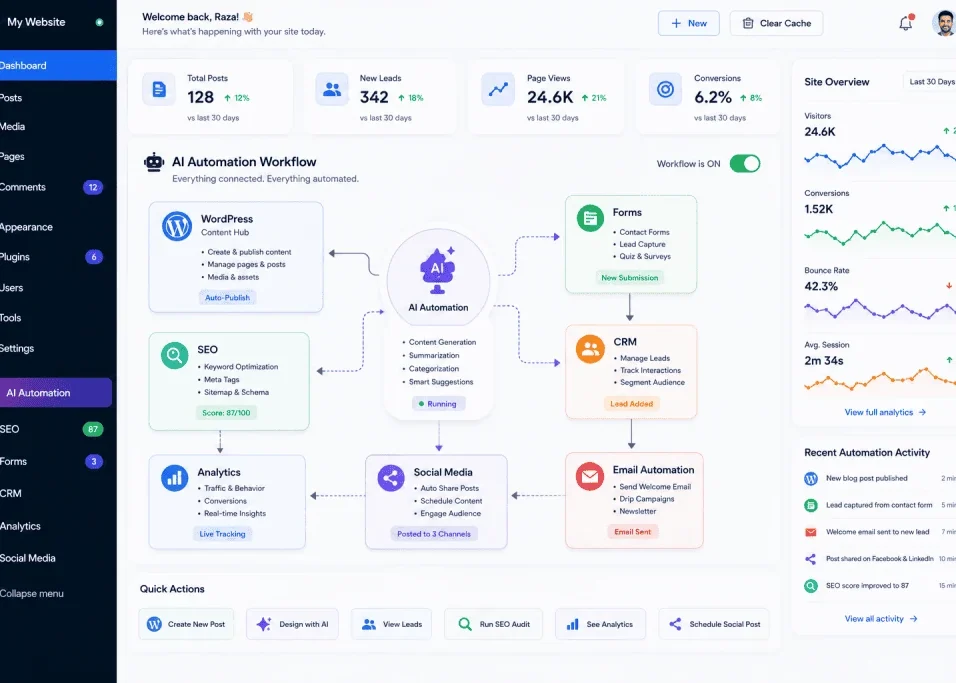
These are examples of AI automation, rather than simply AI text generation.
The difference matters.
AI generation creates content.
AI automation connects decisions and actions.
WordPress 7.0’s new AI and Abilities foundations make the second category increasingly interesting.
WordPress 7.0 Is Not Just About AI
It would be a mistake to view WordPress 7.0 entirely through an AI lens.
The release also includes significant improvements to the actual website-building experience.
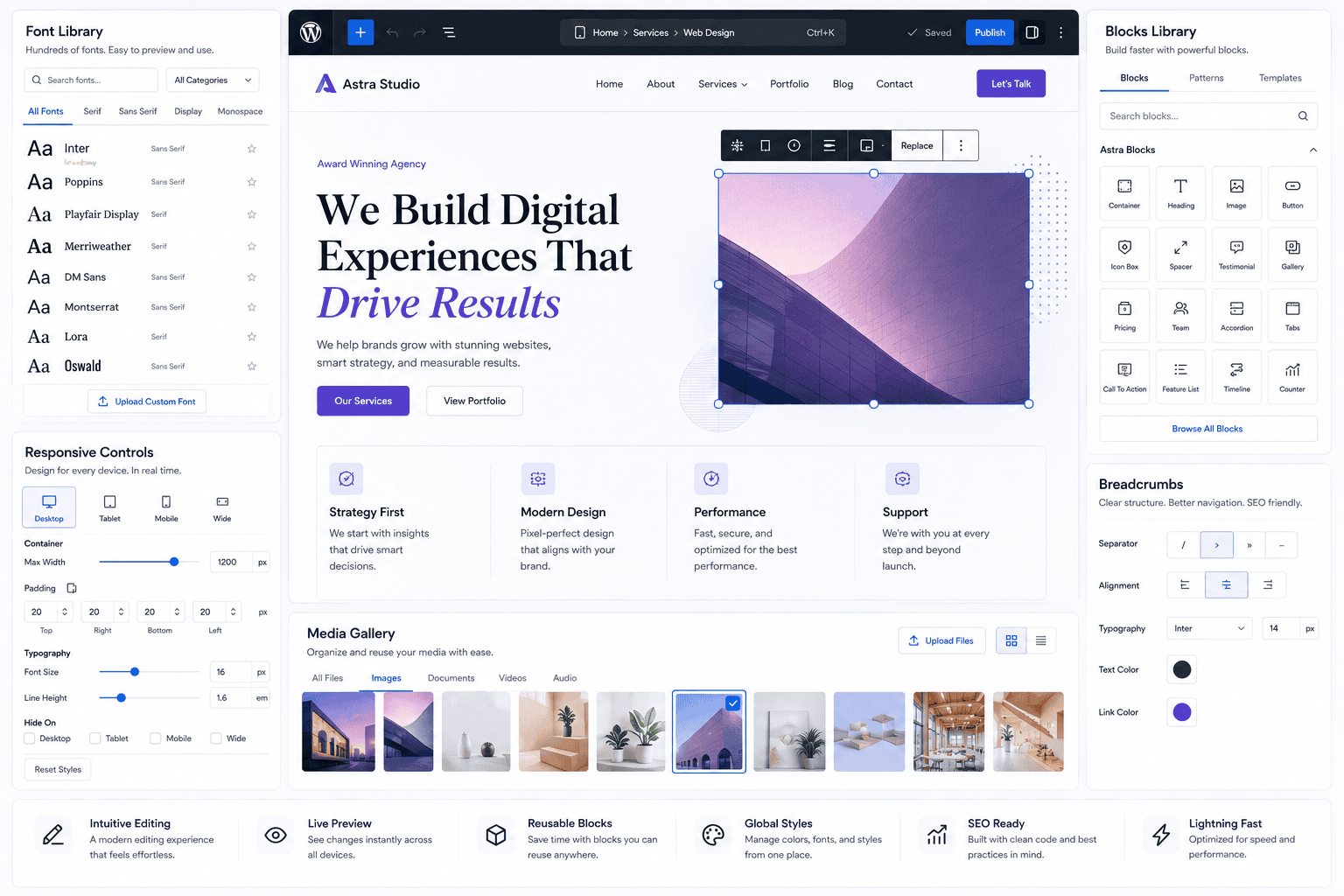
WordPress 7.0 introduces a redesigned dashboard, expanded typography management through the Font Library, improved revision browsing, new blocks, enhanced responsive controls, menu-overlay customization, pattern improvements, and block-level custom CSS.
These improvements matter because AI does not eliminate the importance of good web design.
A website still needs:
- Clear navigation
- Strong typography
- Good hierarchy
- Responsive layouts
- Accessible interfaces
- Fast loading
- Useful content
- Consistent branding
AI can assist with these areas, but it does not replace design judgment.
New WordPress 7.0 Design Features
Font Library
The Font Library provides a centralized way to manage fonts across themes.
This can simplify typography management and make it easier for website owners to maintain visual consistency.
Typography is especially important for blogs because readability directly influences how comfortable visitors are while consuming long-form content.
New Breadcrumbs Block
WordPress 7.0 introduces a Breadcrumbs block.
Breadcrumbs help visitors understand where they are within a website’s hierarchy.
They can also provide useful contextual signals for search engines when implemented appropriately.
For content-heavy websites, breadcrumbs can improve navigation and reinforce relationships between categories and articles.
Gallery Block Improvements
The new gallery capabilities make it easier to present images in a more engaging format, including lightbox-style experiences.
This can be particularly useful for:
- Portfolio sites
- Photography
- Tutorials
- Design articles
- Product showcases
- Visual case studies
Responsive Visibility Controls
WordPress 7.0 adds enhanced responsive controls that allow blocks to be hidden or revealed depending on the device.
This gives designers more control over mobile, tablet, and desktop experiences.
However, responsive visibility should be used carefully.
Hiding important content simply because it is inconvenient on one screen size can create accessibility and usability problems.
The goal should always be a better experience—not simply fewer elements.
WordPress 7.0 and Developers
For developers, WordPress 7.0 represents an especially important release.
The new APIs provide additional opportunities to build:
- AI plugins
- Workflow tools
- Intelligent content systems
- Automation plugins
- AI-assisted editors
- Custom administrative experiences
- Advanced blocks
- New site-editor functionality
The release also introduces server-side block and pattern registration using PHP, expanded Site Editor capabilities, and additional development APIs.
This means WordPress development is increasingly becoming a combination of:
PHP + JavaScript + APIs + blocks + AI + automation.
For freelancers, this creates new opportunities.
A WordPress developer who understands AI integration may be able to offer more sophisticated services than someone who only installs themes and plugins.
What WordPress Developers Should Learn in 2026
If you are a WordPress developer, consider strengthening these areas.
PHP
PHP remains fundamental to WordPress.
JavaScript
Modern WordPress development increasingly relies on JavaScript and interactive functionality.
Gutenberg and Blocks
Understanding the block editor is increasingly important.
REST APIs
APIs provide a foundation for connecting systems.
AI APIs
Developers should understand how AI services work, including prompts, structured outputs, authentication, privacy, costs, and failure handling.
WordPress AI Client
Developers should begin learning how the new WordPress AI infrastructure works.
Abilities API
Understanding abilities can help developers think beyond simple AI text generation toward AI-enabled workflows.
Security
AI integrations frequently involve external services, credentials, user data, and automated actions.
Security cannot be an afterthought.
What Website Owners Should Do Before Using WordPress AI
AI sounds exciting, but website owners should avoid installing every new AI plugin they see.
Instead, begin with a specific problem.
Ask:
What repetitive task is costing me time?
Maybe you spend 30 minutes writing social-media summaries for every article.
Maybe your team spends hours creating alt text.
Maybe you manually categorize hundreds of submissions.
Maybe your writers need help creating article outlines.
Maybe your support team repeatedly answers similar questions.
Start with one workflow.
Then evaluate whether AI can improve it.
Do You Need to Upgrade to WordPress 7.0?
If you are running an older version of WordPress, keeping the core software updated is generally important for security, compatibility, and maintenance.
However, major updates should still be handled responsibly.
Before updating a production website:
- Create a complete backup.
- Test the update in a staging environment when possible.
- Check plugin compatibility.
- Check theme compatibility.
- Verify forms.
- Test important pages.
- Check the editor.
- Check payment functionality if applicable.
- Review performance.
- Monitor the website after updating.
WordPress 7.0 was followed by maintenance and security releases, including 7.0.1 and 7.0.2. The WordPress project specifically advised immediate updating for the 7.0.2 security release.
Therefore, website owners should not think of “WordPress 7.0” as a frozen version.
Use the latest stable maintenance release appropriate for your site.
Check Your Server Environment
Your WordPress installation is only as healthy as its environment.
WordPress currently recommends modern server software including:
- PHP 8.3 or newer
- MariaDB 10.11+ or MySQL 8.0+
- HTTPS
WordPress still runs on older PHP versions, but the project recommends upgrading legacy environments because older versions have reached end of life.
If your hosting account is running old PHP, upgrading your WordPress core alone may not solve the underlying problem.
Talk to your hosting provider before making major infrastructure changes.
Is WordPress AI Going to Replace WordPress Developers?
Probably not.
It is more accurate to say that AI will change what developers spend their time doing.
Consider a simple example.
A developer previously spends three hours creating repetitive boilerplate.
With AI assistance, that may take less time.
That does not eliminate the need for the developer.
Someone still needs to decide:
- What should be built?
- Is the code secure?
- Does it work with the existing website?
- Does it meet accessibility requirements?
- Is the architecture maintainable?
- What happens when the AI makes a mistake?
- What happens when an external API fails?
AI can generate output.
A professional still needs to evaluate the output.
This is why developers who understand both WordPress and AI may become more valuable.
Will AI Replace WordPress Writers?
The same principle applies to writers.
AI can help with:
- Brainstorming
- Research organization
- Outlines
- Drafting
- Summaries
- Editing
But high-quality publishing still requires:
- Original insight
- Verification
- Experience
- Examples
- Editorial judgment
- Clear communication
- Audience understanding
Google’s current guidance explicitly encourages unique, valuable, non-commodity content and warns against creating content at scale without meaningful additional value.
That is especially important for publishers.
Publishing 1,000 generic AI articles is not automatically better than publishing 50 genuinely useful articles.
How to Use AI Without Destroying Your Website’s Quality
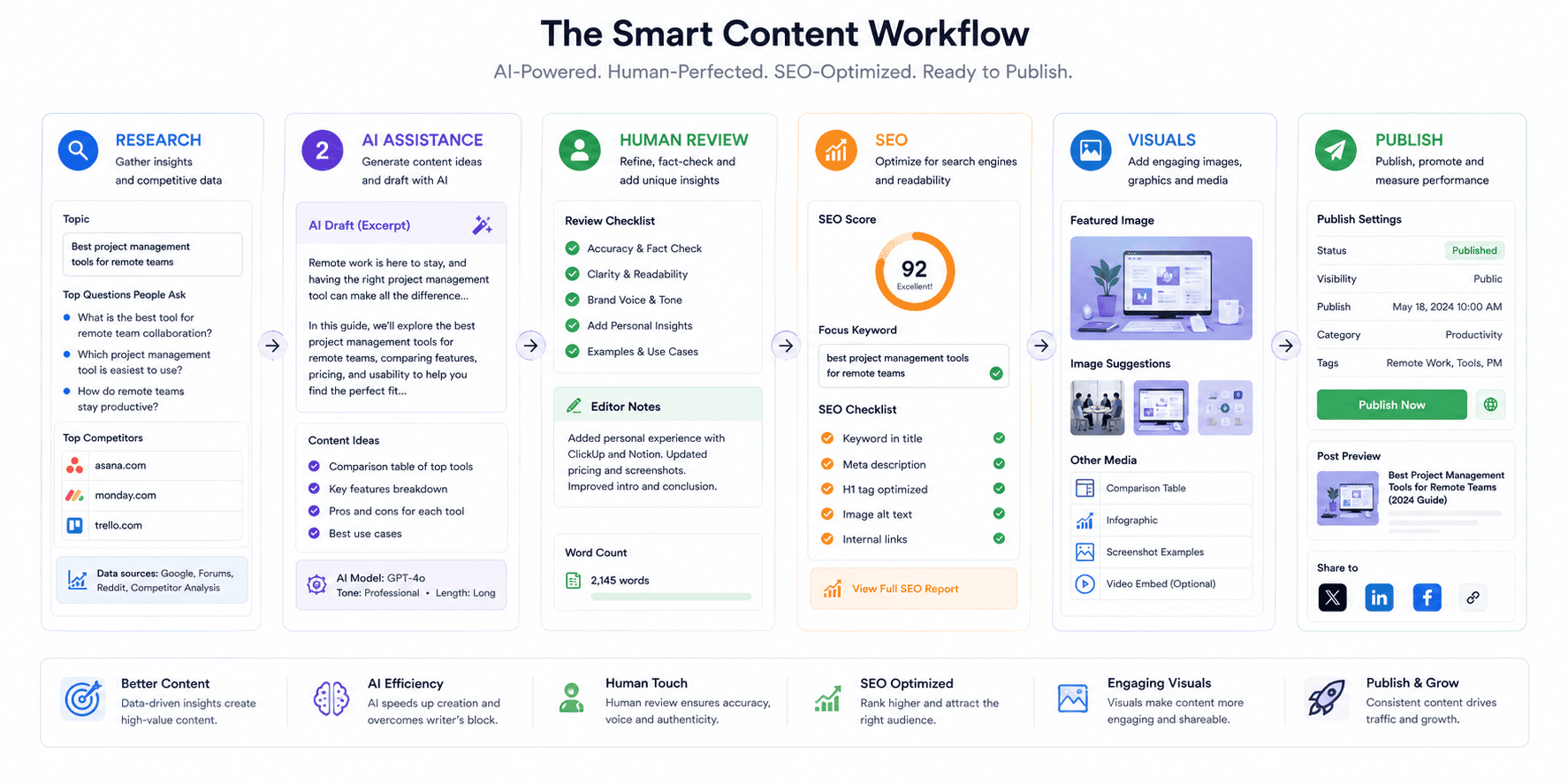
A strong workflow looks like this:
Step 1: Define the reader
Who is the article for?
Step 2: Research
Collect accurate information from reliable sources.
Step 3: Use AI for structure
Ask AI to help organize ideas, identify questions, or suggest an outline.
Step 4: Add original analysis
Explain what the information means.
Step 5: Verify facts
Do not trust generated claims automatically.
Step 6: Improve examples
Use realistic, relevant examples.
Step 7: Add visuals
Use useful images, diagrams, screenshots, or videos.
Step 8: Optimize for readers
Use headings, short paragraphs, tables, lists, and clear explanations.
Step 9: Perform SEO checks
Review titles, descriptions, links, images, structured data, and crawlability.
Step 10: Human editorial review
Read the final article as a visitor.
Ask:
Did this actually help me?
Google’s current SEO guidance similarly emphasizes people-first content, useful organization, relevant multimedia, internal links, crawlability, and good page experience rather than special “AI SEO” tricks.
WordPress AI and SEO in the Age of AI Search
Search is changing.
People increasingly discover information through traditional search results, AI Overviews, AI Mode, and other AI-powered interfaces.
But Google says the foundational SEO practices remain relevant for these experiences.
There is no special “AI schema” that guarantees inclusion.
There is no magic AI file that automatically gets a website into AI results.
Instead, Google recommends the fundamentals:
- Crawlable pages
- Indexable content
- Helpful information
- Strong internal linking
- Good page experience
- High-quality images and videos
- Accurate structured data
- People-first content
For Zynprint, that means the long-term content strategy should focus on useful technology, AI, freelancing, WordPress, automation, and web-development articles that genuinely answer readers’ questions.
A Practical WordPress AI Workflow for Bloggers
Suppose you want to publish an article about a new AI tool.
Your workflow could look like this:
Research
Find official documentation and reliable sources.
↓
Topic planning
Identify the main reader question.
↓
AI brainstorming
Generate potential subtopics and questions.
↓
Human research
Verify the important claims.
↓
Writing
Create original explanations.
↓
AI assistance
Use AI to identify unclear passages or missing sections.
↓
Human editing
Rewrite weak sections and add unique analysis.
↓
SEO
Optimize the title, focus keyphrase, meta description, internal links, and image ALT text.
↓
Visuals
Add original diagrams or relevant images.
↓
Publication
Publish the article.
↓
Review
Monitor Search Console and user engagement.
This is a much stronger approach than asking AI to:
“Write 100 articles about WordPress.”
Advantages of WordPress 7.0 AI Features
There are several potential advantages.
Easier AI integration
Developers have a standardized foundation.
More powerful plugins
Plugins can potentially use AI in deeper ways.
Better automation
AI can become connected to website actions.
Faster content workflows
Editors can receive assistance directly inside WordPress.
More accessible AI tools
Centralized infrastructure can reduce some of the technical complexity for developers.
More creative possibilities
AI can assist with images, content, workflows, and design.
Potential Problems and Risks
AI integration also creates risks.
Privacy
AI services may process information outside your WordPress server.
Understand what data is being transmitted.
Security
API keys must be protected.
Automated actions should have appropriate permissions.
Hallucinations
AI can produce incorrect information.
Human verification remains necessary.
Over-automation
Automating every decision can make a website feel generic.
Content quality
Large volumes of AI-generated content can damage editorial quality.
Vendor dependency
External AI providers can change pricing, availability, policies, or capabilities.
Cost
AI API usage can create additional expenses depending on the workflow.
The correct approach is not:
AI everywhere.
It is:
AI where it provides measurable value.
The Future of WordPress Is Likely to Be More AI-Assisted
WordPress 7.0 does not represent the final form of AI in WordPress.
It is better understood as infrastructure.
The AI Client gives developers a common foundation.
The Connectors system helps manage external AI connections.
The Abilities APIs provide a pathway toward actions and workflows.
The editor and dashboard continue to evolve.
Developers can build on top of these foundations.
The WordPress Developer Blog is already demonstrating practical AI Client implementations, including image-generation plugins, showing that these APIs are not merely theoretical concepts.
The next generation of WordPress websites may therefore look different from today’s websites.
Instead of:
User → Dashboard → Plugin → Manual action
we may increasingly see:
User → AI-assisted interface → WordPress capability → Automated workflow → Human approval
That could make websites more productive without eliminating human control.
Should You Start Using WordPress AI Today?
Yes—but strategically.
If you are a blogger, start with content assistance.
If you are a designer, experiment with image and creative workflows.
If you are a developer, learn the AI Client and related APIs.
If you run an agency, identify repetitive client processes.
If you manage an ecommerce website, investigate product-content and support workflows carefully.
If you run a news or technology publication, use AI for research assistance and editorial workflows while maintaining human verification.
Do not adopt AI simply because it is fashionable.
Adopt it when it solves a real problem.
Frequently Asked Questions
What are the main WordPress 7.0 AI features?
The major AI foundations include the WordPress AI Client, Connectors infrastructure, Abilities API integrations, and client-side abilities. WordPress also highlights practical AI applications such as generating and editing images, creating titles and excerpts, and suggesting alt text.
Is AI built into WordPress 7.0?
WordPress 7.0 introduces AI infrastructure directly into WordPress Core, including the AI Client. This does not mean every AI model or AI service is automatically included with every WordPress installation. External providers can be connected through the new infrastructure.
Does WordPress 7.0 include ChatGPT?
No. WordPress 7.0 should not be understood as simply “adding ChatGPT to WordPress.” The AI Client provides a standardized way for WordPress functionality and plugins to communicate with AI providers.
Can WordPress AI generate images?
Yes, AI-powered image generation is one of the use cases demonstrated by WordPress’s developer documentation. Developers can build functionality using the WordPress AI Client that sends prompts to AI providers and saves generated images into the Media Library.
Will WordPress AI automatically write my blog?
Not necessarily. WordPress provides infrastructure for AI-powered functionality, but individual features depend on the plugins, providers, and workflows installed on your website.
Is WordPress 7.0 good for SEO?
The release includes features that can support better website creation and content workflows, but no WordPress version automatically guarantees better rankings. Google continues to emphasize helpful, reliable, people-first content, technical accessibility, internal linking, and good page experience.
Can AI-generated WordPress content rank on Google?
AI-assisted content can appear in Google Search when it meets Google’s quality and spam requirements. The important issue is not simply whether AI was used, but whether the resulting content provides useful, reliable, original value. Google specifically warns against mass-produced AI content created primarily to manipulate search rankings.
Should I update my WordPress website?
Keeping WordPress and its components updated is important for security and compatibility. Test major updates, maintain backups, check plugin and theme compatibility, and use the latest stable maintenance release appropriate for your website. WordPress has already issued maintenance and security updates following 7.0.
Conclusion
WordPress 7.0 AI features represent an important change in the direction of the world’s most widely used open-source publishing platform.
The biggest development is not simply an AI button inside WordPress.
The more important change is the infrastructure underneath it.
The new AI Client gives developers a standardized way to communicate with AI services. The Connectors system provides a centralized approach to external connections. The Abilities APIs create opportunities for AI to interact with website capabilities. Together, these technologies provide a foundation for more sophisticated AI-powered plugins and workflows.
At the same time, WordPress 7.0 improves the broader website-building experience with better typography management, new blocks, responsive controls, revision improvements, customization tools, and developer APIs.
For website owners, the lesson is simple:
Do not use AI simply because it is available. Use it where it makes your website better.
For writers, that may mean better research and editorial workflows.
For developers, it may mean intelligent plugins and automation.
For agencies, it may mean faster production and more sophisticated services.
For businesses, it may mean fewer repetitive tasks.
For publishers, it may mean better content operations.
But humans still need to provide strategy, judgment, verification, creativity, and responsibility.
That is especially important for SEO.
Google’s current guidance continues to emphasize people-first content rather than search-engine-first production. AI can be part of the workflow, but the finished website still needs to provide something useful and trustworthy to real people.
The future of WordPress is therefore unlikely to be humans versus AI.
It is more likely to be:
WordPress + AI + skilled humans.
And WordPress 7.0 is one of the clearest steps yet toward that future.