
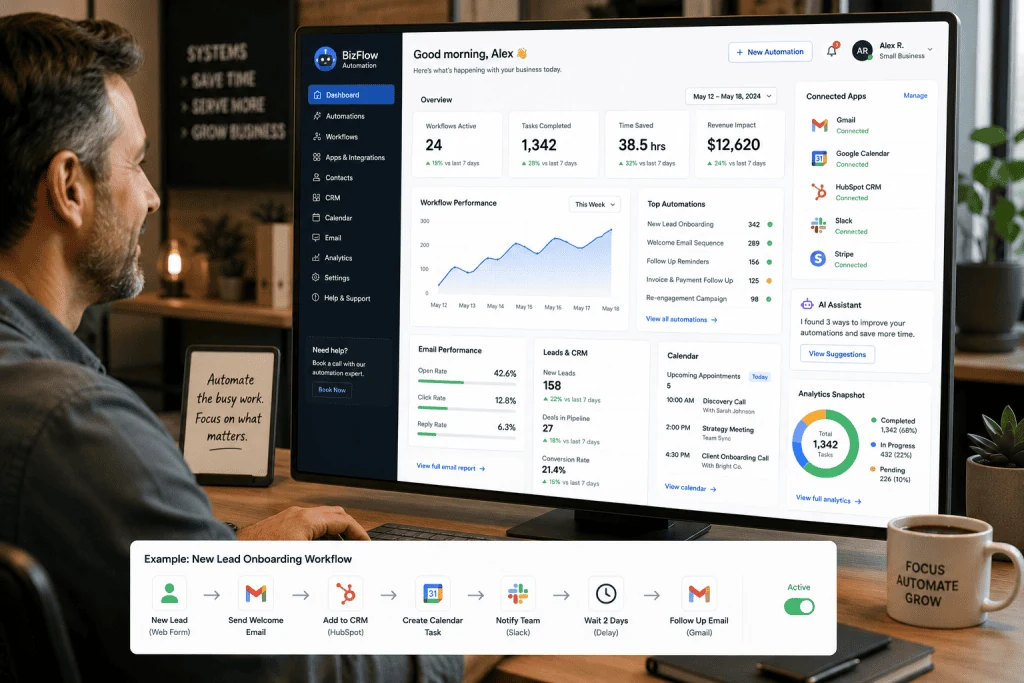
10 AI Automation Workflows for Small Businesses in 2026: How to Save Time Without Hiring a Huge Team
- by Muhammad Raza
- 2 Comments
- 9 minutes read
- 71 Views
Artificial intelligence is no longer limited to chatbots, content generation, or experimental tools. In 2026, businesses can connect AI with email, forms, customer databases, calendars, documents, websites, CRMs, accounting systems, and other software to create workflows that handle repetitive work automatically.
This is where AI automation for small businesses becomes especially useful.
A small company does not necessarily need a large technical department to benefit from automation. Modern no-code and low-code platforms make it possible to connect applications and introduce AI into specific steps of a business process. Zapier, for example, describes AI automation as a way for ordinary business teams to build workflows without necessarily writing code or relying on a dedicated technical team.
But there is an important distinction between useful automation and blindly automating everything.
The best automation does not remove humans from every process. Instead, it handles repetitive work, organizes information, identifies patterns, and prepares decisions so people can focus on work that requires judgment, creativity, relationships, and responsibility.
In this guide, we will explain 10 practical AI automation workflows for small businesses, show how they work, discuss which tasks should remain human-controlled, compare traditional automation with AI-powered workflows and AI agents, and provide a practical implementation framework for businesses that want to start without creating unnecessary complexity.
What Is AI Automation?
AI automation combines traditional workflow automation with artificial intelligence.
Traditional automation usually follows predefined rules.
For example:
If a customer submits a contact form, send an email notification.
That is straightforward because the trigger and action are predictable.
AI automation becomes useful when the workflow has to interpret information before deciding what to do.
For example:
A customer submits a message → AI identifies the customer’s intent → the system classifies the request → the appropriate team receives it → a draft response is prepared.
The workflow still contains predictable steps, but AI handles the part that requires understanding unstructured information.
This makes AI automation particularly useful for:
- Emails
- Customer messages
- Documents
- Invoices
- Support tickets
- Sales leads
- Meeting notes
- Reviews
- Forms
- Reports
- Content
- Internal knowledge
Modern automation platforms are also moving toward agentic systems. Make describes the automation spectrum as ranging from deterministic workflows through AI-enhanced automation to adaptive, context-aware agents.
That distinction is important because not every business problem needs an AI agent.
Often, a simple workflow with one AI step is safer, cheaper, and easier to maintain.
Why AI Automation Matters for Small Businesses
Small businesses often face a unique problem.
They have many of the same administrative tasks as larger organizations, but fewer employees available to handle them.
A founder may simultaneously act as:
- Sales manager
- Customer support representative
- Marketing specialist
- Accountant
- Project manager
- Recruiter
- Operations manager
This creates a huge opportunity for automation.
Imagine receiving 50 customer inquiries in one week.
A person could manually:
- Read each message.
- Identify the customer’s request.
- Determine whether the lead is serious.
- Enter information into a CRM.
- Send an acknowledgment.
- Assign the lead.
- Create a follow-up reminder.
An AI automation workflow could perform many of those steps automatically, while leaving important decisions for a human.
The result is not necessarily fewer employees.
The more realistic benefit is that existing employees spend less time on repetitive administration.
AI Automation vs Traditional Automation vs AI Agents
Before creating workflows, it is useful to understand the difference.
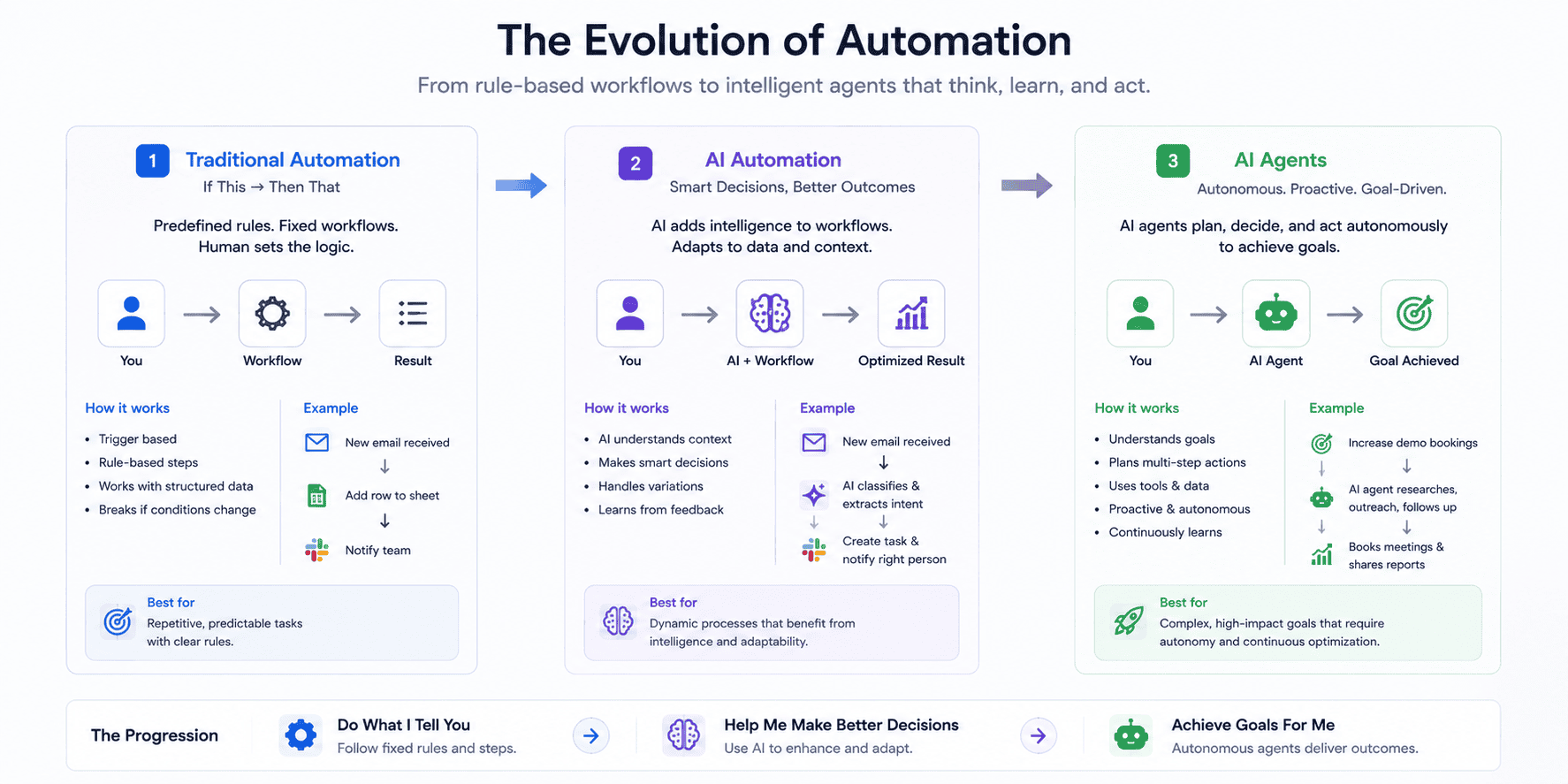
| Type | How it works | Best for |
|---|---|---|
| Traditional automation | Fixed rules and actions | Predictable tasks |
| AI automation | Rules combined with AI interpretation | Semi-structured tasks |
| AI agent | AI chooses actions dynamically | Complex, changing workflows |
Traditional Automation Example
New order → create invoice → send confirmation.
The process is predictable.
AI Automation Example
New customer email → AI identifies intent → categorize → route → draft response.
The workflow is still defined, but AI interprets the message.
AI Agent Example
Research a prospect → decide which information is relevant → search approved sources → summarize findings → update CRM → prepare next action.
Here, the system has more freedom to decide which tools and steps are necessary.
Make’s current guidance recommends choosing between automation and agents based on the nature of the work rather than adopting agents simply because they are available.
For most small businesses, the best starting point is traditional automation plus one or two carefully controlled AI steps.
1. AI Lead Qualification Workflow
Lead management is one of the strongest applications of AI automation.
A typical small business may receive leads from:
- Website forms
- Landing pages
- Advertising campaigns
- Referral forms
The problem is that not every lead deserves the same response.
AI can analyze the submitted information and classify leads according to criteria defined by the business.
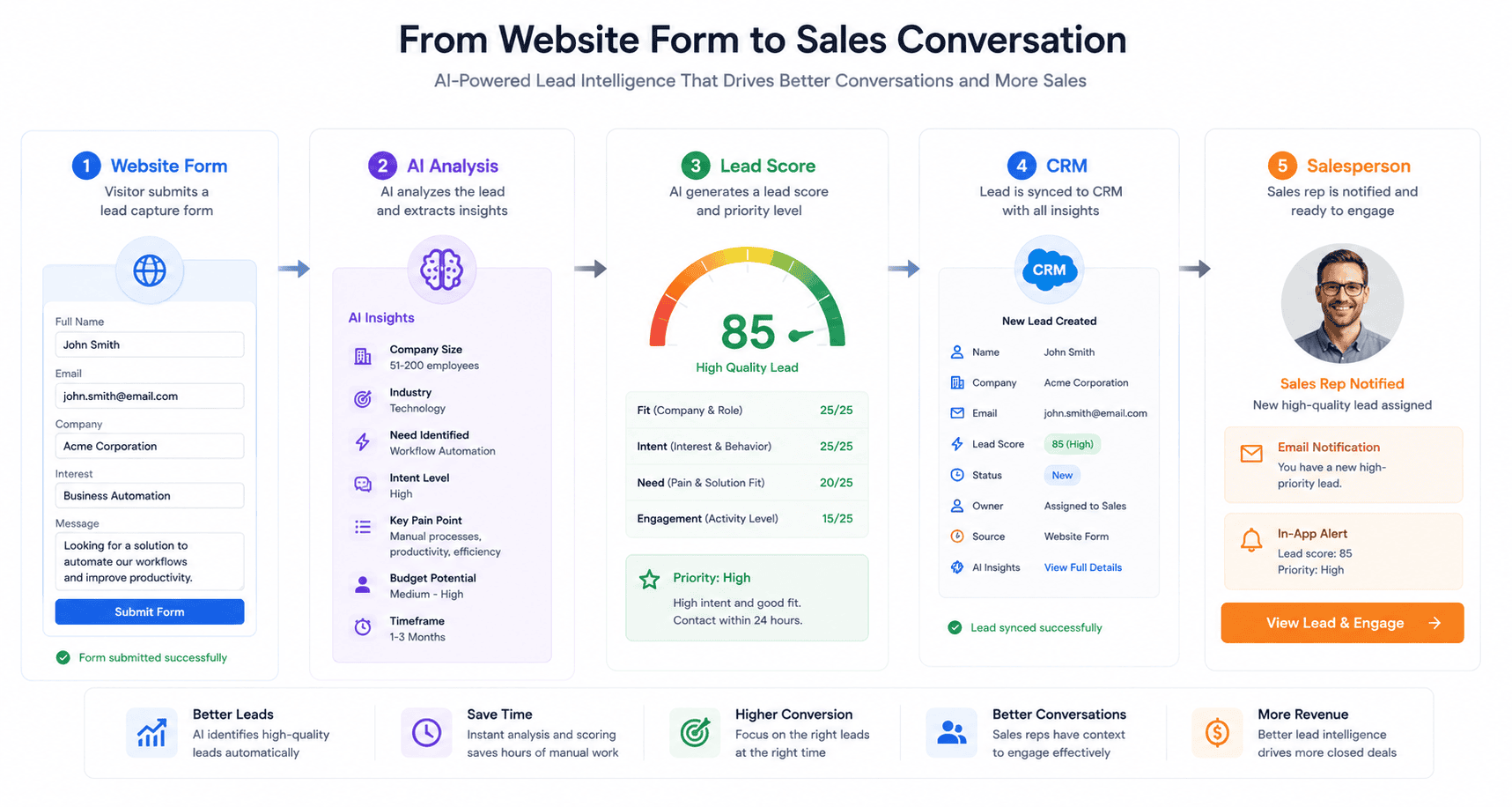
Example Workflow
Website form submitted
↓
Capture customer information
↓
AI analyzes the request
↓
Classify lead
- High priority
- Medium priority
- Low priority
- Unqualified
↓
Add information to CRM
↓
Notify sales representative
↓
Prepare follow-up email
A human can then review the lead before sending an important sales message.
Why This Helps
Instead of asking a salesperson to manually inspect every form, AI can organize incoming information.
This becomes particularly useful when the business receives leads outside working hours.
The system can prepare the information so the salesperson starts the morning with an organized list rather than an inbox full of unprocessed requests.
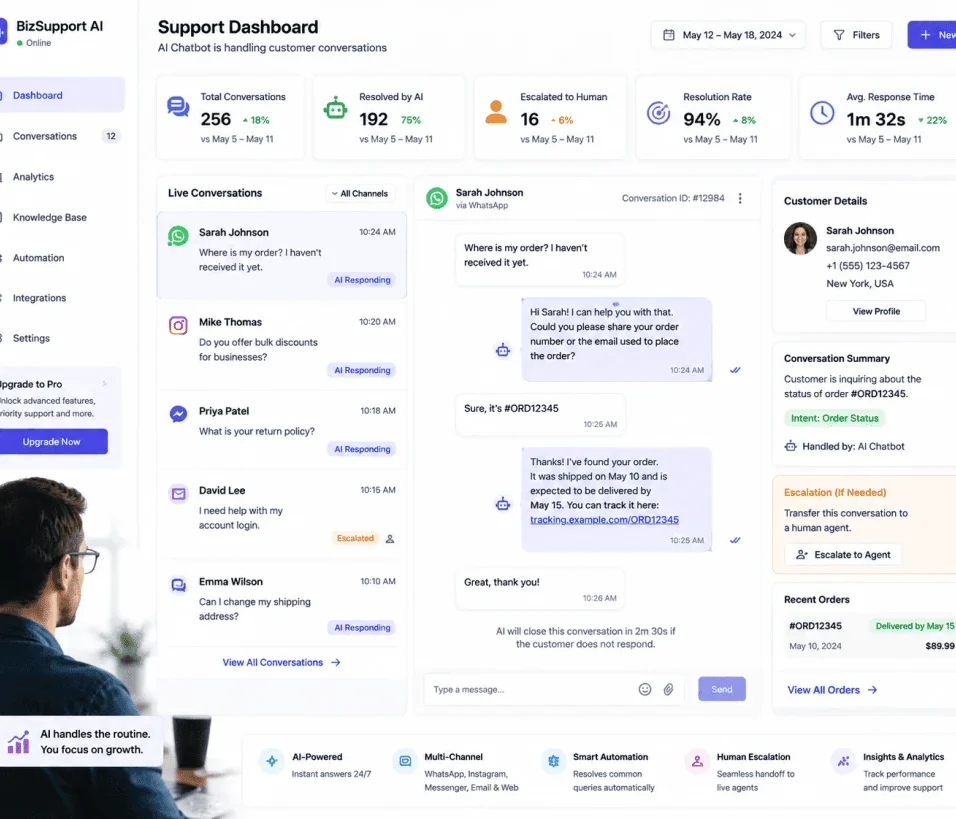
2. AI Customer Support Email Automation
Email remains one of the most repetitive business communication channels.
A customer may send:
“My order hasn’t arrived yet. Can you tell me what’s happening?”
Another may ask:
“Can I change my subscription?”
Another:
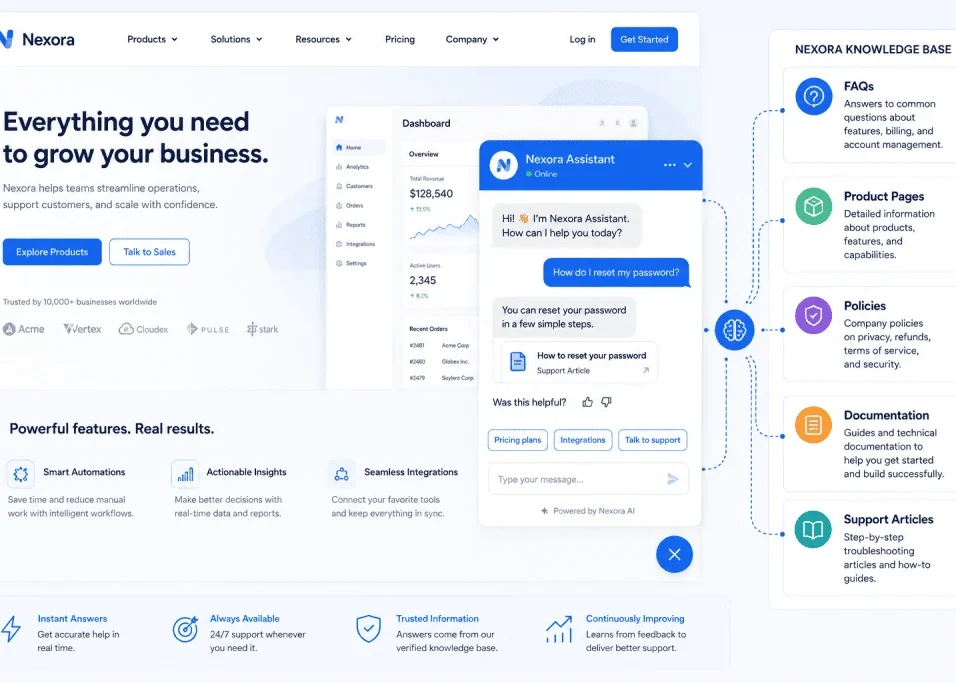
“How do I reset my password?”
These messages are different, but they often belong to a limited number of categories.
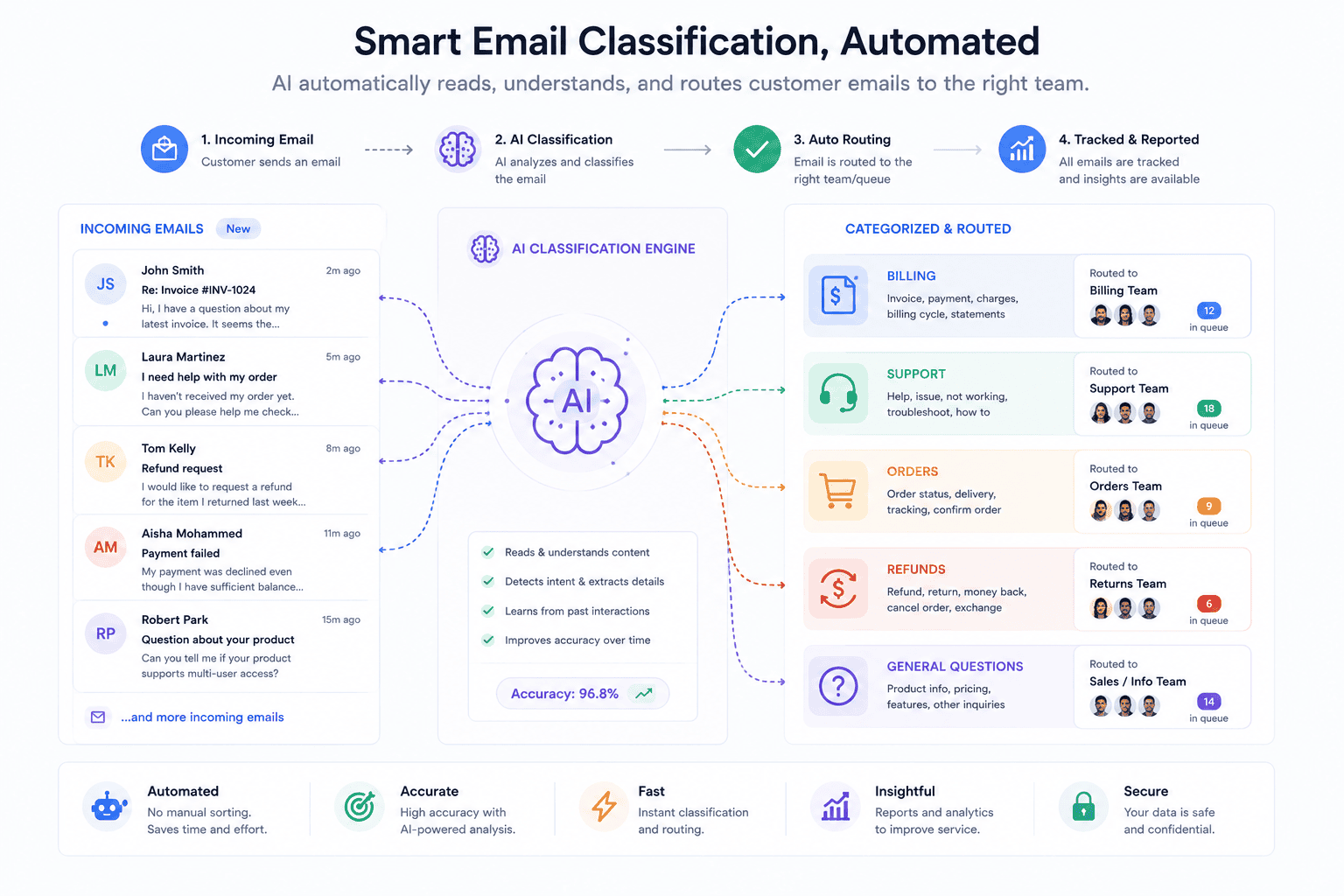
AI can classify incoming emails and route them appropriately.
Example
New email
↓
AI identifies intent
↓
Category
- Billing
- Technical support
- Order status
- Refund
- General question
↓
Retrieve relevant information
↓
Prepare response
↓
Human approval when necessary
↓
Send
The important part is the final approval stage.
For sensitive issues such as refunds, legal matters, account security, or complaints, a human should remain involved.
AI should not be given unlimited authority simply because it can technically send an email.
3. AI Meeting Notes and Follow-Up Automation
Meetings create another hidden administrative burden.
Someone needs to:
- Take notes
- Identify decisions
- Extract tasks
- Determine deadlines
- Assign responsibilities
- Send a follow-up
AI can reduce this work considerably.
Workflow
Meeting recording or transcript
↓
AI summarizes discussion
↓
Extract decisions
↓
Extract action items
↓
Identify responsible person
↓
Create tasks
↓
Send meeting summary
This workflow can be especially useful for agencies and freelancers managing multiple clients.
Instead of manually converting a 45-minute meeting into a task list, the team receives a structured summary.
However, AI-generated meeting notes should be reviewed before being treated as an official record.
Names, deadlines, decisions, and responsibilities can be misunderstood.
4. AI Content Repurposing Workflow
Content creators and marketing teams often spend more time repurposing content than creating the original material.
Imagine publishing a 2,500-word article.
You may then need:
- LinkedIn post
- X post
- Facebook post
- Newsletter summary
- Short video script
- FAQ
- Email introduction
AI can help transform one source into multiple formats.
Workflow
Published article
↓
AI analyzes article
↓
Generate content variations
↓
Create platform-specific drafts
↓
Human editorial review
↓
Schedule posts
This is an important distinction:
The AI should not invent unrelated claims.
It should transform the original material while preserving factual accuracy.
Google’s current guidance emphasizes creating unique, useful content rather than mass-producing pages or content primarily for search-engine manipulation.
Therefore, AI repurposing is most valuable when it extends genuinely useful original work.
5. AI Invoice and Document Processing
Documents are often difficult to automate using traditional rules because every document may look slightly different.
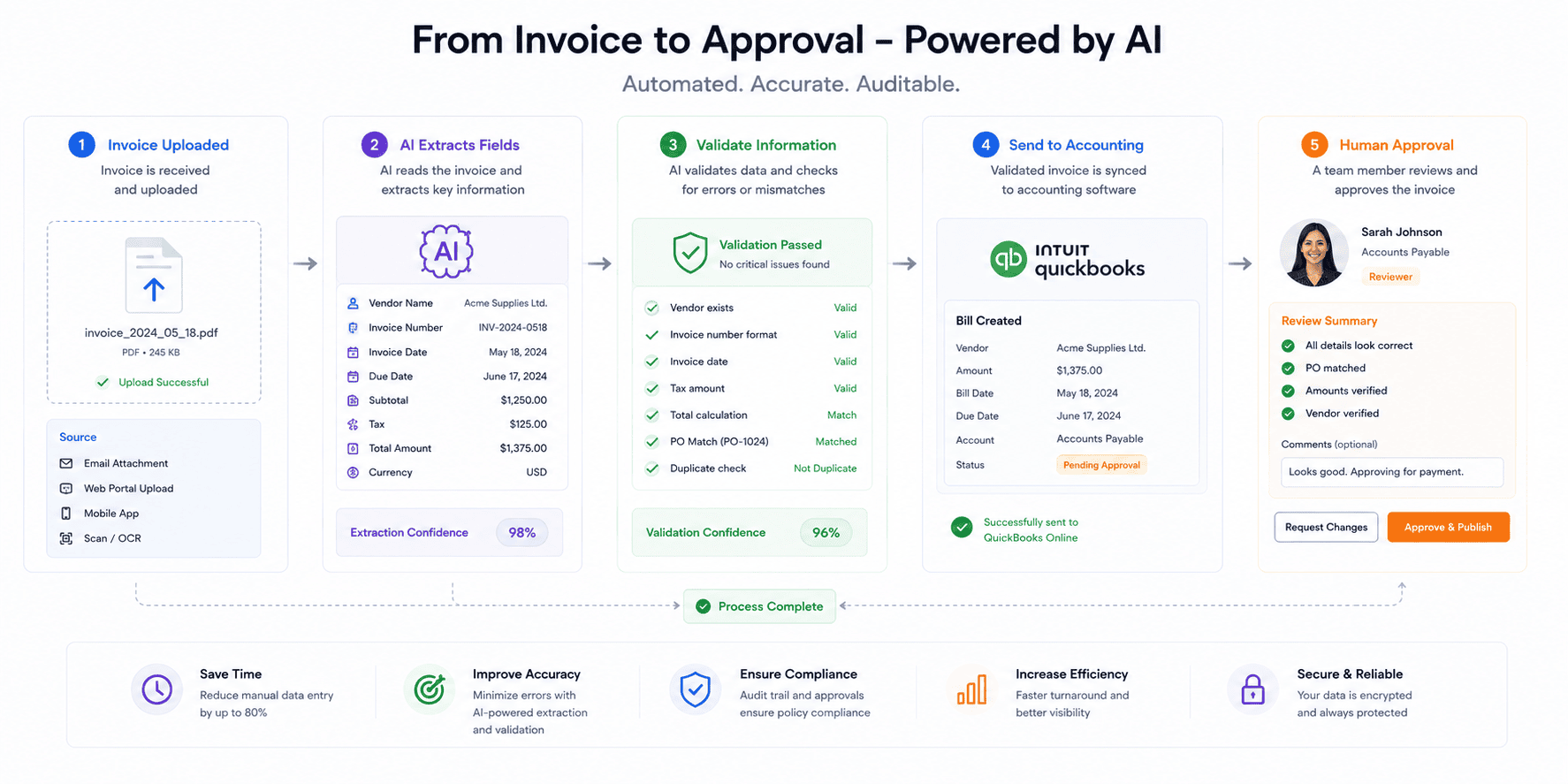
Consider invoices.
One supplier may put the invoice number at the top.
Another may place it on the right.
Another may use a completely different layout.
AI can help interpret semi-structured documents.
Workflow
Invoice received
↓
Extract information
↓
Identify
- Supplier
- Invoice number
- Date
- Amount
- Tax
- Line items
↓
Validate information
↓
Send to accounting system
↓
Flag unusual items
↓
Human approval
Make currently describes AI automation examples involving invoice extraction, AI validation, and writing results into an accounting system.
This is a good example of why AI automation can be more flexible than fixed rules.
But financial workflows require additional safeguards.
Never assume that an AI-extracted amount is automatically correct.
6. AI Website Contact Form Automation
A website contact form can become much more useful when connected to AI.
Instead of simply forwarding every message to an inbox, the workflow can understand the request.
For example:
“I need a WordPress website for my real estate business with 20 pages and an appointment system.”
AI can extract:
- Industry
- Service required
- Approximate project size
- Requested features
- Potential urgency
The workflow can then create a structured lead record.
Example Workflow
Contact form
↓
AI extraction
↓
Structured customer record
↓
CRM
↓
Lead priority
↓
Notification
↓
Follow-up task
This is particularly useful for web-design agencies and freelancers because their leads often contain important project information in natural language.
7. AI Customer Review Analysis
Online reviews contain valuable business information, but reading hundreds of reviews manually can be difficult.
AI can classify customer feedback into categories such as:
- Product quality
- Delivery
- Customer service
- Pricing
- Website experience
- Packaging
- Support
It can also identify recurring complaints.
Workflow
New review
↓
AI sentiment and topic analysis
↓
Categorize feedback
↓
Store result
↓
Notify team if negative
↓
Generate weekly summary
For example, if 30 customers independently mention slow delivery, the business may discover an operational problem.
This is more useful than simply knowing that a review is “positive” or “negative.”
The goal is to convert unstructured feedback into actionable information.
8. AI Social Media Monitoring Workflow
Social media can generate a large amount of information.
A business may want to identify:
- Brand mentions
- Customer complaints
- Product questions
- Partnership opportunities
- Industry discussions
- Competitor activity
AI can help classify incoming information.
For example:
Mention detected
↓
AI analyzes message
↓
Classify
- Positive mention
- Customer question
- Complaint
- Sales opportunity
- Irrelevant
↓
Route accordingly
A complaint could go to customer support.
A sales opportunity could go to the sales team.
A partnership request could go to management.
The important principle is that AI becomes the classification layer rather than the final decision-maker.
9. AI Research and Reporting Automation
Many businesses produce recurring reports.
Examples include:
- Weekly marketing reports
- Sales summaries
- Customer-support reports
- Website performance summaries
- Project updates
- Competitor monitoring
AI can help transform raw information into a readable report.
Workflow
Collect data
↓
Combine sources
↓
AI analyzes information
↓
Identify changes
↓
Create summary
↓
Generate report
↓
Human review
For example, a marketing agency could collect campaign information and create a weekly internal summary.
The AI might identify:
- Campaigns with unusual performance
- Major changes
- Missing data
- Questions requiring investigation
The human then verifies the findings.
This is a better use of AI than allowing it to make unsupported conclusions.
10. AI Freelancer Workflow Automation
Freelancers can benefit significantly from automation because they often perform every part of their own business.
A freelancer may need to manage:
- Lead generation
- Client communication
- Proposals
- Meetings
- Contracts
- Invoices
- Project updates
- Content marketing
- Follow-ups
AI automation can connect these processes.
Example Freelancer Workflow
New inquiry
↓
AI categorizes project
↓
Create client record
↓
Send acknowledgment
↓
Create follow-up reminder
↓
Schedule discovery call
↓
AI summarizes meeting
↓
Generate proposal draft
↓
Human edits proposal
↓
Create project
↓
Send onboarding email
This can dramatically reduce administrative friction.
The freelancer still controls pricing, negotiation, contracts, and client relationships.
AI simply handles the repetitive coordination.
consectetur adipiscing elit. Ut elit tellus, luctus nec ullamcorper mattis, pulvinar dapibus leo.
How to Build Your First AI Automation
If you have never created an automation before, do not start with a complicated AI agent.
Start with one repetitive task.
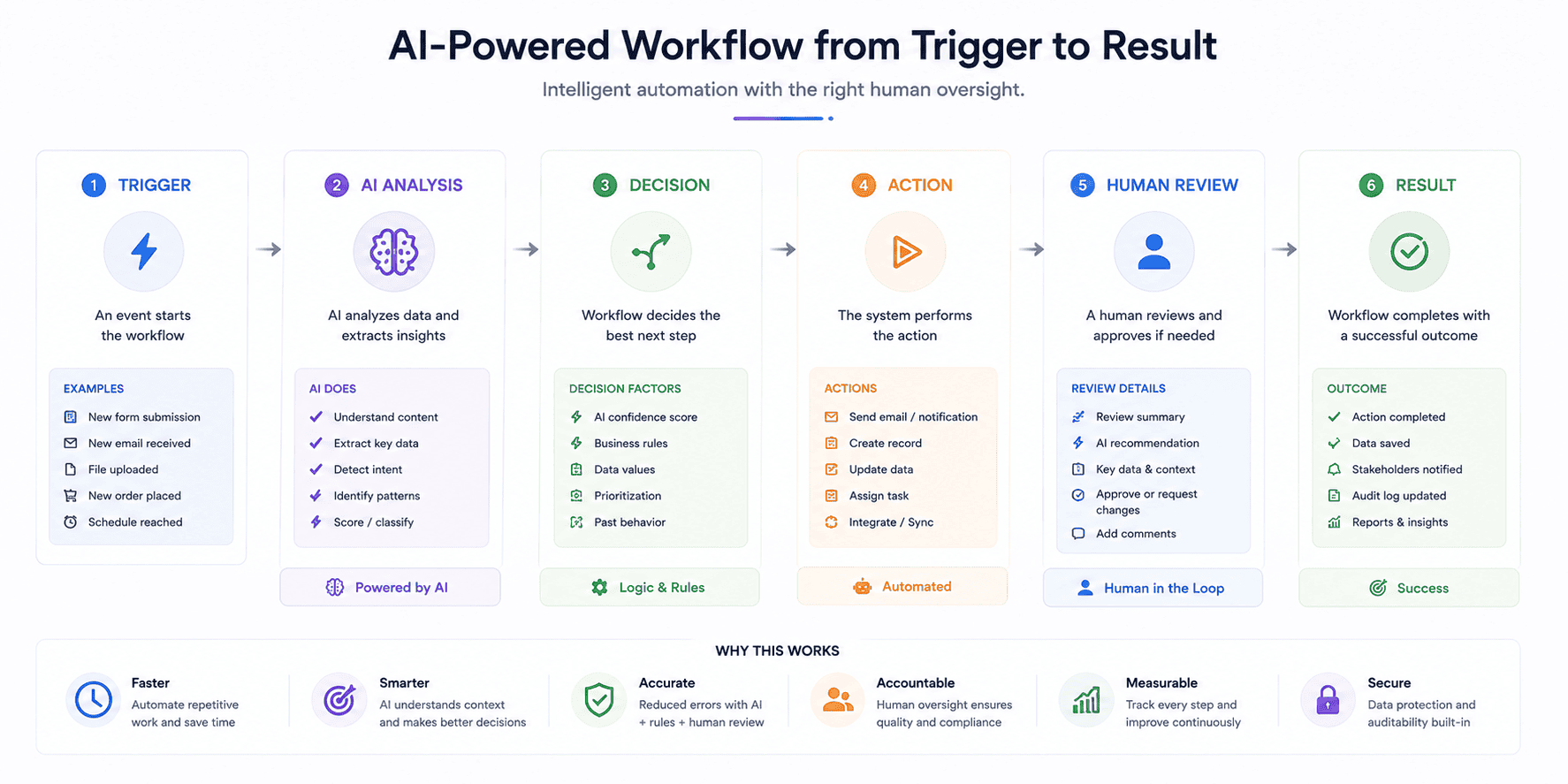
Choose the First Automation by Failure Cost, Not Just Repetition
The most repetitive task is not always the best candidate for AI. Start with work where a small amount of automation can remove a clear bottleneck without creating a larger review burden.
Look for three signals: the task happens often, the inputs are reasonably consistent, and a mistake can be detected before it causes damage. A useful first project might classify incoming enquiries or extract invoice fields for review. A poor first project might make irreversible decisions about customers or payments without human approval.
Before building anything, write down the current process, the expected result, and what a human must still check. That gives you a baseline for deciding whether the automation actually improved the work.
2 Comments