Ecommerce Order Hold Process: A Practical Guide for Small Stores
- by Muhammad Raza
- 0 Comments
- 11 minutes read
- 81 Views
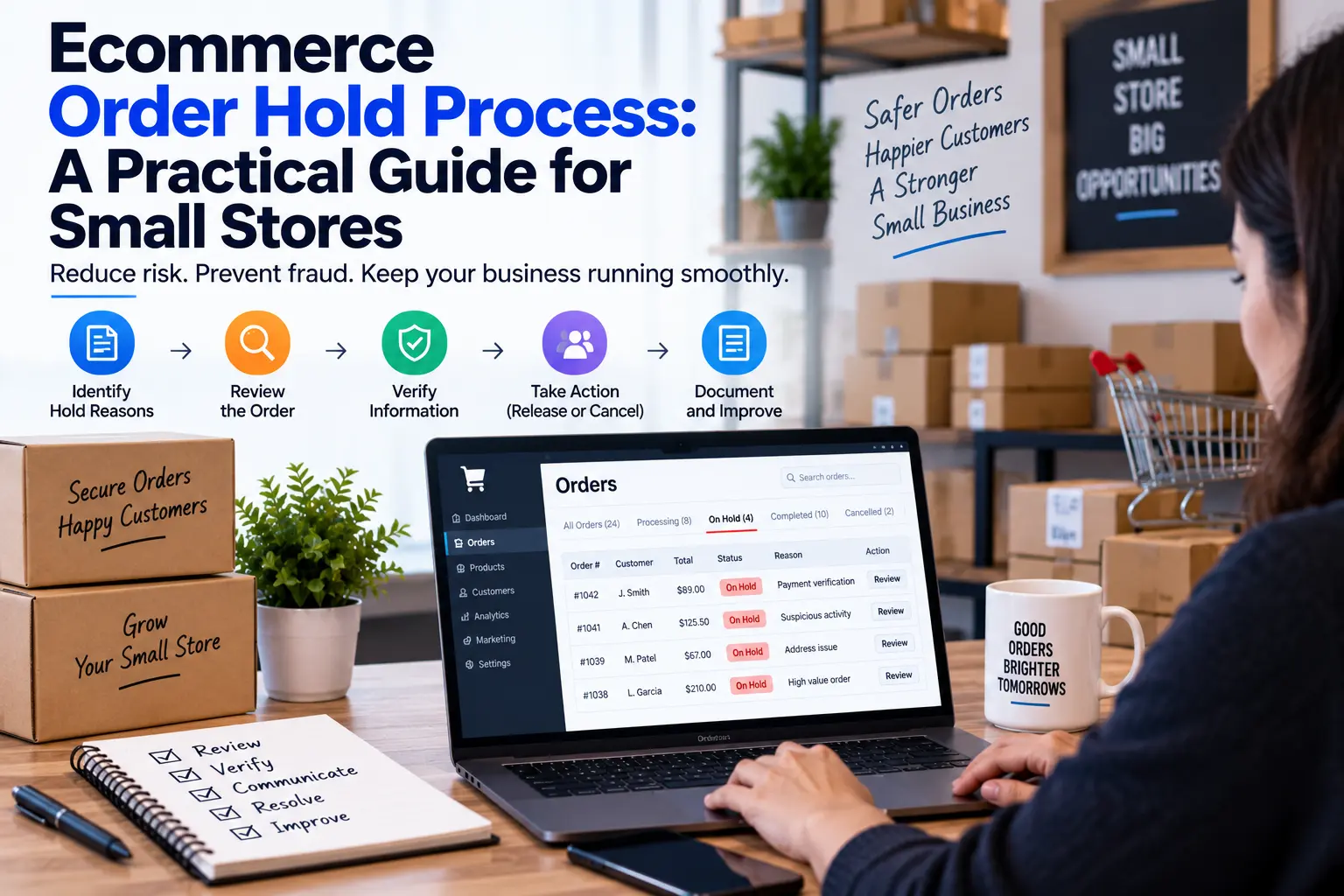
An ecommerce order hold process helps small stores stop risky orders before payment, inventory, customer details, or fulfillment problems turn into costly mistakes.
Order → Payment → Inventory → Fulfillment → Shipping → Customer
The problem starts when something does not fit that path.
The address may look incomplete. Payment may need review. Inventory may suddenly disagree with the storefront. A customer may request a change after ordering. A warehouse may report that the selected product cannot be picked.
Many small stores handle these situations through a mixture of email, chat messages, notes, and memory.
That creates another problem: the order is technically still moving, even though nobody is sure whether it should move.
A better approach is to create a simple ecommerce order hold process.
The purpose is not to put more orders on hold. It is to make the decision visible when an order should temporarily stop.
Recent ecommerce operations guidance increasingly treats exception queues and holds as a distinct operating layer rather than simply another status inside an order list.
This article presents a smaller-business framework built around one principle:
When an order cannot safely continue, pause the movement before trying to solve the problem.
What Is an Ecommerce Order Hold?
An order hold is a temporary instruction that says:
“Do not allow this order to move to the next operational step until a specific question has been answered.”
It is different from simply adding a note.
A note tells someone something.
A hold tells the operation to stop moving.
For example:
- “Customer emailed about changing the address” → note.
- “Do not ship until the address is confirmed” → hold.
- “Inventory count looks unusual” → observation.
- “Do not release this order until inventory is verified” → hold.
That distinction matters because ecommerce systems can continue processing while people are discussing a problem somewhere else.
A small business does not need a complicated control tower. It needs a clearly defined point where normal processing stops.
The Hold Trigger Test
Do not create a hold for every unusual event.
Instead, ask four questions.
1. Could the next step make the problem harder to reverse?
If yes, consider a hold.
Shipping an incorrect order is harder to undo than stopping it before picking.
2. Is a customer-facing promise involved?
If the issue could change what the customer receives, when they receive it, or what they pay, a hold may be appropriate.
3. Is the available information incomplete?
If someone would have to guess, stop the order.
4. Does another person need to make a decision?
If fulfillment cannot safely continue without an authorized decision, use a hold.
This produces a simple rule:
Unclear + consequential + time-sensitive = consider a hold.
Build Four Simple Hold Categories
Avoid creating twenty different hold codes.
A small store can begin with four.
1. Payment Hold
Use when the order cannot safely proceed because payment status needs confirmation.
Examples:
- payment still pending
- unusual payment status
- manual payment requires verification
- refund or capture decision is unresolved
The goal is not to investigate every transaction manually.
The goal is to prevent fulfillment from moving ahead while the financial state is unclear.
2. Customer Detail Hold
Use when an important customer-provided detail must be confirmed.
Examples:
- incomplete shipping address
- customer requested an order change
- personalization information is missing
- customer asked for a different variant
The key question is:
Can the warehouse fulfill this order correctly without another customer decision?
If not, hold it.
3. Inventory Hold
Use when the available inventory does not match the order expectation.
Examples:
- physical count differs from the system
- product appears available but cannot be located
- damaged stock was included in available quantity
- two orders appear to depend on the same final unit
Do not quietly substitute another product simply because it is nearby or similar.
The customer ordered something specific. Any replacement should follow the store’s approved process and, where appropriate, customer consent.
4. Fulfillment Hold
Use when the order is ready from the customer’s side but the fulfillment process has a problem.
Examples:
- warehouse cannot pick the item
- shipping label information is incorrect
- required packaging is unavailable
- an order needs to be split and nobody has approved the split
The hold should identify the problem rather than becoming a vague “check this order” status.
The Order Hold Card
Every held order should contain enough information for another person to understand the situation without starting the investigation from zero.
Use a simple Order Hold Card.
| Field | What to record |
|---|---|
| Order | Order number |
| Hold type | Payment, Customer Detail, Inventory, Fulfillment |
| Reason | What stopped normal processing |
| Evidence | Screenshot, system status, customer message, count, or other record |
| Owner | Person responsible for resolving it |
| Next decision | What needs to be answered |
| Customer impact | Low, Medium, High |
| Held at | Date and time |
| Next review | When it should be checked again |
| Release condition | What must be true before the hold is removed |
The most important field may be Release Condition.
“Resolved” is vague.
“Address confirmed by customer” is measurable.
“Inventory count verified at 12 units” is measurable.
“Payment confirmed” is measurable.
That makes the hold easier to close correctly.
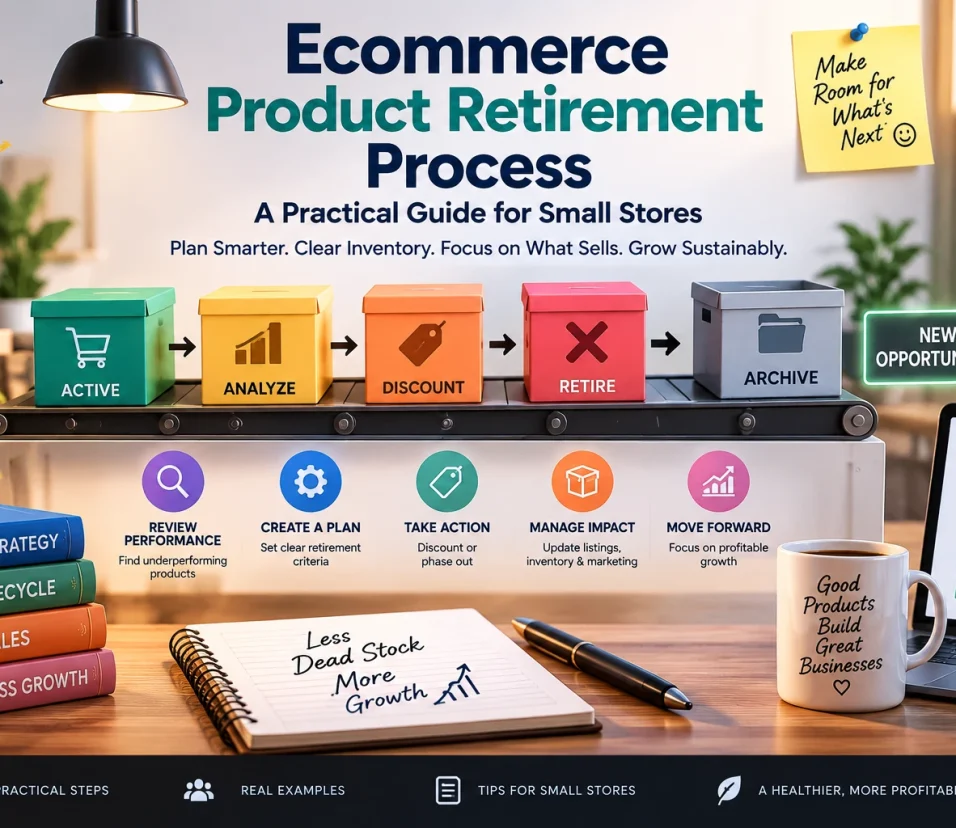
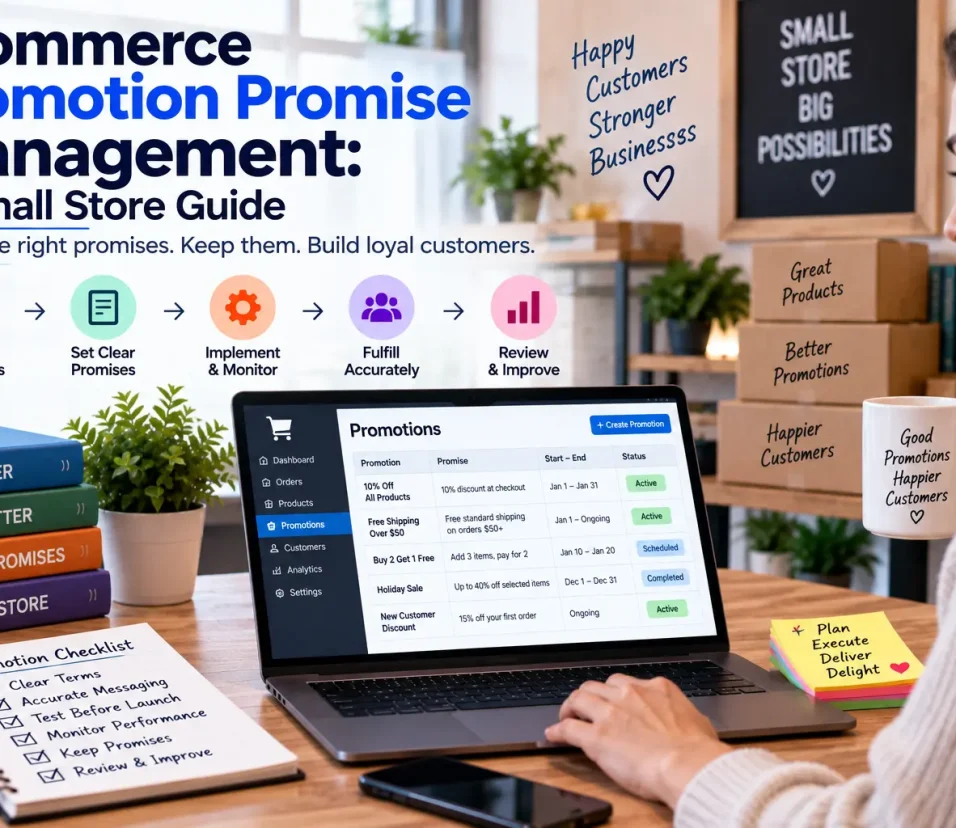
For related ecommerce process controls, see our guides on ecommerce product retirement, promotion promise management, and product change freezes.
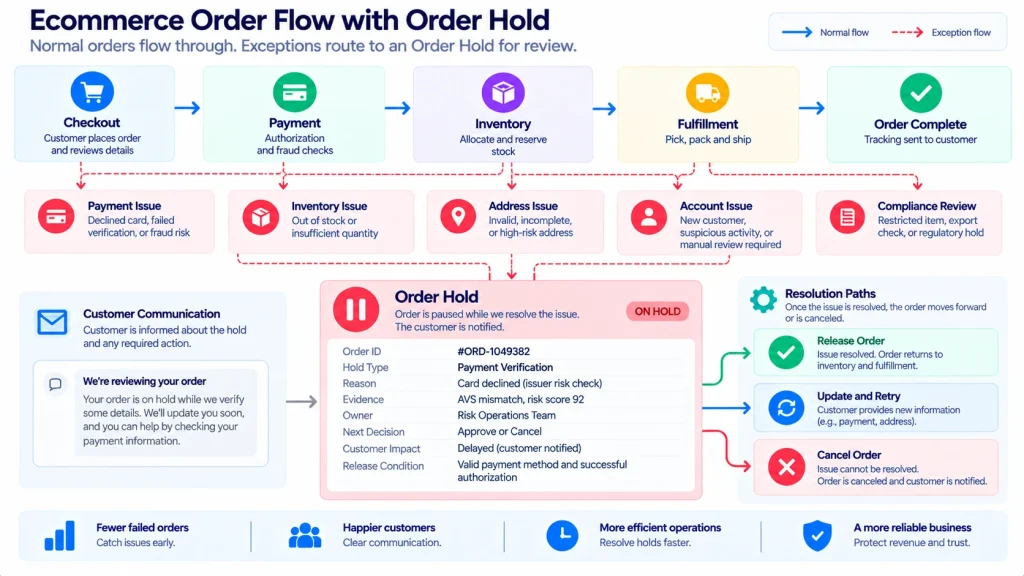
Use the “Stop, Decide, Release” Pattern
A useful small-store workflow is:
STOP → DECIDE → RELEASE
Stop
Prevent the order from moving into the risky next step.
Decide
Find the correct answer and record who made the decision.
Release
Remove the hold only after the release condition has been satisfied.
This sounds simple, but it prevents a common mistake:
Someone notices the problem, someone else fixes part of it, and nobody tells fulfillment that the order is safe again.
The order then remains stuck—or worse, different people make different assumptions.
Never Use “Waiting” as a Permanent Hold Reason
“Waiting” is not a useful diagnosis.
Waiting for what?
Use a specific reason:
- waiting for customer address confirmation
- waiting for payment verification
- waiting for inventory recount
- waiting for warehouse confirmation
- waiting for replacement approval
A useful hold should answer:
What are we waiting for?
If nobody can answer that question, the hold probably needs clarification.
Add an Expiry or Review Time
A hold without a review point can quietly become an abandoned order.
For every hold, record:
Held: September 7, 10:15 AM
Owner: Operations
Next review: September 7, 2:00 PM
The review time does not mean the problem will definitely be solved by then.
It means someone is expected to look at it.
For higher-impact orders, the review period should be shorter.
For example:
- low-impact information issue → same business day
- customer-sensitive order → sooner
- high-value or time-sensitive order → immediate review
Do not invent universal hour limits. Your store’s customer promises and fulfillment process should determine the appropriate timing.
The “No Silent Release” Rule
One of the simplest rules a small ecommerce team can adopt is:
A held order should never return to normal processing without a visible reason.
If the warehouse receives an order that was previously held, someone should be able to tell why the hold disappeared.
A basic release record can contain:
- released by
- release date/time
- decision
- evidence
- customer communication, if applicable
This does not require a complex audit system.
A spreadsheet, order note, or approved ecommerce workflow can be enough for a small operation.
The important part is consistency.
What Should Happen When the Problem Cannot Be Fixed?
Not every hold ends with “release.”
Create four possible outcomes:
Release
The original order can safely continue.
Modify
An approved change is made before fulfillment continues.
Customer Decision
The customer must choose between available options.
Cancel or Refund
The original order cannot reasonably be fulfilled.
This prevents the team from treating “release” as the default answer.
Sometimes the correct operational decision is to stop the order permanently.
Example: A Small Store With One Missing Product
Imagine Oakline Home receives an order for:
- one ceramic vase
- one candle
- one gift box
The system shows the vase as available.
The warehouse cannot find it.
The easy response is to substitute another vase and ship the order.
The safer response is different.
Step 1 — Hold
Place the order on Inventory Hold.
Step 2 — Record evidence
The warehouse records the SKU, expected quantity, physical count, and location checked.
Step 3 — Decide
The business determines whether the vase is:
- misplaced
- damaged
- incorrectly counted
- genuinely unavailable
Step 4 — Choose an outcome
If the vase is found, release the order.
If it is unavailable, contact the customer if a replacement decision is required.
Step 5 — Record the result
The store records what happened so the same inventory problem can be investigated later.
The important improvement is not the paperwork.
It is that the warehouse was not asked to improvise a customer-facing decision.

Build a Small Hold Board
You can manage a modest order volume with a simple table.
| Order | Hold | Owner | Age | Customer Impact | Next Action |
|---|---|---|---|---|---|
| #1042 | Inventory | Sam | 35m | Medium | Recount SKU |
| #1047 | Address | Mia | 2h | High | Contact customer |
| #1051 | Payment | Alex | 20m | Medium | Verify status |
| #1058 | Fulfillment | Sam | 1h | Low | Check packaging |
The board should make old or high-impact holds easy to see.
Do not create a giant dashboard before you need one.
For a small store, visibility is usually more valuable than complexity.
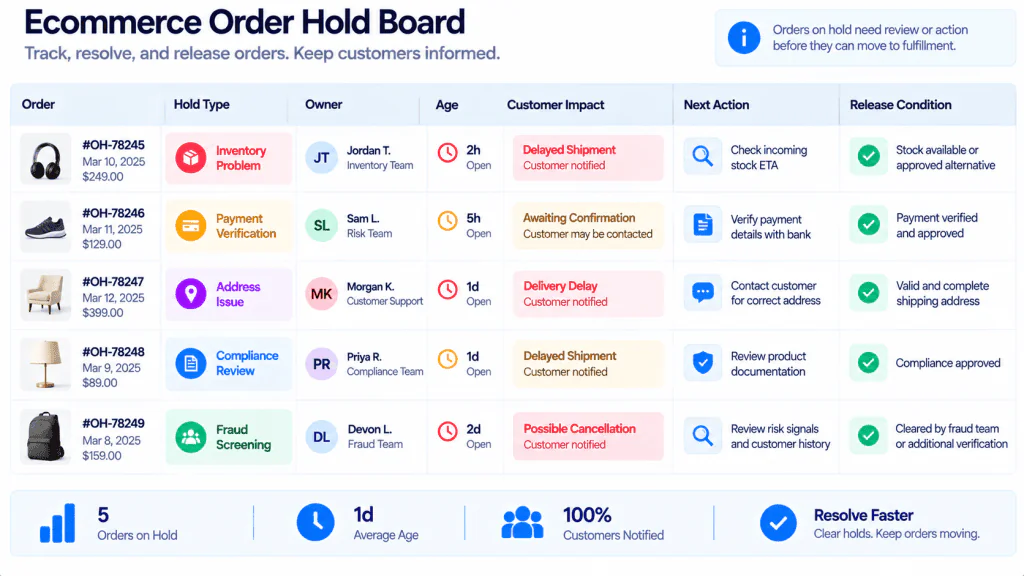
Watch for Repeating Holds
The hold board can reveal something more useful than individual order problems.
It can show process weaknesses.
Suppose you discover:
- 12 address holds this month
- 9 came from the same checkout field
- 7 required manual customer emails
The lesson is not:
“Support needs to work faster.”
The better question is:
Why are customers repeatedly reaching the same failure point?
Maybe the address field is unclear.
Maybe a required field is missing.
Maybe the shipping rules are confusing.
Maybe a product is attracting orders from locations the business does not actually serve.
The hold process therefore becomes a source of operational learning.
Create a Hold-to-Fix Review
Once per week, review held orders using five questions:
- Which hold type appeared most often?
- Which hold stayed open the longest?
- Which hold created the greatest customer impact?
- Which problem repeated?
- What could prevent the same hold next week?
Do not automatically turn every repeated hold into a new policy.
Look for meaningful patterns first.
This is similar to the principle behind a near-miss log: an operational problem becomes more useful when the business learns from the pattern rather than simply closing the individual event.
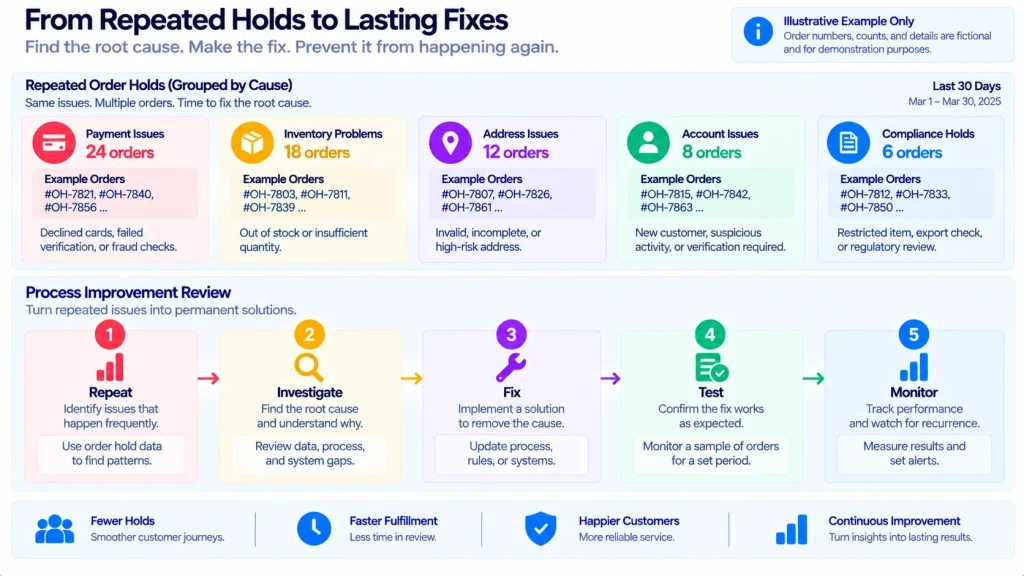
When an Order Should Not Be Put on Hold
A hold can become harmful if employees use it whenever something feels slightly unusual.
Do not use a hold simply because:
- an employee is busy
- someone wants more time to think
- the order is slightly complicated
- a customer has asked a routine question that does not affect fulfillment
- a task belongs in a normal work queue
- someone forgot to finish the order
A hold should represent a meaningful interruption to normal fulfillment.
Otherwise, the hold board becomes another backlog.
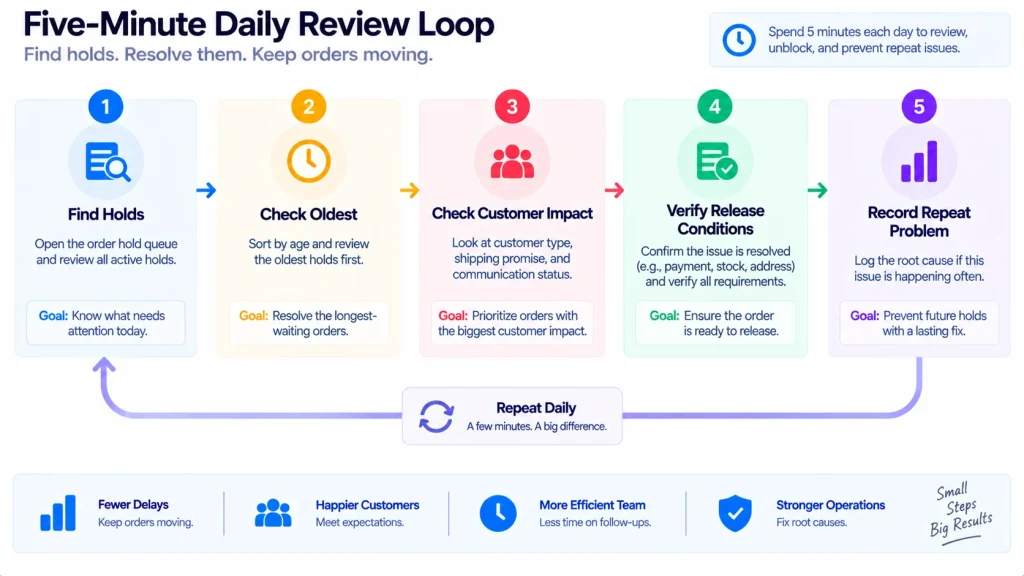
A Five-Minute Daily Order Hold Review
For a small ecommerce business, a daily review can be extremely simple.
Minute 1: Find every active hold
Make sure none are hidden in email, chat, or personal notes.
Minute 2: Find the oldest hold
Ask why it is still open.
Minute 3: Find the highest customer-impact hold
Make sure its owner knows what happens next.
Minute 4: Check release conditions
Remove holds that are genuinely resolved.
Minute 5: Record one recurring problem
If the same issue appears repeatedly, add it to the weekly process review.
That is enough to create a basic operating rhythm without turning the store into an administrative project.
A One-Page Ecommerce Order Hold Template
Order ID:
Customer:
Hold Type:
Reason:
Evidence:
Owner:
Customer Impact: Low / Medium / High
Held At:
Next Review:
Next Decision:
Release Condition:
Possible Outcome: Release / Modify / Customer Decision / Cancel or Refund
Released By:
Release Time:
Final Decision:
Process Lesson:
Keep the template short.
If recording a hold takes longer than understanding the problem, the system needs simplification.
Common Ecommerce Order Hold Mistakes
Mistake 1: Using holds instead of fixing the process
If the same issue appears every day, investigate the cause.
Mistake 2: No owner
A shared hold is often nobody’s responsibility.
Mistake 3: No release condition
Without a clear release condition, people guess when the order is safe.
Mistake 4: Keeping holds hidden in messages
Important order decisions should not depend on finding an old chat message.
Mistake 5: Releasing without evidence
If a hold required verification, record what verified it.
Mistake 6: Treating every unusual order as dangerous
Too many holds create operational noise.
Mistake 7: Forgetting the customer
A hold is an internal control, but its consequences may be customer-facing.
FAQ
What is an ecommerce order hold?
An ecommerce order hold temporarily stops an order from moving to its next fulfillment step until a defined problem or decision is resolved.
When should a small ecommerce store use an order hold?
Use one when continuing could create a payment, inventory, customer-detail, fulfillment, or customer-promise problem.
Should every delayed order be placed on hold?
No. A normal queue delay is not necessarily a hold. A hold is appropriate when the order should not safely continue until a specific condition is met.
Who should own an order hold?
The person responsible for making or coordinating the decision needed to release the order. Avoid vague shared ownership.
How long should an order remain on hold?
There is no universal time limit. Set the review frequency according to customer impact, order urgency, and the store’s operational commitments.
Can a spreadsheet manage order holds?
Yes, for a small operation, provided the spreadsheet has a clear owner, current information, and a reliable process for updating and releasing holds.
Final Takeaway
An ecommerce order hold is not a sign that the store’s operation is broken.
Used correctly, it is a boundary between normal processing and uncertain processing.
The most useful structure is simple:
Hold → Explain → Assign → Decide → Release
The objective is not to create more statuses.
It is to prevent an uncertain order from quietly becoming a wrong shipment, an unnecessary refund, an avoidable customer complaint, or a fulfillment problem that could have been stopped earlier.
Start with four hold types, one Order Hold Card, one owner per hold, and a short daily review.
Then use the repeated problems to improve the underlying ecommerce process.
Related Ecommerce & Security Guides
For related process controls, see our guides on ecommerce product retirement, promotion promise management, product change freezes, and payment verification and invoice fraud prevention.