Professional Freelance Invoice: A Practical Guide to Getting Paid on Time
- by Muhammad Raza
- 0 Comments
- 13 minutes read
- 49 Views
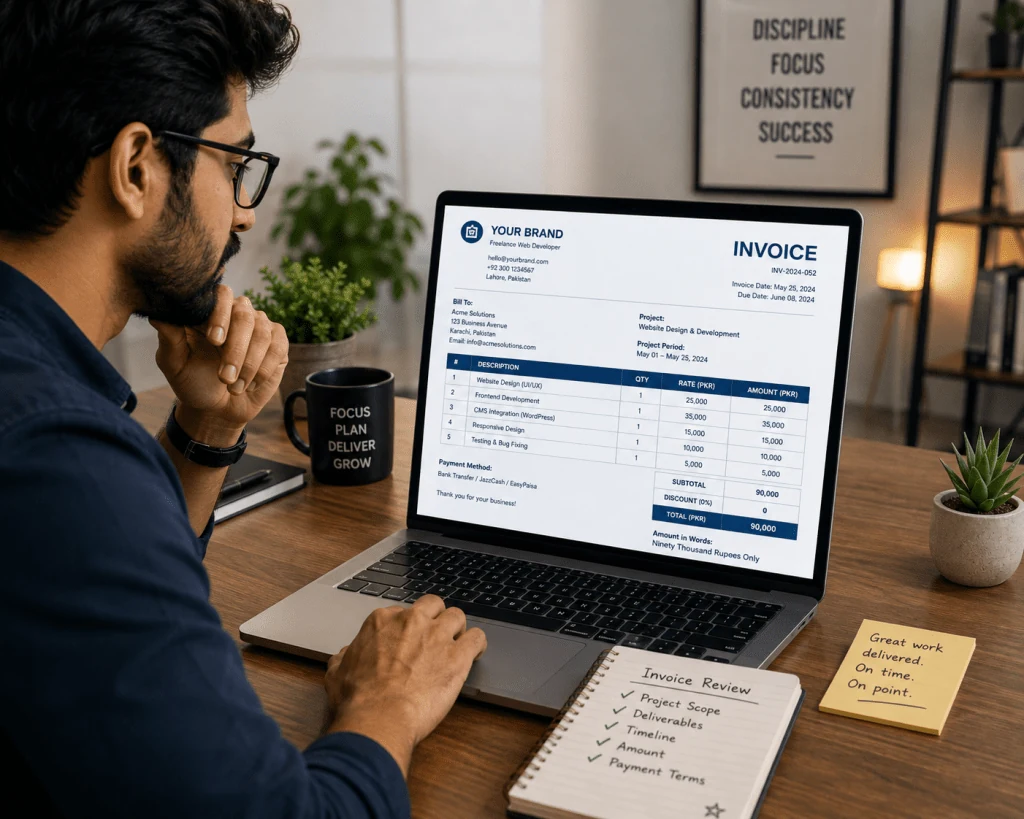
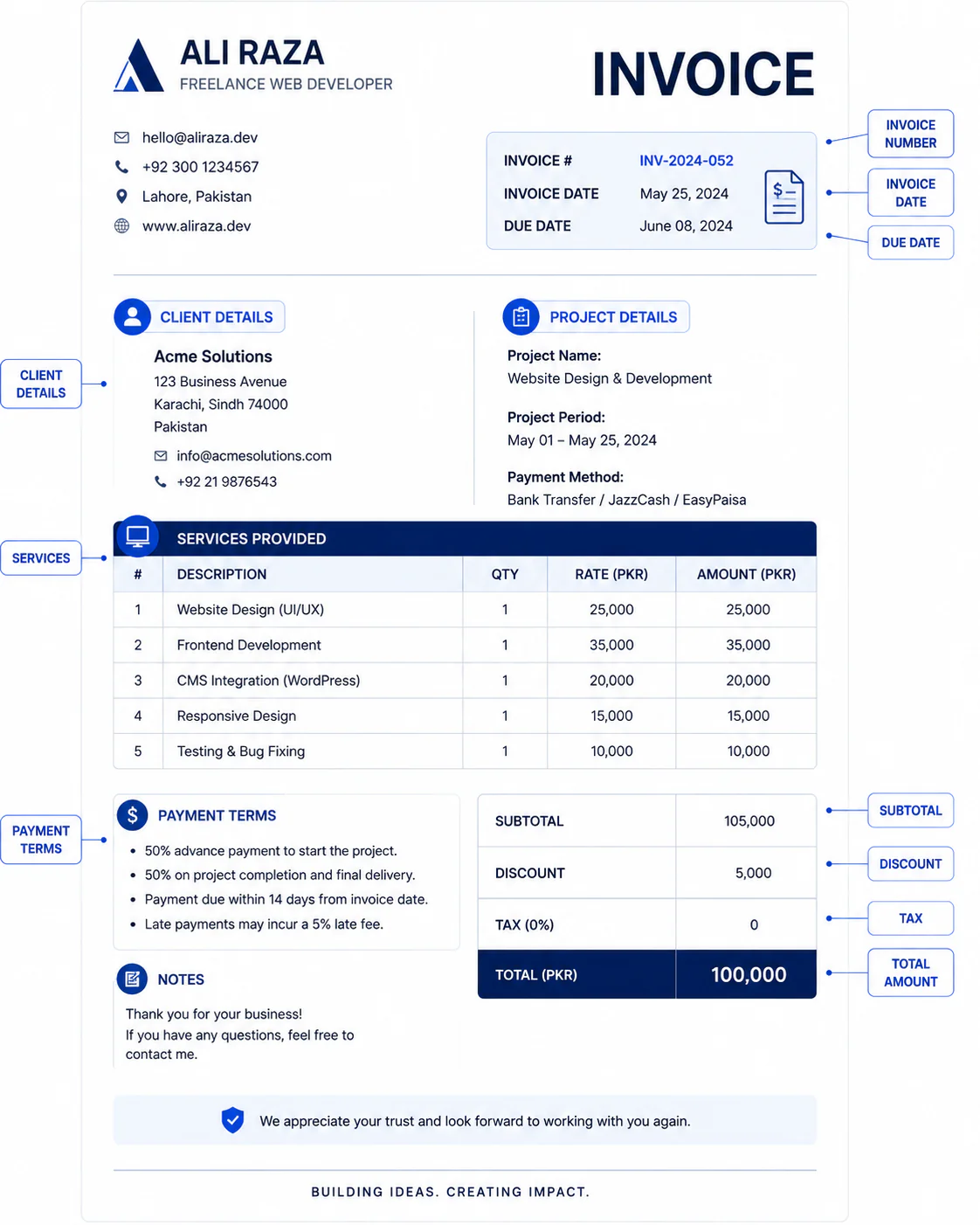
Creating a professional freelance invoice gives you a clear way to document the work you completed, the amount due, the payment terms, and how the client should pay.
A strong invoice reduces confusion by connecting the client to the agreed project, services, due date, currency, and payment instructions. It also gives you a repeatable record for tracking outstanding payments and following up professionally.
This guide explains what to include in a freelance invoice, how to set payment terms, when to send it, how to handle deposits and milestones, what to do when a client pays late, and how to build a simple invoicing workflow that helps you get paid on time.
How to Number Your Freelance Invoices
Invoice numbering becomes increasingly important as your freelance business grows.
If you have only one client and send one invoice every few months, you might remember what each invoice represents.
But imagine managing:
- Five clients
- Multiple projects
- Monthly retainers
- Milestone payments
- Additional work
A consistent numbering system makes your records easier to follow.
A basic sequence might look like:
- INV-001
- INV-002
- INV-003
- INV-004
A year-based system could look like:
- INV-2026-001
- INV-2026-002
- INV-2026-003
Do not keep changing the format without a reason.
Choose a system you can maintain consistently.
The number should also be unique enough that you can identify an invoice quickly when discussing it with a client.
For example, instead of saying:
“The invoice I sent last week.”
you can say:
“Could you please confirm the status of INV-2026-014?”
That sounds more professional and makes recordkeeping easier.
Fixed-Price Freelance Invoices
A fixed-price project has a predetermined price for a defined scope of work.
For example:
Website landing page design — $450
Or:
Five SEO articles — $600
Your invoice should reflect the agreement.
If the project contains several deliverables, you can list them individually.
For example:
| Service | Amount |
|---|---|
| Homepage design | $300 |
| About page design | $150 |
| Contact page design | $100 |
| Total | $550 |
The client can immediately see what the amount represents.
If your contract uses milestones, each invoice can correspond to an agreed stage of the project.
Hourly Freelance Invoices
Hourly freelancers should make the calculation easy to understand.
For example:
| Task | Hours | Rate | Total |
|---|---|---|---|
| Website development | 8 | $40 | $320 |
| Testing | 2 | $40 | $80 |
| Client revisions | 1.5 | $40 | $60 |
| Total | 11.5 | $460 |
The exact structure depends on your agreement.
If you track time, make sure the invoice accurately reflects your records.
Do not add hours that you did not work.
Likewise, do not leave the client guessing about what the billed time represents.
How to Set Freelance Payment Terms
Payment terms explain when the client needs to pay.
Common examples include:
- Due on receipt
- Net 7
- Net 14
- Net 30
For example, Net 14 generally means the invoice is due within 14 days of the invoice date.
The best payment period depends on your project, client, location, agreement, and business needs.
Do not simply copy another freelancer’s payment terms.
More importantly, agree the payment terms before the project begins whenever possible.
If your proposal says payment is due within 14 days but your invoice suddenly says 30 days, you have created unnecessary confusion.
Your:
- Proposal
- Contract
- Invoice
- Payment reminder
should ideally tell the same story.
Why the Due Date Is Better Than a Vague Payment Request
Consider these two messages.
Weak
Please pay when possible.
Better
Payment of $750 is due by September 14, 2026.
The second version is much clearer.
The client knows:
- The amount
- The deadline
- What is expected
A specific due date also makes follow-up easier.
Instead of saying:
“I wanted to ask about the payment.”
you can say:
“Invoice INV-2026-014 was due on September 14. Could you please confirm its payment status?”
Professional communication becomes much easier when your records contain specific information.
Deposits for Freelance Projects
For some freelance projects, especially larger assignments, a freelancer may agree to receive part of the project fee before work begins.
The deposit structure should be agreed in advance.
For example:
40% deposit before project commencement and 60% upon final delivery.
Or:
First milestone payment before development begins, followed by agreed milestone payments.
The exact percentage should depend on your business model and agreement.
Do not assume that every client or project requires a deposit.
The important principle is to make the payment schedule clear before work begins.
Milestone Billing for Larger Projects
Large projects can become difficult to manage if everything is billed at the very end.
Milestone billing can divide the financial process into stages.
For example, a website project could have:
Milestone 1: Discovery and planning
Milestone 2: Design
Milestone 3: Development
Milestone 4: Final testing
Each stage can have an agreed payment.
This can make the financial relationship easier to manage because the client understands when payments are expected.
Milestone billing should be established in the agreement rather than introduced unexpectedly halfway through the project.
Monthly Invoices for Recurring Freelance Work
If you have recurring clients, monthly invoicing can create a predictable administrative routine.
For example, a freelance SEO specialist might bill monthly for:
- Content optimization
- Technical recommendations
- Reporting
- Keyword research
- Content planning
A designer might bill monthly for a defined design package.
A virtual assistant might invoice for an agreed number of hours.
The invoice should clearly identify the period covered.
For example:
Monthly marketing support — August 2026
This helps both the freelancer and client understand what the payment represents.

How to Send a Freelance Invoice Professionally
You do not need a complicated process.
A simple workflow can be:
Step 1: Complete the agreed work
Confirm that the deliverable or milestone is ready to bill.
Step 2: Prepare the invoice
Use your standard template.
Step 3: Check the details
Verify:
- Client name
- Invoice number
- Project
- Amount
- Currency
- Due date
- Payment instructions
Step 4: Export the final invoice
A PDF can preserve the document layout across devices.
Step 5: Send it with a clear email
For example:
Subject: Invoice INV-2026-014 — Website Design
Email:
Hi [Client Name],
Please find attached invoice INV-2026-014 for the completed website design work.
Total due: $750
Due date: September 14, 2026Payment instructions are included on the invoice.
Thank you.
Keep the message simple.
What Should the Invoice File Name Be?
A professional filename can make your records easier to organize.
Instead of:
invoicefinalnew2.pdf
use something like:
INV-2026-014-ClientName.pdf
Or:
ClientName-Website-INV-2026-014.pdf
Consistency matters more than the exact format.
How to Handle Multiple Currencies
International freelancers often work with clients in different countries.
Your invoice should clearly state the currency.
For example:
Total Due: USD 850
rather than simply:
Total Due: 850
This prevents ambiguity.
If you work internationally, also make sure your payment instructions explain the method the client should use.
Currency, taxes, transfer fees, and legal requirements can vary by jurisdiction, so freelancers should verify the applicable requirements for their specific situation.
What If the Client Pays Late?
Late payment can be uncomfortable, especially for new freelancers.
The best approach is usually to remain professional and follow the payment process you already established.
Do not immediately send an aggressive message.
Start with a polite reminder.
First reminder
Hi [Client Name],
Just a quick reminder that invoice INV-2026-014 was due on September 14. Please let me know if you need the invoice resent or if there is any issue with the payment details.
Thank you.
This gives the client an opportunity to explain if something went wrong.
What If the Client Still Doesn’t Pay?
If the payment remains outstanding, follow your agreed process.
You can send a second reminder that is more direct.
For example:
Hi [Client Name],
I’m following up regarding invoice INV-2026-014, which remains outstanding. The invoice total is $750 and the original due date was September 14.
Please confirm the expected payment date.
Thank you.
Keep your communication factual.
Avoid emotional language.
Should Freelancers Charge Late Fees?
Late fees may be appropriate in some freelance arrangements, but they should not be invented after a payment becomes overdue.
If you intend to use a late-payment fee, it should be addressed in your agreement and comply with applicable laws and contractual requirements.
Different countries and jurisdictions have different rules.
Therefore, do not copy a late-fee percentage from a random website and assume it is legally appropriate for you.
If your work involves significant amounts of money or a formal dispute, consider getting professional legal or accounting advice.
Keep a Freelance Invoice Tracker
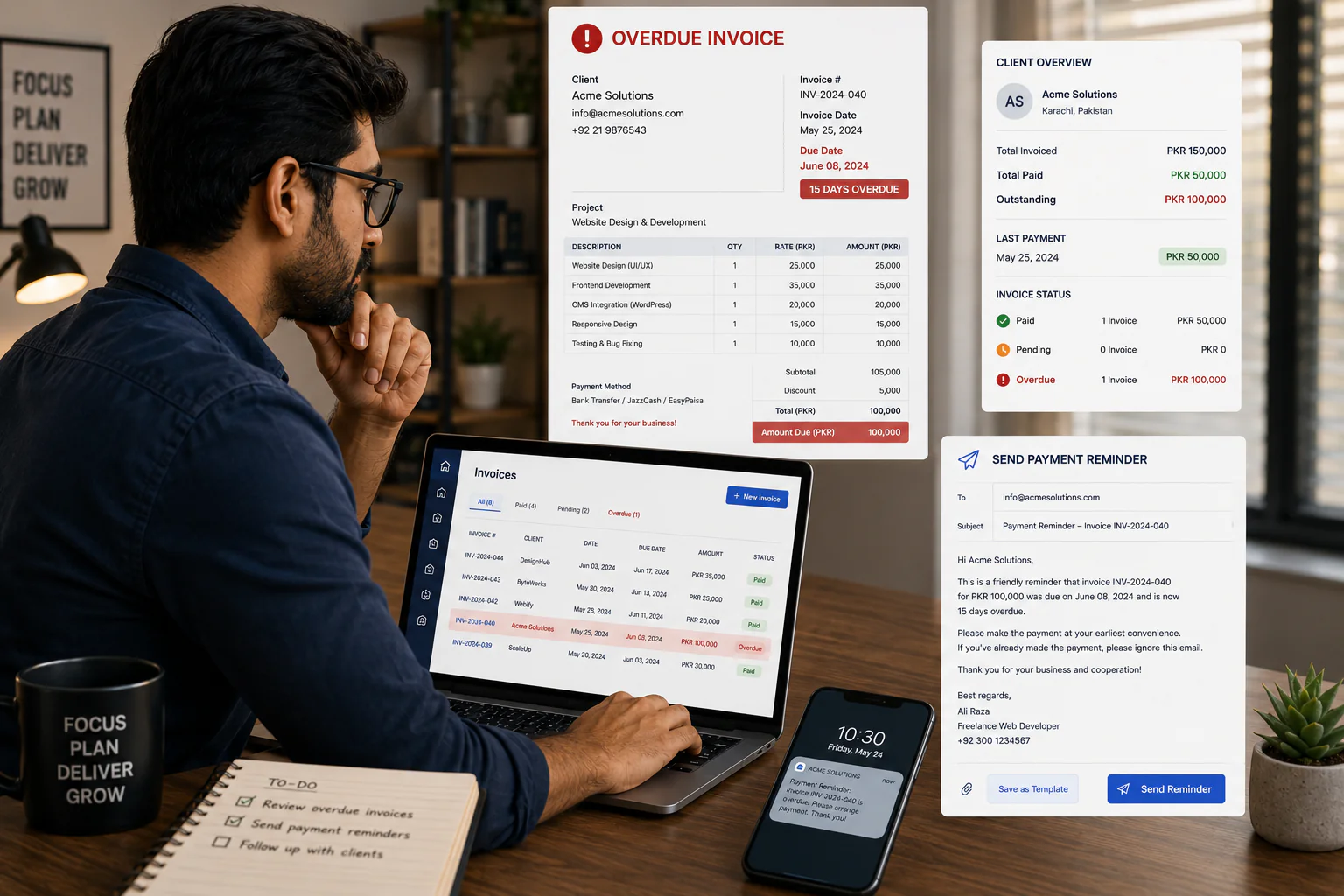
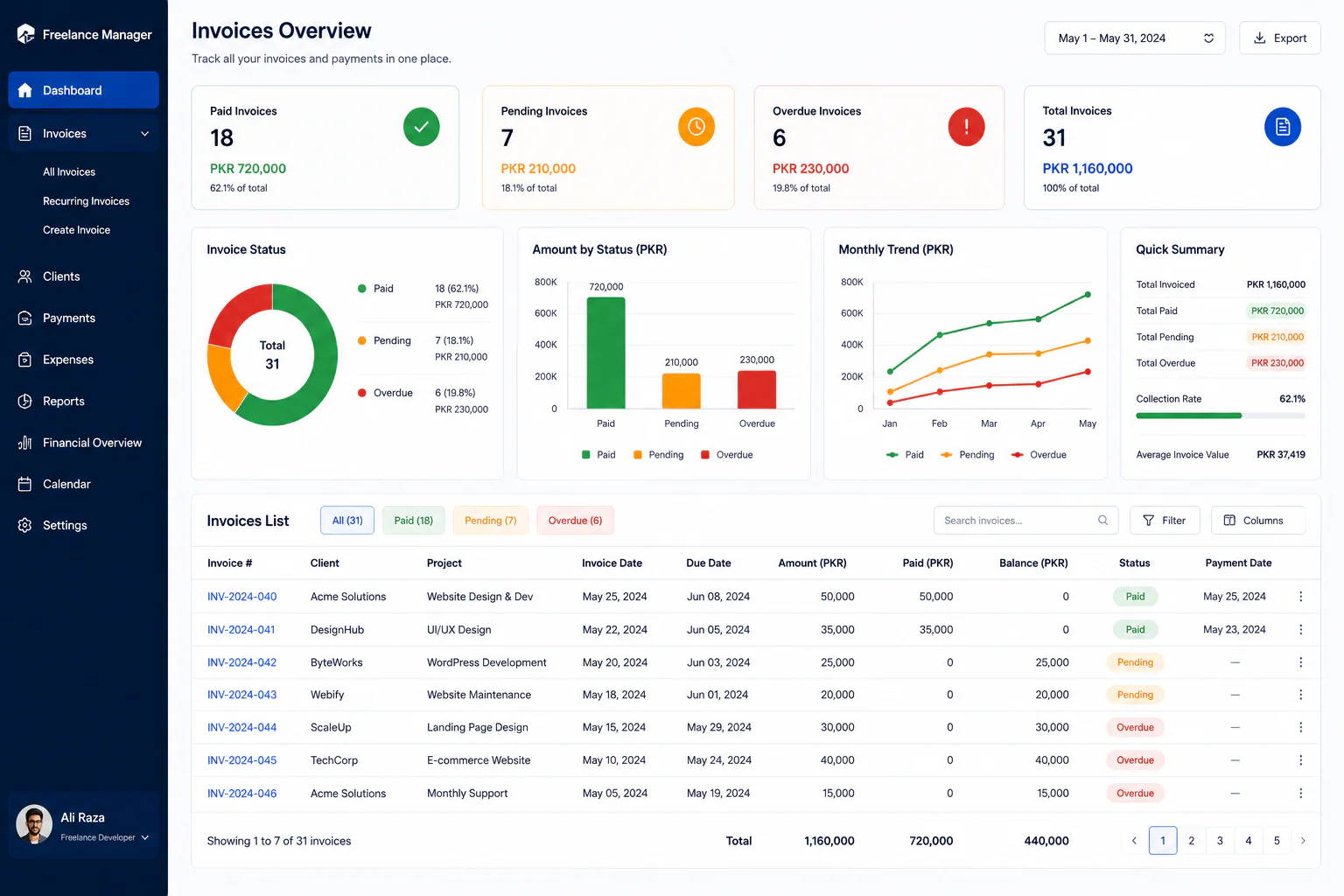
An invoice tracker can be as simple as a spreadsheet.
Useful columns include:
| Invoice | Client | Date | Amount | Due Date | Status |
|---|---|---|---|---|---|
| INV-001 | Client A | Aug 1 | $500 | Aug 15 | Paid |
| INV-002 | Client B | Aug 5 | $750 | Aug 19 | Pending |
| INV-003 | Client C | Aug 10 | $1,000 | Sep 9 | Paid |
You can add additional fields such as:
- Project
- Currency
- Payment date
- Payment method
- Notes
- Follow-up date
The objective is not to create unnecessary administration.
The objective is to know what has been billed, what has been paid, and what still requires attention.
Separate Business and Personal Records
If possible and appropriate for your circumstances, keep your freelance business finances organized separately from everyday personal spending.
This can make it easier to track:
- Client payments
- Business expenses
- Software subscriptions
- Equipment
- Taxes
- Outstanding invoices
The exact banking and accounting setup depends on your country and business structure.
But organized records are valuable regardless of where you operate.
Use a Consistent Invoice Template
Creating every invoice from scratch wastes time.
Build one professional template and reuse it.
Your template can contain permanent fields for:
- Business name
- Logo
- Contact information
- Invoice number
- Client information
- Service description
- Quantity
- Rate
- Total
- Payment terms
- Payment instructions
Then update the project-specific information for each client.
Review the template regularly to ensure that outdated payment information or business details do not remain.
Invoice Mistakes Freelancers Should Avoid
1. Sending an Invoice Without a Due Date
The client should not have to guess when payment is expected.
2. Using Vague Descriptions
“Freelance services” does not explain much.
Describe the actual service.
3. Forgetting the Invoice Number
Unique numbers make records easier to manage.
4. Incorrect Totals
Always double-check calculations.
5. Wrong Client Details
A typo in the client or company name can cause unnecessary administrative problems.
6. Inconsistent Payment Terms
Your proposal, contract, and invoice should not contradict one another.
7. Waiting Too Long to Invoice
If your agreement allows invoicing after completion, do not unnecessarily delay sending the invoice.
8. Making Payment Instructions Difficult
Tell the client exactly how to pay.
9. Mixing Multiple Projects
If possible, keep the invoice understandable and connected to the agreed work.
10. Ignoring Outstanding Payments
An unpaid invoice should remain visible in your tracking system until it is resolved.
How to Make Your Invoice Look Professional
Professional does not mean complicated.
A good invoice can be visually simple.
Use:
- Clear headings
- Readable fonts
- Consistent spacing
- Logical sections
- A visible total
- Easy-to-find payment information
- Your business branding where appropriate
Avoid filling the document with unnecessary graphics.
The client’s accounting team should be able to understand it quickly.
Your invoice is a business document, not a portfolio piece.
Should You Use Invoice Software?
You can create invoices using:
- Spreadsheet software
- Word processors
- Accounting software
- Dedicated invoicing platforms
- Business management systems
The right option depends on your volume and needs.
A beginner with a few clients may be perfectly comfortable with a well-designed template.
As your business grows, dedicated software may become useful for:
- Automatic numbering
- Recurring invoices
- Payment tracking
- Client records
- Reports
- Reminders
- Accounting integration
Do not buy complicated software simply because it looks professional.
Choose a system that solves your actual administrative problem.
Create a Simple Freelance Invoicing Workflow
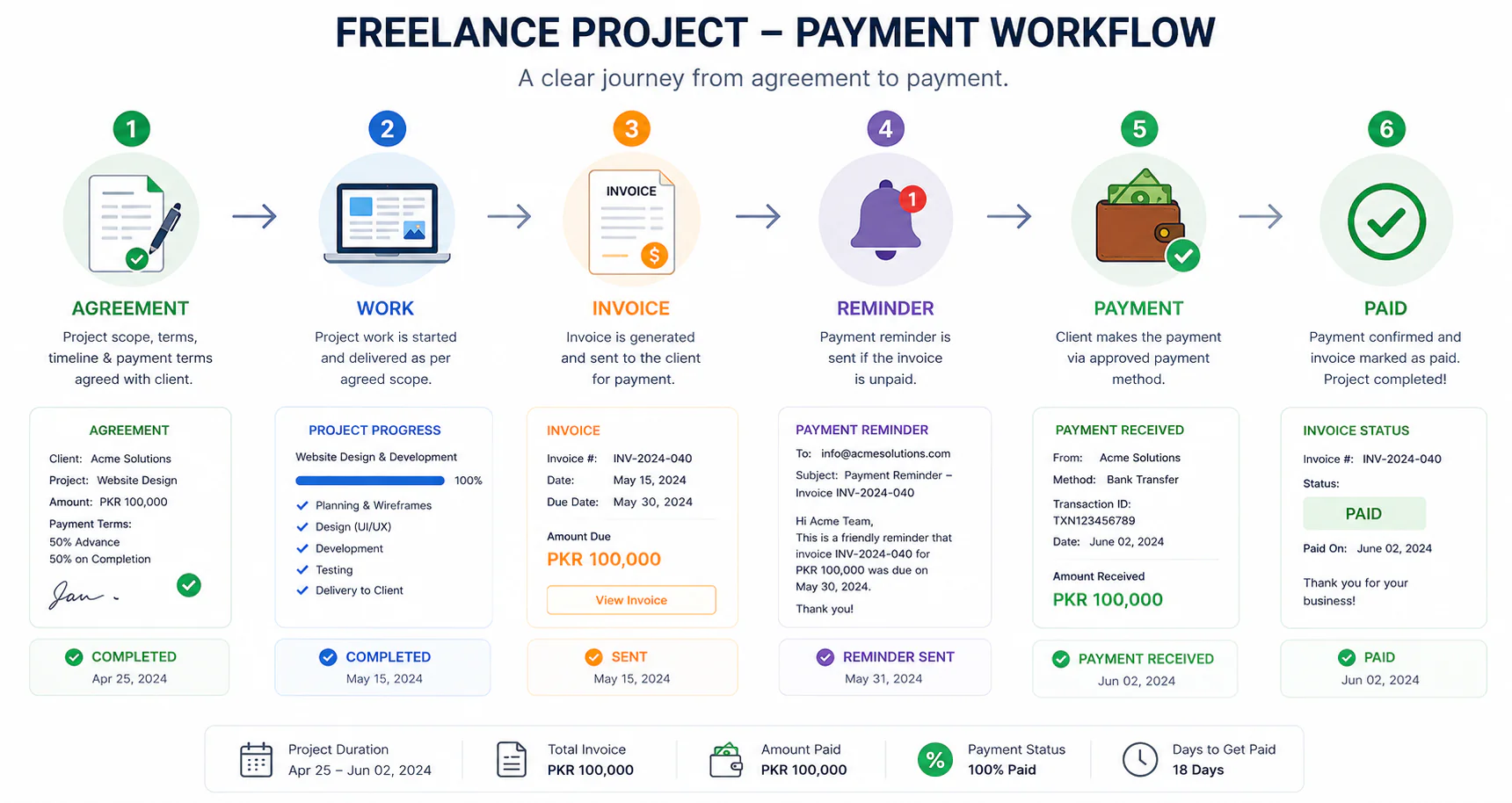
A repeatable workflow can look like this:
1. Agreement
Confirm the project price and payment terms.
↓
2. Project
Complete the agreed work.
↓
3. Invoice
Create and send the invoice.
↓
4. Record
Add the invoice to your tracker.
↓
5. Reminder
Follow up before or after the due date according to your process.
↓
6. Payment
Confirm the payment.
↓
7. Update
Mark the invoice as paid.
This system is simple, but consistency is powerful.
You do not need a huge business operation to invoice professionally.
A Practical Freelance Invoice Checklist
Before sending an invoice, ask:
Client Information
- Is the client’s name correct?
- Is the business name correct?
- Is the billing email correct?
Invoice Information
- Is the invoice number unique?
- Is the invoice date correct?
- Is the due date correct?
Work
- Does the description match the agreement?
- Are quantities or hours correct?
- Are additional charges approved?
Money
- Is the subtotal correct?
- Are applicable taxes handled correctly?
- Is the final amount correct?
- Is the currency clearly shown?
Payment
- Are payment instructions correct?
- Are the payment terms visible?
- Is the correct payment account listed?
File
- Is the filename professional?
- Is the PDF readable?
- Have you saved a copy?
This checklist can prevent many avoidable mistakes.
How Invoicing Builds Your Professional Reputation
Clients notice business processes.
They may not compliment your invoice directly, but a clear invoice communicates that you are organized.
Compare:
“Hey, here is the amount.”
with:
Professional invoice with project reference, itemized services, total amount, due date, and payment instructions.
The second approach creates less friction.
Professionalism is not only about completing excellent work.
It also includes how you manage the relationship before, during, and after delivery.
Freelance Invoice vs Receipt
An invoice and a receipt are not necessarily the same thing.
An invoice generally requests payment.
A receipt generally confirms that payment has been received.
For example:
Invoice:
Amount due: $600
After payment:
Receipt:
Payment received: $600
Your accounting requirements may vary by jurisdiction, so check the rules applicable to your business.
What About Platform-Based Freelancing?
If you work through a freelance marketplace, the platform may handle parts of the billing and payment process for transactions conducted through its system.
That is different from working with a direct client.
If you have direct clients outside a platform, you may need your own invoicing process.
Do not assume that a marketplace’s billing system replaces your responsibility for maintaining appropriate business records.
Final Thoughts
Learning how to create a professional freelance invoice may not seem as exciting as learning a new technical skill or finding a high-value client, but it is an essential part of running a sustainable freelance business.
A good invoicing system does not need to be complicated.
Start with the basics:
- Identify yourself clearly
- Identify the client
- Use unique invoice numbers
- Describe the work
- Show the amount
- State the currency
- Include the due date
- Explain how to pay
- Follow the payment terms you agreed
- Keep organized records
Then build a repeatable workflow around those fundamentals.
As your freelance business grows, your invoicing system can grow with it.
You may eventually manage multiple clients, monthly retainers, milestone payments, different currencies, recurring invoices, and more complex business expenses.
The earlier you develop good habits, the easier those changes become.
Most importantly, remember that professional invoicing starts before the invoice is created.
Your payment expectations should be discussed when you agree to the project.
Your proposal should communicate the price and payment schedule.
Your contract or written agreement should establish the relevant terms.
Your invoice should then document that agreement clearly.
When these pieces match, the payment process becomes much easier for both the freelancer and the client.
You are not simply sending a document asking for money.
You are creating a professional system for exchanging your expertise, time, and services for payment.
That mindset can help you move from casual freelance work toward a more organized and sustainable freelance business.
Frequently Asked Questions
What is a freelance invoice?
A freelance invoice is a document that requests payment from a client for services or work provided under an agreed arrangement.
What should a freelance invoice contain?
It should generally identify the freelancer and client, provide a unique invoice number, describe the work, show the amount due, state the due date, and explain how the client can pay.
When should a freelancer send an invoice?
The timing depends on the agreement. It may be sent after a completed project, at a milestone, at the beginning of a recurring billing period, or according to another agreed schedule.
What does Net 30 mean on a freelance invoice?
Net 30 generally means payment is due within 30 days of the invoice date. The exact terms should be agreed with the client and applied consistently.
Should freelancers use invoice numbers?
Yes. Unique invoice numbers make it easier to organize billing records and communicate with clients about specific invoices.
Can freelancers charge late fees?
A freelancer may be able to charge late fees if they were properly agreed and are permitted under the applicable laws and contract. Requirements vary by jurisdiction, so check the rules relevant to your situation.
Should I send my freelance invoice as a PDF?
PDF is a practical option because it generally preserves the layout of the invoice across different devices and applications.
What should I do if a client does not pay?
Check the agreed due date, send a polite reminder, keep a record of communication, and follow the escalation process established in your agreement.
Do freelancers need accounting software?
Not necessarily. Beginners may manage a small number of invoices with a spreadsheet or template. Software can become useful as the number of clients and transactions grows.
Can one invoice contain multiple freelance services?
Yes, provided the services are related to the agreed work and are clearly itemized so the client can understand what they are paying for.